


Smart Door Lock Installation: What to Check Before You Buy
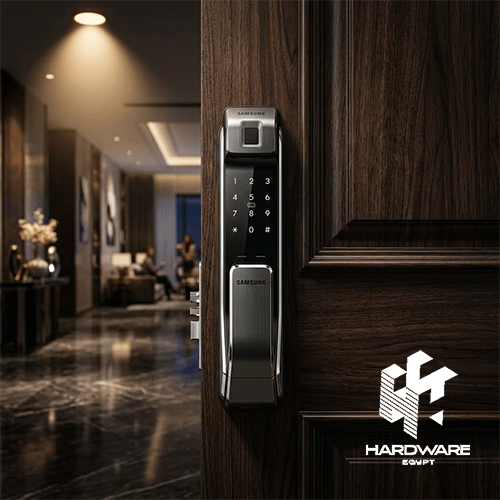
The easiest mistake with a smart lock is choosing the lock before looking at the door.
A product can have fingerprint recognition, facial recognition, WiFi, an app, a camera, temporary passwords, and a long list of impressive features. None of that matters if the lock does not physically fit the door or if the people using it do not need half of those features.
That is why smart door lock installation should really start before the purchase.
First, look at the door. Then think about who needs access, how they normally enter, and what should happen if the battery runs low or one of the electronic functions is unavailable. Only after that should you compare different smart-lock models.
The same principle applies when searching for the best biometric door lock or the best home smart locks. There is no single model that works perfectly for every home. A family looking for simple fingerprint access has different priorities from a homeowner who wants remote access, temporary passwords, visitor monitoring, and video.
Hardware Egypt currently carries smart locks with different combinations of fingerprint, password, card, app, facial recognition, camera, and mechanical-key access.
So instead of asking, “Which smart lock has the most features?”, start with a more useful question:
Which features actually make sense for this door and the people who use it?
Why Smart Door Lock Installation Starts With the Door
A smart lock is still a physical locking mechanism.
It has to fit the door, align with the frame, and allow the latch or deadbolt to move properly. If any of those things are wrong, even an advanced electronic lock can become frustrating to use.
Before ordering, check:
- Door thickness.
- Door material.
- Existing lock body.
- Mortise dimensions.
- Handle position.
- Opening direction.
- Available space around the lock.
- Condition of the door frame.
Hardware Egypt’s current range shows why these measurements matter. The Smart Door Lock I13 Cat Eye, for example, is listed for doors between 35 and 100 mm thick. Other models have their own compatibility requirements.
So don’t assume that because one lock fits your door, another model with a similar appearance will fit too.
For a broader look at the products available for different door types, the smart door lock category is a useful starting point. It currently includes models with different access methods and configurations.
Wooden Doors vs Steel Doors
The material of the door can affect installation.
Wooden doors may offer more flexibility when modifications are needed. Steel and armoured doors can be more complicated because the existing locking structure may limit what can be changed.
That does not mean a smart lock cannot be installed on a steel door. It simply means the exact model needs to be checked against the door.
Several current Lzen models on Hardware Egypt are specifically described as suitable for wooden and steel doors, while some models also specify left- and right-handed installation.
What Should You Check Before Smart Door Lock Installation?
A few minutes of preparation can save you from a much bigger problem on installation day.
Measure the Door
Start with the physical basics:
- Measure the door thickness.
- Take photos of the existing lock from both sides.
- Measure the current lock body where possible.
- Check the handle position.
- Confirm whether the door opens left or right.
- Look at how the door meets the frame.
If you’re replacing a mortise lock, its dimensions are particularly important.
Check the Door’s Existing Problems
This is easy to overlook.
If the door currently sticks, needs to be pushed before it closes, or requires lifting the handle to align the lock, fix that before installing a smart lock.
A motorized lock still has to move the physical mechanism. Electronics cannot fix a door that is already misaligned.
In fact, the motor may make an existing mechanical problem more obvious.
Check the Space Around the Lock
Some smart locks have larger interior units than traditional locks.
Make sure there is enough room for:
- Battery compartment.
- Interior handle.
- Thumb turn.
- Display, if included.
- Wiring, where required.
Choosing the Best Biometric Door Lock for Your Home
Fingerprint access is popular for a simple reason: it removes the need to carry a key or remember a PIN every time you enter.
But searching for the best biometric door lock should not turn into a race to find the highest number of stored fingerprints or the longest list of biometric features.
Start with the users.
How many people will use the door regularly?
Do they all want fingerprint access?
Do you need a backup PIN?
Would cards be useful?
Does anyone need temporary access?
Hardware Egypt currently lists several fingerprint-based smart locks. The fingerprint smart lock Finger Smart Lock 808s, for example, is listed with fingerprint, password, RFID card, and emergency-power functionality.
For a household that simply wants keyless entry, that combination may be more useful than paying for a camera or facial-recognition system that nobody intends to use.
Fingerprint vs Face Recognition
Both are biometric methods, but they offer different experiences.
Fingerprint Access
Fingerprint access makes sense when:
- The same people use the door regularly.
- Fast entry is important.
- Users do not want to carry cards.
- Visitor monitoring is not a priority.
It is also available across different price points, which makes it easier to choose according to the actual requirements.
Face Recognition
Face recognition provides hands-free access and is often combined with other smart functions.
Depending on the model, that can include:
- Fingerprint access.
- Password access.
- RFID cards.
- Camera.
- Video intercom.
- Mobile app.
- Emergency key.
Hardware Egypt’s face recognition smart lock i12 Face Version, for example, combines face recognition with fingerprint, password, card, emergency-key access, live video, two-way audio, and colour night vision.
That’s a much more feature-rich product.
But more features are not automatically better.
If the only thing you want is to stop carrying keys, a simpler fingerprint lock may actually be the better choice.
Best Home Smart Locks: Choose by How the Door Is Used
Searching for the best home smart locks becomes much easier when you stop comparing specifications in isolation.
Think about an ordinary week at home.
Who comes through the door?
Who needs permanent access?
Who might need temporary access?
Do you want to control the lock while you’re away?
Do you need to see visitors?
Those questions are more useful than simply asking which model has the longest feature list.
| Home Situation | Suitable Direction | Features to Prioritise |
|---|---|---|
| Family home | Multi-access smart lock | Fingerprint, PIN, key backup |
| Apartment with visitors | Connected smart lock | Temporary passwords, app access |
| Villa entrance | Camera-equipped lock | Camera, night vision, multiple access methods |
| Elderly users | Simple access lock | Fingerprint, card, easy backup |
| Rental property | Connected lock | Temporary codes, app management |
| Premium entrance | Face-recognition lock | Face, fingerprint, video, app |
| Home with children | Family-focused lock | PIN, fingerprint, child safety |
This is also where an older Hardware Egypt article on best digital door lock can help when comparing access methods such as fingerprints, PINs, cards, Bluetooth, WiFi, and mechanical backup.
The important distinction is that “digital,” “smart,” and “connected” do not necessarily mean exactly the same thing.
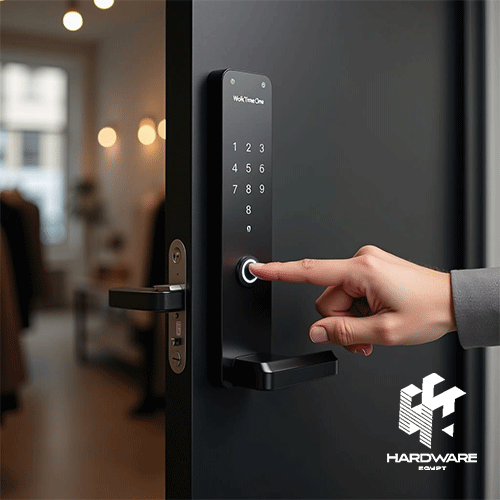
When WiFi Actually Matters
Not every smart lock needs WiFi.
Some models provide electronic access through fingerprints, PINs, cards, or Bluetooth without giving you remote control over the internet.
WiFi becomes useful when you specifically want things such as:
- Remote unlocking.
- App-based access management.
- Temporary passwords.
- Notifications.
- Visitor management.
- Smart-home integration.
But there is another detail worth checking.
Does the lock have built-in WiFi, or does it require another device or hub?
That difference can affect both installation and everyday use.
The WiFi smart door lock K30 Face Version listed by Hardware Egypt supports 2.4GHz WiFi, Tuya, Smart Life, face recognition, fingerprint, password, card, temporary passwords, live video, two-way audio, and emergency power.
If remote access is not something you actually need, however, WiFi should not automatically become a deciding factor.
Smart Lock With a Camera: Is It Worth Paying More?
A camera changes the job of the lock.
A regular smart lock controls access.
A camera-equipped model can also help you see and communicate with visitors.
That can be useful for:
- Apartment entrances.
- Villas.
- Homes that receive frequent deliveries.
- Families that want to identify visitors.
- Entrances without a separate video doorbell.
Hardware Egypt’s current camera-equipped models include combinations of live video, night vision, two-way audio, facial recognition, fingerprint access, and mobile apps.
The existing best smart lock with camera article goes deeper into the features worth checking, including live video, night vision, temporary passwords, app control, and emergency access.
But ask one simple question before paying extra:
Do you already have a camera covering the entrance?
If you do, another camera inside the lock may not add much value.
If you don’t, combining visitor monitoring and access control in one device can make more sense.
Battery Life and Emergency Access Matter
A smart lock adds one thing that a traditional mechanical lock does not have to worry about: electronic power.
That makes battery management part of the ownership experience.
Before buying, check:
- Battery type.
- Battery capacity where specified.
- Low-battery warnings.
- Charging method.
- Emergency power.
- Mechanical-key backup.
- Location of the emergency connection.
For example, Hardware Egypt lists the rechargeable battery smart door lock Lzen New I10 Cat Eye with a 4200mAh rechargeable lithium battery, Micro USB emergency power, and multiple access methods.
The exact battery design varies by model, so don’t assume all smart locks behave the same way.
And don’t wait until the battery is completely dead to find out how the emergency system works.
Temporary Access Is More Useful Than It Sounds
Temporary access is one of those features that can look secondary on a product page and become extremely useful in real life.
Think about:
- A cleaner visiting regularly.
- A maintenance worker arriving while you’re away.
- A family member staying for a few days.
- A guest who needs access for a limited period.
If the lock supports temporary passwords, you can potentially provide access without handing over a physical key.
The smart door lock with temporary password Lzen New I15 Cat Eye, for example, is listed with temporary-password functionality, fingerprint access, password access, card access, mechanical-key backup, and app support.
For homes with frequent visitors, that can be more useful than some of the flashier features.
Smart Lock Security: Look Beyond the App
A smart lock is still a physical security device.
A well-designed mobile app does not compensate for a poorly fitted lock, a weak door, or a mechanism that does not align correctly.
Think about security in two layers.
Physical Security
Consider:
- Lock-body construction.
- Cylinder design.
- Door compatibility.
- Installation quality.
- Door and frame condition.
Digital Security
Depending on the model, consider:
- User authentication.
- Access management.
- Password controls.
- Activity records.
- Tamper alerts.
- App permissions.
- Backup entry methods.
This is particularly important when comparing the best home smart locks. A longer feature list does not automatically mean stronger overall security.
Smart Lock With Handle: An Extra Compatibility Check
Handle-based smart locks deserve additional attention because the handle becomes part of the installation.
Before choosing one, check:
- Handle orientation.
- Mortise dimensions.
- Door thickness.
- Existing holes.
- Interior handle clearance.
- Lock-body dimensions.
- Emergency operation.
A product may look perfect online and still not suit the existing door.
This is one reason installation requirements should be checked before purchasing rather than after the product arrives.
Retrofit vs Full Smart Lock Replacement
Not every smart lock replaces the entire existing locking system.
A retrofit design may work with part of the existing mechanism, depending on compatibility.
A full replacement usually involves replacing more of the existing door hardware.
The choice can affect:
- Installation time.
- Required door modification.
- Appearance.
- Existing-key compatibility.
- Overall cost.
For a rental property or a door that should remain largely unchanged, a compatible retrofit solution may be attractive.
For a homeowner renovating the entrance, a complete smart lock may offer a cleaner integrated installation.
The keyword is compatible.
Do not assume a retrofit product will work with every existing lock.
What Can Go Wrong During Smart Door Lock Installation?
Most installation problems are not mysterious.
They usually come down to compatibility.
The mortise does not match.
The new lock may require different dimensions from the existing mechanism.
That can mean modification or choosing another model.
The Door Is Too Thick
Manufacturers specify door-thickness ranges for a reason.
The I13 Cat Eye, for example, is listed for 35–100 mm doors.
The Door Is Misaligned
If the bolt does not line up correctly with the strike plate, the motor may struggle to lock or unlock the door.
Fix the mechanical alignment first.
The Handle Gets in the Way
A handle-based lock requires more space and careful positioning.
The Installer Modifies the Door Before Confirming Compatibility
This is the mistake to avoid.
Measure first.
Confirm the exact model.
Then decide what needs to be changed.
Common Mistakes Homeowners Make
-
Buying the Feature List
A lock with ten features is not automatically better than one with four useful ones.
-
Not Measuring the Door
This is one of the easiest mistakes to prevent.
-
Ignoring Existing Door Problems
If the door does not close properly now, fix that before adding a motorized lock.
-
Forgetting Emergency Access
Know how you will enter if the battery or electronic system becomes unavailable.
-
Assuming WiFi Is Necessary
If you only need fingerprint or PIN access, you may not need remote connectivity.
-
Paying for a Camera You Will Not Use
Camera functionality is useful when visitor monitoring matters. Otherwise, it may simply increase the cost and complexity.
-
Choosing the Same Lock for Every Situation
A family home, rental property, apartment, and hotel room can have completely different access requirements.
Hardware Egypt’s current smart-lock category includes both residential-oriented models and hotel electronic locks, so the application should be considered before comparing products.
Smart Door Lock Buying Checklist
Before placing the order:
- Measure door thickness
- Identify door material
- Check existing lock and mortise
- Confirm handle position
- Confirm opening direction
- Check installation space
- Decide who needs regular access
- Choose preferred access method
- Check whether temporary access is needed
- Decide whether WiFi or Bluetooth is actually required
- Check app compatibility
- Confirm battery type
- Confirm low-battery warning
- Identify emergency access method
- Check whether a mechanical key is included
- Decide whether a camera is necessary
- Confirm product compatibility before modifying the door
- Verify current price and availability
Bottom Line
Smart door lock installation should start with the door, not with the feature list.
Measure the door. Check the existing lock. Make sure the frame is aligned and the door closes properly. Then think about the people who actually need access.
If fingerprint access solves the problem, there may be no reason to pay extra for facial recognition and video. If you have regular visitors, temporary passwords can be genuinely useful. If you want to know who is standing outside, a camera-equipped model can make sense.
The same logic applies when searching for the best biometric door lock or the best home smart locks. The strongest choice is not necessarily the most expensive model or the one with the longest specification sheet.
It is the one that fits the door, fits the household, and gives you a practical backup when something goes wrong.
Hardware Egypt’s current smart door lock range includes fingerprint, password, card, app-connected, face-recognition, and camera-equipped models.
For a simple fingerprint direction, the fingerprint smart lock Finger Smart Lock 808s offers fingerprint, password, RFID card, and emergency-power functionality. For a more feature-rich entrance, the face recognition smart lock i12 Face Version combines face recognition, fingerprint, password, card, emergency-key access, video intercom, live video, and night vision.
And if you’re still comparing models, the existing best smart front door locks article is useful for looking at front-door compatibility, access methods, security, power backup, camera functionality, and remote access.
The important part is not buying the lock with the most features.
It is buying the one that makes sense for your door, your household, and the way you actually use the entrance.
How difficult is smart door lock installation?
It depends on the exact lock and the existing door. Some models are designed for compatible doors with relatively straightforward installation, while others require changes to the mortise or existing hardware.
What is the best biometric door lock for a home?
There is no single best biometric door lock for every household. Fingerprint locks can be practical for regular users, while face-recognition models may make more sense when hands-free entry, visitor monitoring, or additional smart features are required.
Are the best home smart locks always WiFi-enabled?
No. Some smart locks work through fingerprint, PIN, card, or Bluetooth without internet connectivity. WiFi becomes more useful when remote management or app-based access is required.
Can a smart lock be installed on a steel door?
Some models are specifically listed as suitable for steel doors, but compatibility depends on the exact lock, door thickness, locking mechanism, and installation configuration. Hardware Egypt currently lists several Lzen models for wooden and steel doors.
What should I measure before buying a smart lock?
At minimum, measure the door thickness and check the existing lock body, mortise, handle position, opening direction, and available installation space.