


Best Digital Door Lock: How to Choose the Right Smart Lock
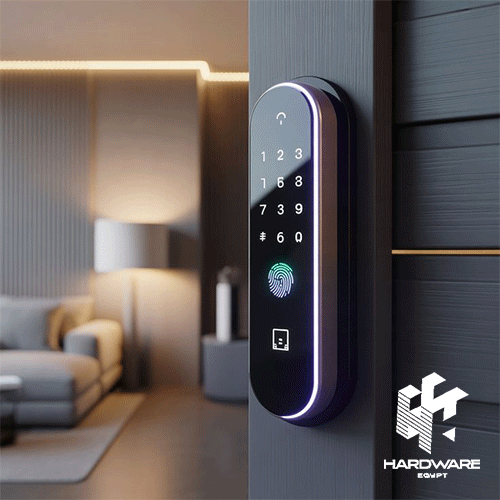
Choosing the best digital door lock starts with your door, not with the longest feature list. A lock that works well on one entrance may not fit another because door material, thickness, lock body, opening direction, and installation requirements can differ.
Then consider how people actually need to enter. Fingerprints may be convenient for family members or regular employees. PIN codes can suit temporary users. Cards may work well in offices, while app control can make sense when access needs to be managed remotely.
If remote access is important, the best wireless door lock for your situation should also have suitable connectivity, a practical mobile app, reliable battery management, and backup access. A best smart door lock with handle candidate should add another check: whether its handle and mortise design physically match the door.
Hardware Egypt currently carries a wide Smart Door Lock range covering fingerprint, PIN, card, app-connected, face-recognition, video, and other electronic access options. At the time of review on 12 August 2026, the category displayed 67 products.
Quick Digital Door Lock Decision Matrix
| Requirement | Suitable Direction | Features to Prioritise | Check Before Buying |
|---|---|---|---|
| Family home | Fingerprint digital lock | Fingerprint, PIN, key backup | Door compatibility |
| Apartment entrance | Smart mortise lock | Fingerprint, PIN, app | Door thickness and mortise |
| Office door | Multi-user digital lock | Cards, PINs, user management | User capacity |
| Rental property | App-connected lock | Temporary codes, activity management | Remote-access method |
| Premium entrance | Full smart handle lock | Face, fingerprint, video, app | Installation requirements |
| Elderly users | Simple fingerprint/handle lock | Easy physical operation | Emergency access |
| Guest access | Wireless smart lock | Temporary PINs, remote management | App functionality |
| Wooden or steel entrance | Compatible smart mortise lock | Correct lock body | Materials and handling |
The table is a starting point rather than a product ranking. A simpler digital lock can be the better choice when it matches the door and access requirements more closely.
What Is a Digital Door Lock?
A digital door lock replaces or supplements traditional key access with electronic authentication.
Depending on the model, access methods can include:
- Fingerprint recognition.
- PIN or password.
- RFID or NFC card.
- Smartphone app.
- Bluetooth.
- WiFi.
- Face recognition.
- Temporary codes.
- Mechanical emergency key.
A digital lock does not necessarily have internet connectivity. A keypad or fingerprint lock can operate electronically without functioning as a connected smart-home device.
This distinction matters when searching for the best digital door lock because digital, wireless, and smart locks overlap but are not always identical categories.
Yale, for example, offers digital mortise locks with combinations of fingerprint, PIN, RFID card, mechanical key, Bluetooth, WiFi, and app-based access depending on the specific model.
Hardware Egypt similarly lists digital locks with different access combinations rather than one standard feature set.
Digital Door Lock vs Smart Door Lock
The main difference is connectivity.
A standard digital lock may let you enter using a fingerprint, PIN, or card but operate mainly at the door.
A smart lock adds connected functionality. Depending on the product, this can include app management, notifications, temporary credentials, remote control, activity history, smart-home integration, or other connected features.
For example, Schlage’s Encode smart products use built-in WiFi for app-based remote control, while Yale offers connected locks and accessories that use WiFi or Bluetooth depending on the product.
So the best choice depends on whether connectivity adds real value.
If all users live in the same home and fingerprint access is enough, a straightforward digital lock may meet the requirement.
If owners need to manage guests while away from the property, wireless functionality becomes more relevant.
For broader connected-home products, buyers can also explore the Smart Home System range at Hardware Egypt.
What Makes the Best Digital Door Lock?
The best digital door lock should perform four jobs well:
- Fit the door correctly.
- Provide suitable access methods.
- Offer sensible backup options.
- Match the user’s security and management needs.
Extra features should come after those basics.
A face-recognition camera, video screen, or mobile app can be useful, but these features cannot compensate for a lock that does not match the existing door preparation.
Start With Door Compatibility
Before comparing fingerprint speed or mobile apps, confirm:
- Door material.
- Door thickness.
- Existing mortise dimensions.
- Backset.
- Handle direction.
- Left- or right-hand opening.
- Indoor or outdoor exposure.
- Frame condition.
- Required drilling or modification.
Hardware Egypt’s current product range demonstrates why this check matters. The I13 Cat Eye specifies compatibility with door thicknesses from 35 to 100 mm, while the Lzen K12 Pro is listed for wooden and steel doors and supports left- and right-handed installations.
Installation compatibility should therefore be confirmed for the exact model rather than assumed because two products look similar.
Which Unlocking Method Is Best?
No single method is ideal for every user.
Fingerprint
Fingerprint access is convenient for regular users because they do not need to remember a password or carry a card.
Hardware Egypt lists several locks with fingerprint recognition, including the HL02, D01, I13 Cat Eye, and higher-level Lzen models.
Yale also uses fingerprint access across multiple digital-lock families.
PIN Code
A PIN is useful when users need keyless access without registering a fingerprint.
Temporary codes can be particularly useful for visitors, property services, or other time-limited access scenarios when the selected lock supports them.
The Lzen K12 Pro listing, for example, includes temporary password functionality alongside fingerprint, card, key, and app access.
RFID or Access Card
Cards can work well in offices or households where some users prefer a physical credential.
They are also familiar in broader business Access Control systems, where RFID and PIN-based access are widely used.
Mechanical Key
A backup mechanical key remains useful when electronic access is unavailable.
Several Hardware Egypt smart-lock listings include mechanical-key backup alongside their electronic access methods.
How to Choose the Best Wireless Door Lock
The best wireless door lock should make remote or connected access simpler without making basic entry dependent on the internet.
Check what “wireless” means on the exact product.
It can refer to:
- Built-in WiFi.
- Bluetooth.
- WiFi through a separate bridge or hub.
- Matter/Thread on newer ecosystems.
- A manufacturer-specific wireless platform.
For example, Schlage offers locks with built-in WiFi that can be controlled through its app without an additional WiFi accessory. Some Yale products instead require a compatible WiFi bridge for remote functionality.
Newer smart locks can also use other protocols. Aqara’s U400 uses Matter over Thread and supports several connected-home ecosystems alongside fingerprint, NFC, passcodes, app access, and mechanical keys.
That does not mean every buyer needs the newest protocol. It means connectivity should be checked precisely instead of assuming all smart locks connect in the same way.
WiFi vs Bluetooth Door Locks
WiFi and Bluetooth solve different problems.
WiFi
WiFi is useful when you need functionality that works while you are away from the door, depending on the lock and app.
This may include:
- Remote management.
- Notifications.
- Access changes.
- Visitor control.
- Connected-home integration.
Hardware Egypt’s Lzen K3O Face Version explicitly lists 2.4GHz WiFi and compatibility with Tuya and Smart Life. The product page also describes remote app control and access management.
Bluetooth
Bluetooth is normally focused on nearby device-to-lock communication.
It can provide phone-based convenience without requiring the lock itself to maintain a direct WiFi connection.
Some systems then use a separate hub or bridge if remote access is needed.
When comparing the best wireless door lock options, check whether remote access is built in or requires another device.
Best Smart Door Lock With Handle: What Should You Check?
A best smart door lock with handle candidate combines electronic access with the physical hardware used to open the door.
This can make the installation look integrated and convenient, but it also increases the importance of compatibility.
Check:
- Handle orientation.
- Mortise size.
- Door thickness.
- Existing holes.
- Lock-body dimensions.
- Inside-handle operation.
- Emergency egress.
- Door material.
- Required modifications.
Yale offers handle-based digital mortise locks where fingerprint, PIN, RFID, mechanical key, remote control, app, WiFi, or Bluetooth features vary by model. Some Yale models can also be configured for different door handing.
Schlage similarly offers a smart WiFi lever designed to replace compatible residential knobs or levers.
The lesson is simple: do not select a handle lock from appearance alone.
Fingerprint Lock vs Face Recognition
Fingerprints are usually the simpler biometric option.
A fingerprint reader can provide fast access without requiring a separate credential. It is widely available across digital-lock price levels.
Face-recognition locks add another hands-free access method and are often combined with more advanced hardware.
Hardware Egypt currently lists several face-version models, including the Lzen K3O and i12 Face Version. The i12 page lists face access, fingerprint, password, card, emergency key, video intercom, two-way audio, live video, night vision, and Tuya/Smart Life support.
The K3O similarly combines face recognition, fingerprints, passwords, cards, mechanical keys, WiFi, and app control.
However, extra authentication methods should be selected because they solve an actual access requirement—not simply because they are available.
Smart Door Lock Features: What Matters Most?
Use this priority order when comparing models.
| Feature | Priority | Why It Matters |
|---|---|---|
| Door compatibility | Essential | The lock must physically fit |
| Reliable primary access | Essential | Fingerprint, PIN, card, or chosen method |
| Emergency access | Essential | Provides another route if electronics fail |
| Battery warning | High | Reduces risk of unexpected power loss |
| App access | Depends on use | Helpful for remote management |
| Temporary credentials | High for rentals/offices | Easier visitor management |
| WiFi | Depends on use | Enables connected functions |
| User capacity | High for business | Supports larger groups |
| Camera/video | Optional | Useful for visitor visibility |
| Face recognition | Optional | Adds hands-free biometric access |
| Smart-home integration | Optional | Useful in connected environments |
A lock with five reliable functions can be a better purchase than one with ten functions that are irrelevant to the property.
Battery and Emergency Power Matter
Electronic locks depend on electrical power, usually batteries or a rechargeable battery pack.
Therefore, battery design deserves more attention than it often receives.
Check:
- Battery type.
- Whether batteries are replaceable or rechargeable.
- Low-battery warning.
- Emergency power method.
- Mechanical-key backup.
- Whether stored users remain saved after battery replacement.
The HL02 uses four AA batteries and includes a low-battery alert and emergency key. The Lzen D01 uses four AAA batteries and also lists low-battery and emergency-access features.
Other models use larger rechargeable packs. The K3O, for example, lists a 4200mAh lithium battery.
Battery specifications should always be checked on the exact model.
Smart Door Locks for Homes vs Offices
Residential and business users can require very different access management.
Home
For a normal household, useful priorities may include:
- Fingerprint access.
- PIN entry.
- Backup key.
- Child-safety features.
- App notifications.
- Visitor access.
- Easy daily operation.
Office
Businesses may care more about:
- Larger user capacity.
- Cards or credentials.
- Admin accounts.
- Access permissions.
- Temporary access.
- Activity management.
- Integration with other security systems.
If a company needs to control several doors or manage larger employee groups centrally, a full Access Control solution may be more suitable than installing independent consumer-style smart locks on every door.
Hardware Egypt’s broader Security & Automation range includes smart locks, access control, fingerprint systems, alarms, cameras, security gates, and smart-home products.
Smart Door Lock Prices on Hardware Egypt
The following examples were reviewed on 12 August 2026. Prices and availability may change, so they should be verified before ordering.
| Model | Main Direction | Selected Listed Features | Reviewed Price |
|---|---|---|---|
| Finger Smart Lock 808s | Entry-level fingerprint lock | Fingerprint, emergency power | EGP 3,500 |
| Smart Lock HL02 | Multi-access digital lock | Fingerprint, PIN, RFID, key | EGP 6,000 |
| Lzen D01 | App-connected smart lock | Fingerprint, PIN, card, Tuya | EGP 8,000 |
| Lzen i7 Basic | Connected smart lock | Fingerprint, PIN, card, Tuya | EGP 11,500 |
| I13 Cat Eye | Camera-style smart lock | Fingerprint, PIN, card, key | EGP 13,500 |
| Lzen K3O Face Version | WiFi face-recognition lock | Face, fingerprint, WiFi, app | EGP 19,500 |
| Lzen K12 Pro | Premium multi-access lock | Face, fingerprint, app, video | EGP 21,500 |
| i12 Face Version | Advanced connected lock | Face, fingerprint, video, app | EGP 24,000 |
The reviewed category lists the Finger Smart Lock 808s at EGP 3,500, while individual Hardware Egypt pages list the HL02 at EGP 6,000, D01 at EGP 8,000, i7 Basic at EGP 11,500, and I13 Cat Eye at EGP 13,500.
The K3O Face Version is currently listed at EGP 19,500, the K12 Pro at EGP 21,500, and the i12 Face Version at EGP 24,000.
These examples also show why price alone cannot determine the best lock. Product capabilities and installation requirements differ significantly.
Is a More Expensive Smart Lock Always Better?
No. The right model is the one whose capabilities match the application.
A higher-priced model may add:
- Face recognition.
- Integrated camera.
- Video intercom.
- Larger displays.
- More users.
- Rechargeable batteries.
- Remote app control.
- Additional authentication methods.
These can be valuable, but only if they solve a real requirement.
If a household mainly needs fingerprint access, PIN backup, and a key, paying for video intercom and face recognition may add cost without improving everyday use.
The best digital door lock should therefore be judged by fit and requirements before price tier.
Common Digital Door Lock Buying Mistakes
Buying Before Measuring the Door
This is one of the biggest mistakes. Door thickness and lock-body dimensions affect compatibility.
Assuming Every Smart Lock Has Remote Access
App support does not automatically mean full remote control from anywhere. Check whether WiFi, a bridge, hub, or other connection is required.
Choosing Based Only on Fingerprint Access
Fingerprint is useful, but backup methods and door compatibility remain important.
Ignoring Battery Design
Check alerts, emergency power, and backup access before relying on an electronic lock.
Buying Too Many Features
A long specification list can increase cost without improving the actual user experience.
Ignoring Installation
A professional-looking installation depends on the existing door and lock preparation.
Forgetting Other Users
Children, elderly relatives, employees, cleaners, visitors, and temporary users may need different access methods.
Digital Door Lock Buying Checklist
Before ordering, confirm:
- Door material.
- Door thickness.
- Existing mortise dimensions.
- Opening direction.
- Indoor or outdoor installation.
- Number of regular users.
- Fingerprint requirement.
- PIN requirement.
- RFID/card requirement.
- Face-recognition requirement.
- Mechanical-key backup.
- Emergency-power option.
- Battery type.
- Low-battery warning.
- WiFi or Bluetooth requirement.
- Remote-access requirement.
- App compatibility.
- Temporary access codes.
- Admin/user capacity.
- Smart-home integration.
- Camera or video requirement.
- Installation requirements.
- Current product availability.
- Current price.
The most important checks are door fit, everyday access, backup access, and installation. Everything else builds on those fundamentals.
Final Verdict: Which Digital Door Lock Should You Choose?
The best digital door lock is not automatically the product with face recognition, a camera, or the highest price.
For straightforward home access, fingerprint, PIN, and mechanical backup may provide everything the household needs.
The best wireless door lock becomes more relevant when the owner wants connected access, remote management, visitor permissions, or integration with a wider smart-home setup. In that case, confirm whether WiFi is built in or whether the product needs additional infrastructure.
The best smart door lock with handle should be selected even more carefully because the handle, mortise, door thickness, handing, and existing door preparation all affect installation.
Start by measuring the door. Then decide who needs access and how they should enter. After that, compare connectivity, battery design, user management, and extra features.
Hardware Egypt currently offers dozens of smart door lock options, from straightforward fingerprint locks to connected face-recognition and video models. Buyers can also explore the wider Security & Automation category or contact Hardware Egypt to confirm the appropriate lock and current availability for a specific door.