


The Best HP Printer for Small Business or Home Use: How to Pick the Right Wireless Model
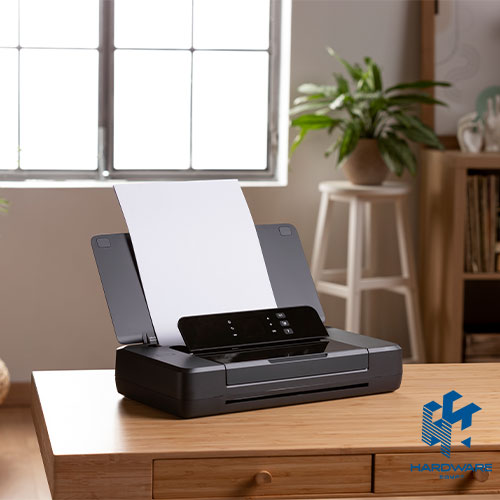
Picking between HP printers for small business and a simple HP wireless home printer comes down to two things. How much do you print? Who needs to print it? This guide gives you the direct pick first. Then it breaks down the criteria, types, and mistakes behind that recommendation, so you can adjust it to your exact situation.
The Best HP Printer for Small Business and Home Use, at a Glance
There’s no single best HP printer for every situation, but the table below narrows it down fast based on the two things that matter most: how much you print, and where the printer will live.
| Business Need | Best HP Printer Type | Why It Fits |
| Low daily print volume, mixed documents | HP OfficeJet Pro (inkjet, all-in-one) | Affordable upfront cost, handles color and scanning well |
| High daily volume, mostly text | HP LaserJet Pro / Enterprise | Lower cost per page and faster print speeds at scale |
| Shared office printing over Wi-Fi | HP LaserJet/OfficeJet with built-in wireless and network setup | Multiple staff can print without a shared cable or dedicated PC |
| Retail counters, invoices, receipts | HP compact all-in-one with mobile printing support | Small footprint, prints directly from phones and tablets |
| Marketing materials, client-facing documents | HP OfficeJet Pro with higher-quality color output | Sharper color and photo-quality output for presentations |
These are starting points, not final answers. A small business printing mostly text documents has very different needs from one producing client-facing color materials. A household with one occasional user needs something different from a family sharing one printer across several devices. The sections below break down exactly how to adjust the pick above to your situation.
What to Look for in an HP Printer
The right criteria depend on where the printer will sit. A small business and a household are solving different problems, even when the printer looks similar on the shelf.
Selection Criteria for Small Business
- Monthly print volume: A printer rated for a few hundred pages a month will wear out quickly in an office printing thousands. Match the duty cycle to your real workload.
- Cost per page: Laser printers cost more upfront. But they bring the cost per page down significantly for high-volume text printing, which matters more than the sticker price over a year of use.
- Network and wireless setup: Multiple employees printing from different desks need a printer that connects reliably to the office Wi-Fi or network, not just a single USB cable.
- Paper handling and tray capacity: Larger paper trays reduce how often someone has to stop and refill paper during busy hours.
- Security features: Printers that store or scan sensitive documents benefit from PIN printing, encrypted connections, and user authentication. This matters especially in shared office spaces.
Selection Criteria for Home Use
- Wireless standard: Confirm the printer supports your home Wi-Fi band and works with mobile printing apps like HP Smart.
- Print and scan combo: An all-in-one saves space and money compared to buying a separate scanner.
- Ink system: Cartridge-based printers suit light use. Ink tank models lower long-term cost for households that print often.
- Noise level: Worth checking if the printer will sit in a shared living space or near a home office setup.
- App compatibility: Look for support for printing directly from phones. Most home printing today starts from a mobile device rather than a desktop
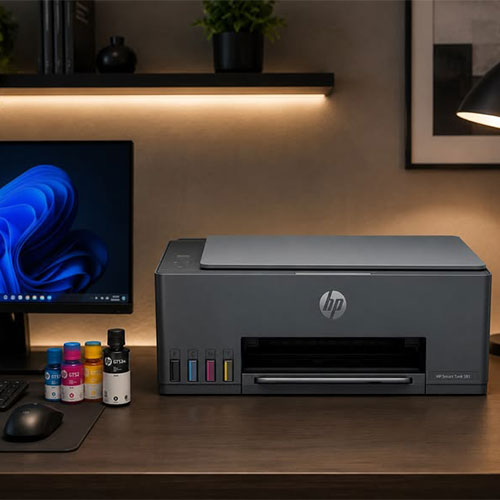
Types of HP Printers to Choose From
Before comparing specific models, it helps to know what separates the main printer types. Each one trades off upfront cost against running cost and speed.
- Inkjet: Lower upfront cost and strong photo or color output, best suited to home use and light business printing. HP’s DeskJet lineup covers most entry-level inkjet needs.
- Laser: Higher upfront cost but a much lower cost per page and faster speeds at volume. That is why most offices lean on HP LaserJet printers for everyday text-heavy printing.
- All-in-one (print, scan, copy): Combines multiple functions in one device, saving desk space and cost compared to buying a separate scanner.
- Ink tank/toner tank: Refillable tanks instead of small cartridges. This lowers the cost per page for households or offices that print frequently.
- Wireless vs. wired: Wireless models let multiple devices connect over Wi-Fi without a shared cable. This matters more as the number of users grows.
Recommended HP Printers by Need
Once you know your printer type, matching it to your specific situation narrows the decision further. The two tables below separate small business needs from home use cases in more detail than the quick-pick table above.
Best Picks for Small Business
HP’s printers for office use range covers most of the categories below, from entry-level all-in-ones to higher-volume laser models.
| Business Need | Best HP Printer Type | Why It Fits |
| Low daily print volume, mixed documents | HP OfficeJet Pro (inkjet, all-in-one) | Affordable upfront cost, handles color and scanning well |
| High daily volume, mostly text | HP LaserJet Pro / Enterprise | Lower cost per page and faster print speeds at scale |
| Shared office printing over Wi-Fi | HP LaserJet/OfficeJet with built-in wireless and network setup | Multiple staff can print without a shared cable or dedicated PC |
| Retail counters, invoices, receipts | HP compact all-in-one with mobile printing support | Small footprint, prints directly from phones and tablets |
| Marketing materials, client-facing documents | HP OfficeJet Pro with higher-quality color output | Sharper color and photo-quality output for presentations |
Best Picks for Home Use
HP’s lineup of printers for home use covers the scenarios below.
| Home Use Case | Best HP Wireless Printer Type | What to Prioritize |
| Occasional printing, students | HP DeskJet wireless all-in-one | Low upfront cost, compact size |
| Remote work, frequent printing and scanning | HP OfficeJet Pro wireless all-in-one | Faster speeds, lower cost per page over time |
| Photo printing and family use | HP Envy wireless photo printer | Better color accuracy and photo paper handling |
| Small apartment, limited space | Compact HP DeskJet or Envy model | Small footprint without giving up wireless printing |
| Multiple family members and devices | HP printer with app-based mobile printing | Easy setup across phones, tablets, and laptops on one Wi-Fi network |
HP Printers for Small Business vs. Home Use: What’s Different
The line between a business printer and a home printer often comes down to three things. How many pages is it built to handle per month? How many people connect to it at once? How much does it cost to run over time?
- Duty cycle: Business printers are rated for thousands of pages a month; most home printers are built for a few hundred.
- Shared access: Office printers are designed for several people to connect to a network at the same time. Home printers usually serve one household on a single Wi-Fi network.
- Running cost: Laser toner and higher-capacity ink systems make more sense once print volume rises past what a typical home user needs.
- Support and warranty: Business-grade HP printers often come with faster service response times. This matters more when downtime affects a whole office.
Common Mistakes When Buying an HP Printer
A few recurring mistakes push buyers toward the wrong printer, whether they’re shopping for an office or a home setup. Most come down to skipping a quick check. That check would have taken less time than the purchase itself.
- Focusing only on the printer’s price: A cheap printer with expensive replacement cartridges often costs more within the first year. A slightly pricier model with a lower cost per page usually wins long-term.
- Ignoring monthly print volume: Buying a home-grade printer for office use leads to frequent breakdowns, since the printer wasn’t built for that duty cycle.
- Skipping wireless compatibility checks: Not every printer supports every home or office Wi-Fi setup out of the box. Mismatches cause setup headaches later.
- Overlooking scan and fax needs: Businesses that regularly scan documents save money by choosing an all-in-one from the start instead of adding a separate scanner later.
- Not confirming local warranty support: An international warranty that’s hard to claim locally can turn a printer issue into a long, frustrating process.
Buying Checklist: HP Wireless Printer
- Estimate your real monthly print volume before comparing models.
- Decide if you need scanning, faxing, or just printing.
- Check ink or toner cost per page, not just the printer’s price tag.
- Confirm the printer supports your Wi-Fi setup and mobile printing apps.
- Verify official HP warranty coverage and where to get support locally.
- Compare at least two models in the same category before deciding
Frequently Asked Questions
What is the best HP printer for a small business on a budget?
An HP OfficeJet Pro all-in-one from the OfficeJet printers range usually gives small businesses the best balance of price, print quality, and wireless connectivity. This fits especially well for teams under 5,000 pages a month.
What is the best HP wireless printer for home use?
For most households, an HP DeskJet or OfficeJet wireless all-in-one covers everyday printing and scanning needs without a large upfront cost. Families focused on photo printing usually get better results from an HP Envy model.
Do HP wireless printers work with both phones and laptops?
Yes. Most current HP printers support printing from phones, tablets, and laptops on the same Wi-Fi network through the HP Smart app, without needing a direct cable connection.
Is a laser or inkjet HP printer better for a small business?
Laser printers generally make more sense once monthly print volume grows. The cost per page is lower and print speed is faster. See the full HP LaserJet range for color and mono options. Inkjet all-in-ones remain a better fit for businesses that print less often but need strong color output.
How do I set up an HP wireless home printer for the first time?
Most HP wireless printers connect through the HP Smart app. It walks you through joining your home Wi-Fi network and installing the right drivers automatically, without needing a USB cable at any point.