


The Best HP All in One Printer for Your Setup: LaserJet, Color, and Wireless Compared
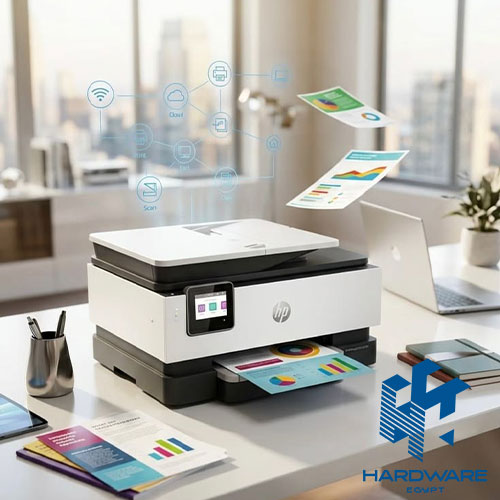
There’s no single best HP all in one printer that fits every desk. The right pick depends on three things: how much you print, whether color matters, and whether you need it on Wi-Fi. This covers exactly how to answer those three questions. It walks through the HP LaserJet all in one wireless printer lineup. It breaks down when an HP color laser printer all in one earns its higher price, and ends with real pricing and a buying checklist.
What Makes the Best HP All-in-One Printer for Your Situation
Start with print volume, not features. A household printing a few dozen pages a month has completely different needs than an office running a few hundred pages a day. The best HP all in one printer for one is often the wrong pick for the other. Volume decides whether inkjet or laser makes more sense. Laser wins on cost per page at higher volume. Inkjet wins on upfront price for occasional use.
Color is the second filter. If most printing is text documents, contracts, or forms, a monochrome laser all-in-one keeps costs down and prints faster per page. If the household or office regularly prints photos, presentations, or marketing materials, color becomes worth the added cost, whether through an inkjet tank system or a dedicated HP color laser printer all-in-one.
Wireless connectivity is the third filter, and it’s less optional than it used to be. An HP laserjet all in one wireless printer lets everyone on the network print from a phone, tablet, or laptop. No shared cable or dedicated PC acting as a print server is needed. For any setup with more than one regular user, this stops being a nice-to-have and starts being the default expectation.
Put together, the best HP all in one printer question really breaks into three smaller questions: how much, what color, and how connected. Answering those first makes comparing specific models in HP’s full printer range far faster than starting from a list of features.
HP LaserJet All in One Wireless Printer Options
An HP laserjet all in one wireless printer covers print, scan, and copy in one monochrome laser unit connected over Wi-Fi. This is the most common pick for offices and home offices that print mostly text and want to avoid the ongoing cost of inkjet cartridges.
Entry to Mid-Range Laser All-in-One Models
The HP LaserJet MFP M141a covers basic print-and-scan needs over USB, well suited to a single desk or a small home office. Stepping up to an HP LaserJet MFP M236dw adds wireless and mobile printing through the HP Smart app, along with automatic duplex printing. That makes it a genuine HP laserjet all in one wireless printer option for a small team sharing one printer.
Business-Grade Laser All-in-One Models
Higher-volume offices benefit from models built around a touchscreen control panel, larger paper trays, and higher monthly duty cycles. These business-tier units cost more upfront but hold up better under daily, sustained office printing than an entry-level unit stretched past its intended volume.
HP Color Laser Printer All in One: When Color Matters
An HP color laser printer all in one adds a four-toner color system on top of everything a monochrome laser does, at a real cost premium. Models like the HP Color LaserJet Pro MFP M479fdw and HP Color Laser MFP 178nw bring color output to businesses that need sharp presentations, marketing materials, or client-facing documents without switching to inkjet.
The case for an HP color laser printer all in one comes down to two things. How often does color actually get used? How much does that color need to look professional rather than merely present? Occasional color printing rarely justifies the price jump. Frequent, client-facing color output usually does, since laser color holds up better under regular handling than inkjet output and dries instantly with no smudging.
For anyone weighing this against a standard HP LaserJet printer in monochrome, the honest test is simple. If removing color from the last month of printing would have caused a real problem, the color laser upgrade is worth pricing out. If not, a monochrome model saves money without giving anything up.
Toner Tank vs. Traditional Cartridge: A Real Differentiator
HP’s Neverstop Laser line, including the all in one wireless 1200w model, uses a refillable toner tank instead of individual cartridges. This changes the cost math meaningfully for high-volume printing, since toner is added in bulk rather than replaced cartridge by cartridge. For an office printing thousands of pages a month, this can meaningfully lower cost per page compared to a standard cartridge-based laser all in one printer, at the cost of a higher upfront price for the printer itself.
HP All-in-One Models by Price Tier
Real listed prices vary by stock and currency movement, but the table below gives a planning reference across the range.
| Model | Type | Approx. Price (EGP) |
|---|---|---|
| HP DeskJet 2710 | Inkjet all-in-one, wireless, home use | Entry-level |
| HP LaserJet MFP M141a | Monochrome laser all-in-one, USB | Entry-level |
| HP Laser MFP 135a | Monochrome laser all-in-one, USB | 8,188 EGP |
| HP Ink Tank 415 | Color inkjet all-in-one, wireless | 8,200 EGP |
| HP LaserJet MFP M236dw | Monochrome laser all-in-one, wireless | Mid-range |
| HP Color LaserJet Pro MFP M479fdw | Color laser all-in-one, wireless, duplex | Business tier |
| HP OfficeJet Pro 7740 | A3 wide-format inkjet all-in-one, wireless | Business tier |
For a deeper breakdown of choosing between inkjet, laser, and ink tank systems generally, see our guide to HP printers for small business.
What Else Separates a Good All in One Printer Beyond the Basics
Print, scan, and copy get most of the attention, but a few other specs quietly determine how well an HP all in one printer holds up in daily use.
- Monthly duty cycle: Every printer is rated for a maximum recommended pages per month. Pushing an entry-level unit past its duty cycle regularly leads to more frequent breakdowns and shorter overall lifespan.
- Paper tray capacity: A larger tray means fewer manual refills during busy printing days, which matters more in a shared office setting than at a single home desk.
- Automatic document feeder: Scanning or copying multi-page documents one sheet at a time gets tedious fast without an ADF, which is worth checking for on any model expected to handle regular multi-page jobs.
- Duplex printing: Automatic two-sided printing saves paper and time over manually flipping pages, and is now standard on most mid-range and business-tier models.
None of these show up prominently in marketing copy, but they affect daily frustration levels more than headline print speed numbers do.
Common Mistakes When Choosing an HP All in One Printer
- Buying a color laser all in one printer for a setup that rarely prints color, paying a premium for a feature that goes unused.
- Choosing a non-wireless model for a shared office, then discovering everyone needs to print through one connected PC.
- Ignoring monthly duty cycle, then overworking an entry-level unit meant for light home use.
- Assuming all in one always means cheaper. A standalone printer plus a separate scanner can sometimes cost less for specific needs.
- Skipping toner or ink cost per page when comparing upfront prices, then facing a higher total cost over the printer’s lifetime.
Checklist Before Buying an HP All in One Printer
- Estimated real monthly print volume before comparing models
- Decided whether color printing is a regular need or an occasional one
- Confirmed wireless support if more than one person will print to it
- Checked toner or ink cost per page, not just the printer’s price tag
- Matched paper size support (A4 vs. A3) to actual document needs
- Verified local warranty and support availability before buying
Bottom Line
The best HP all in one printer for any given desk comes down to volume, color needs, and wireless requirements, in that order. An HP laserjet all in one wireless printer covers most text-heavy office use efficiently. An HP color laser printer all in one earns its premium only where color output is a regular, not occasional, need.
Browse the full HP all-in-one printer range at Hardware Egypt, including HP LaserJet color printers and wireless laser models, or read our guide to choosing an HP printer for more detail.
What is the best HP all in one printer for a home office?
For light to moderate use, an HP laserjet all in one wireless printer like the M236dw covers text printing efficiently. An HP Smart Tank or DeskJet model suits homes that print more color or photos.
Is an HP laserjet all in one wireless printer better than an inkjet all in one?
For high-volume text printing, yes, since laser offers a lower cost per page and faster output. For frequent photo or color-heavy printing, an inkjet or ink tank all in one usually gives better results.
How much more does an HP color laser printer all in one cost than a monochrome model?
Color laser models typically cost more both upfront and per page than monochrome equivalents, due to the four-toner system. The premium only pays off with regular color use.
Can an HP all-in-one printer scan directly to email or cloud storage?
Most current HP all-in-one models support scanning to email, cloud services, or a connected computer through the HP Smart app, without needing separate scanning software.
Do I need a wireless printer if my office already has a wired network?
Not strictly, but an HP LaserJet all-in-one wireless model still adds flexibility for laptops and mobile devices that aren’t wired in, without needing an extra network drop at the printer’s location.