


HP 2 in 1 Touchscreen Laptop: How to Choose the Right HP Model
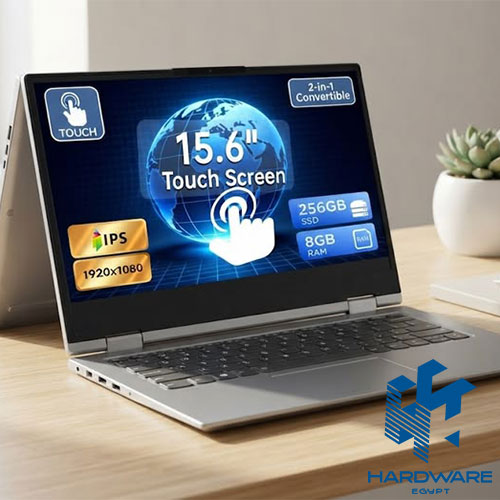
An HP 2 in 1 touchscreen laptop can be a very practical device when you actually need the flexibility it offers.
You can use it as a normal laptop at your desk, fold the screen back when you’re presenting something, switch to tablet mode for reading or note-taking, and use the touchscreen when a mouse or trackpad simply feels inconvenient.
But that flexibility comes with a question worth asking before you buy:
Will you actually use it?
If the laptop is going to stay on your desk from morning until evening, the touchscreen and 360-degree hinge may not add much to your daily routine. You could potentially spend the same budget on a more powerful processor, additional RAM, better storage, or a stronger display instead.
The decision becomes even more interesting when you compare an HP convertible with a laptop HP EliteBook or a laptop workstation HP.
These categories overlap in some areas, but they were created with different priorities in mind.
A 2-in-1 focuses on flexibility.
An EliteBook focuses on professional productivity, mobility, and business requirements.
A workstation focuses on demanding technical and creative workloads.
So which one makes sense for you?
That depends less on the HP logo and more on how you work, what software you use, and what you expect the laptop to handle every day.
HP 2 in 1 Touchscreen Laptop: What Does 2 in 1 Actually Mean?
An HP 2 in 1 touchscreen laptop combines the traditional laptop experience with the flexibility of a tablet-style device.
Most convertible models use a hinge that allows the screen to rotate backwards, giving you different ways to position the laptop.
Depending on the model, you may be able to use it in:
- Laptop mode.
- Tablet mode.
- Tent mode.
- Stand mode.
The touchscreen is what makes those extra positions useful.
Instead of always relying on the keyboard, mouse, or trackpad, you can interact directly with the display.
That can be useful for:
- Taking handwritten notes.
- Reviewing documents.
- Reading.
- Presentations.
- Sketching.
- Browsing.
- Watching videos.
- Signing documents.
Hardware Egypt’s existing HP 2 in 1 laptops content covers this category and explains how HP’s Pavilion x360 and Spectre x360 models use touchscreen functionality and flexible hinges to provide a different experience from conventional clamshell laptops.
But there is an important detail here.
2 in 1 does not describe the performance level of the laptop.
A basic convertible and a premium convertible can have completely different processors, memory, storage, displays, and prices.
So don’t stop at the hinge.
Look at the hardware underneath it.
Who Should Buy an HP 2 in 1 Touchscreen Laptop?
A convertible makes the most sense when the flexibility solves a real problem.
Students
Students can benefit from being able to switch between laptop and tablet modes.
For example, you might type an assignment in the morning, use the touchscreen to annotate notes later, and then switch to tablet mode while reading.
If you use a compatible stylus, the touchscreen becomes even more useful.
Professionals Who Travel
A 2-in-1 can be convenient when you move between meetings, offices, classrooms, and home.
Instead of carrying a separate tablet, you have one Windows device that can change how you use it.
Presenters
Tent and stand modes can be useful during presentations.
You can position the screen so that another person can view it without having to sit directly behind the laptop.
People Who Actually Like Touchscreens
This sounds obvious, but it matters.
Some people naturally reach for the screen when navigating, scrolling, or interacting with certain applications.
If that’s how you work, the feature can be genuinely useful.
Who Probably Doesn’t Need an HP 2 in 1?
Not everyone benefits from a convertible.
You may be better off with a traditional laptop if your priorities are mainly:
- Maximum performance.
- Dedicated graphics.
- Lowest possible cost.
- Long sustained workloads.
- Heavy gaming.
- Professional rendering.
A touchscreen and flexible hinge add engineering and hardware complexity.
If you never use them, you’re paying for features that spend most of their time doing nothing.
That budget could instead go toward a faster processor or more memory.
A simple question can make the decision easier:
If this laptop didn’t have a touchscreen, would I still want it?
If the answer is yes, compare it against conventional models before paying extra for the 2-in-1 design.
HP 2 in 1 Touchscreen Laptop vs Traditional Laptop
| Feature | HP 2 in 1 | Traditional Laptop |
|---|---|---|
| Touchscreen | Usually included | Optional/varies |
| Tablet mode | Yes | No |
| Flexible hinge | Yes | Usually no |
| Pen support | Available on selected models | Depends on model |
| Portability | Often a priority | Varies |
| Performance | Depends on configuration | Wider range |
| Dedicated GPU | Less common | More options |
| Best for | Flexibility and interaction | General productivity and performance |
Neither format is automatically better.
If flexibility is something you will use every week, a 2-in-1 can be worth the extra cost.
If you mainly want performance, a conventional laptop may give you more hardware for your money.
What Is a Laptop HP EliteBook?
A laptop HP EliteBook belongs to HP’s business-oriented laptop range.
The focus is different from a typical consumer laptop.
EliteBook models are designed around professional use, with an emphasis on areas such as:
- Business productivity.
- Security.
- Portability.
- Connectivity.
- Durability.
- Professional features.
This makes the series relevant to:
- Business professionals.
- Managers.
- Executives.
- Consultants.
- Remote workers.
- Frequent travellers.
The existing business HP laptops content on Hardware Egypt covers HP’s business-oriented families, including EliteBook, ProBook, and ZBook, and explains how they differ according to professional requirements.
The key point is that EliteBook is not defined by one specification.
An EliteBook with 8GB RAM and a basic configuration will obviously provide a different experience from a premium model with 32GB RAM and a higher-end processor.
The exact configuration matters.
Why Choose an EliteBook Instead of an HP 2 in 1?
This depends on what matters most to you.
An HP 2-in-1 is built around flexibility.
An EliteBook is built around professional productivity.
There is some overlap between the two.
Some EliteBook models can have touchscreen displays, and some may offer convertible designs.
That means you don’t necessarily have to choose between “business laptop” and “touchscreen.”
You can potentially have both.
But if your priority is business use, ask whether you care more about:
- Security.
- Portability.
- Battery life.
- Professional connectivity.
- Business management features.
If these matter more than tablet mode, an EliteBook may be the more sensible direction.
HP EliteBook Touchscreen: Can You Have Both?
Yes, depending on the exact model.
For example, Hardware Egypt currently lists the HP EliteBook X G1i 14 AI with a 14-inch WUXGA IPS touchscreen, Core Ultra 7 258V processor, 32GB LPDDR5x memory, 1TB PCIe NVMe SSD, Intel Arc graphics, Windows 11 Pro, and a 1.18kg listed weight.
That kind of configuration shows why the terms can overlap.
You can have:
Business features + touchscreen + premium hardware + portability
in the same machine.
The important thing is to evaluate the exact model rather than assuming every EliteBook offers the same experience.
What Is a Laptop Workstation HP?
A laptop workstation HP is designed for professional workloads that can demand substantially more from the system.
HP’s ZBook family is the main example.
Workstation laptops are commonly considered for:
- Engineering.
- Architecture.
- CAD.
- 3D modelling.
- Rendering.
- Simulation.
- Professional visualisation.
- Advanced content creation.
The difference isn’t simply “more powerful.”
A workstation can be configured around professional applications and sustained workloads, with higher-end CPU, GPU, memory, and storage options depending on the model.
Hardware Egypt’s existing HP workstation content and HP-related workstation material provide additional context around the role of workstation hardware for demanding professional use.
The key question is not:
“Is a workstation more powerful?”
It usually is.
The better question is:
“Does my work require that level of hardware?”
Who Actually Needs an HP Workstation Laptop?
Start with the software you use.
An architect working with large Revit models has different requirements from someone who only opens PDF drawings.
A 3D artist rendering complex scenes has different needs from someone learning basic modelling.
An engineer running simulation software may need more CPU and RAM than someone working mainly with spreadsheets.
A workstation becomes more relevant when your workload involves things such as:
CAD
Large or complex CAD projects can benefit from stronger processing and graphics capabilities.
3D Modelling
As scenes become more complex, graphics performance and memory become increasingly important.
Rendering
Rendering can put sustained pressure on the CPU, GPU, or both depending on the software.
Engineering and Simulation
Some technical applications can benefit from higher memory capacity and professional hardware configurations.
Professional Visualisation
If the laptop is effectively your mobile workstation, paying for the appropriate hardware can make sense.
Who Does Not Need a Workstation?
If your work mainly involves:
- Email.
- Microsoft Office.
- Web applications.
- Presentations.
- Video meetings.
- Light multitasking.
you probably don’t need workstation-class hardware.
An EliteBook or another business laptop may be lighter, easier to carry, and more appropriate for your day-to-day work.
There’s no advantage in carrying a heavy workstation to meetings if its professional graphics capability never gets used.
HP EliteBook vs HP Workstation
The difference becomes clearer when you compare their priorities.
| Requirement | HP EliteBook | HP Workstation |
|---|---|---|
| Office work | Excellent | More than necessary |
| Business travel | Strong | Depends on model |
| Portability | Usually important | Varies |
| Security | Strong | Strong |
| CAD | Depends on model | Strong fit |
| 3D work | Limited to capable configurations | Strong fit |
| Rendering | Depends on configuration | Strong fit |
| Professional graphics | Not the main focus | Major consideration |
| Typical user | Business professional | Engineer/designer/technical professional |
If you spend most of your time in meetings, documents, spreadsheets, and video calls, EliteBook is usually the more natural fit.
If you’re opening large technical projects every morning, the workstation category becomes much more relevant.
HP 2 in 1 vs EliteBook vs Workstation
Still not sure?
Start here.
| Your Priority | Better Direction |
|---|---|
| Touchscreen | HP 2 in 1 |
| Tablet mode | HP 2 in 1 |
| Handwritten notes | HP 2 in 1 |
| Presentations | HP 2 in 1 |
| Business mobility | EliteBook |
| Security and professional use | EliteBook |
| Executive travel | EliteBook |
| CAD | Workstation |
| 3D modelling | Workstation |
| Rendering | Workstation |
| Engineering applications | Workstation |
| Maximum flexibility | 2 in 1 |
| Professional graphics | Workstation |
This is only a starting point.
A high-end EliteBook can handle more than basic office work, and a premium 2-in-1 can have very capable hardware.
But the table helps you identify the category that deserves closer attention first.
What Affects the Price of These HP Laptops?
These three categories can have very different prices because you’re paying for different combinations of hardware and features.
For a 2-in-1, the price can reflect:
- Touchscreen.
- Convertible hinge.
- Pen support.
- Premium display.
- Slim chassis.
- Processor.
- Memory.
For an EliteBook, you’re often paying for a combination of:
- Business features.
- Security.
- Build quality.
- Portability.
- Display.
- Processor.
- Memory.
- Storage.
For a workstation, the major cost drivers can include:
- High-performance CPU.
- Professional GPU.
- VRAM.
- Large memory capacity.
- Fast storage.
- Cooling.
- Professional display.
Hardware Egypt’s HP laptop price in Egypt 2026 content provides a broader explanation of how HP laptop specifications and model categories influence pricing in the Egyptian market.
The important point here is not to create another static price list.
Hardware prices change.
The exact configuration is what should be compared.
HP 2 in 1 Touchscreen Laptop: What Should You Check?
Once you’ve decided that a convertible is actually useful, look beyond the word “touchscreen.”
Screen Quality
Check:
- Resolution.
- Brightness.
- Panel type.
- Colour coverage.
- Screen size.
A touchscreen is not automatically a good display.
Hinge
The hinge is central to the 2-in-1 experience.
You want a design that feels stable when switching between modes.
Pen Compatibility
If you intend to take handwritten notes or draw, confirm that the exact model supports the pen you want to use.
Don’t assume every touchscreen HP laptop includes a stylus.
Weight
If you’re buying a convertible for mobility, weight matters.
A 14-inch lightweight device may make much more sense for daily travel than a larger, heavier model.
Battery
Tablet-style use often means you’re away from a power socket.
Battery performance therefore deserves attention.
How to Choose a Laptop HP EliteBook
For an EliteBook, start with your working day.
Ask yourself what you actually do for eight hours.
If it’s mainly documents, browser tabs, spreadsheets, and meetings, you can prioritise:
- Comfort.
- Weight.
- Battery.
- Display.
- Keyboard.
- Security.
- Connectivity.
If you regularly work with large files or demanding applications, move up the specification accordingly.
Also check the ports.
If your office uses docks, external monitors, wired networking, or other peripherals, connectivity can matter more than a small difference in processor speed.
How to Choose a Laptop Workstation HP
This category requires a different approach.
Start with the software.
Find out what your applications require.
Then compare:
CPU
Look at the processor model and performance class.
GPU
For 3D, CAD, rendering, and visualisation, the graphics processor can be one of the most important components.
VRAM
Graphics memory matters for demanding visual workloads.
RAM
Large technical projects can consume memory quickly.
Storage
Professional projects can generate large files, so SSD capacity matters.
Display
For design and visual work, resolution, colour reproduction, and screen size deserve more attention.
Cooling
A workstation may be used under sustained load.
Thermal performance matters because a laptop needs to maintain performance rather than simply reach a high peak for a few minutes.
Do You Need a Dedicated GPU?
Not necessarily.
This question is particularly important when choosing between an HP 2-in-1, EliteBook, and workstation.
A dedicated GPU makes more sense when you regularly use:
- Modern games.
- 3D applications.
- Rendering software.
- Advanced video editing.
- GPU-accelerated professional applications.
If you mainly use:
- Word.
- Excel.
- Chrome.
- Teams.
- PowerPoint.
integrated graphics can be sufficient for many configurations.
Don’t pay for a dedicated GPU simply because it makes the specification sheet look better.
What About Gaming?
None of these three categories should automatically be treated as a gaming solution.
An HP 2-in-1 prioritises flexibility.
An EliteBook prioritises professional productivity.
A workstation prioritises professional workloads.
If gaming is your main goal, HP’s gaming-oriented range deserves a separate comparison.
For example, Hardware Egypt currently lists the HP Victus 15-R0045ne with a Core i7-13700H, 16GB RAM, 1TB SSD, RTX 4050 6GB graphics, and a 16.1-inch FHD 144Hz display.
That kind of configuration is much more clearly aimed at high-performance consumer use.
So don’t force a workstation or EliteBook to do a job that a gaming laptop is designed to handle more directly.
Common Mistakes When Choosing Between These HP Categories
Buying a 2 in 1 Because the Touchscreen Looks Nice
If you rarely use touch or tablet mode, the feature may not justify the extra cost.
Assuming Every EliteBook Is High-End
EliteBook is a product family.
Configurations vary.
Buying a Workstation Without Needing One
More power is not automatically better value.
Comparing Laptop Prices Without Matching Specifications
Always compare:
- CPU.
- RAM.
- SSD.
- GPU.
- Display.
- Operating system.
- Warranty.
Ignoring Weight
A powerful workstation can become inconvenient if you carry it every day.
Forgetting Ports
Your laptop needs to work with your existing monitors, docks, chargers, and peripherals.
Assuming Every Touchscreen Supports a Pen
Check the exact model.
Ignoring the Display
A powerful laptop with a poor display can still be a poor choice for someone who works visually.
HP Laptop Buying Checklist
Before buying:
- Define your main workload
- Decide whether touchscreen functionality is genuinely useful
- Decide whether tablet mode matters
- Choose between 2-in-1, EliteBook, and workstation
- Check the exact processor
- Check RAM
- Check SSD capacity
- Check GPU and VRAM where relevant
- Review screen size
- Check resolution and panel
- Check brightness
- Confirm pen compatibility for 2-in-1 models
- Check ports
- Consider battery life
- Consider weight
- Confirm operating system
- Check warranty
- Verify the exact model/SKU
- Check current price and availability
Conclusion
Choosing the right HP laptop comes down to how you expect to use it.
If you want the freedom to switch between typing, touching the screen, taking notes, and using tablet mode, an HP 2 in 1 touchscreen laptop can be a practical choice. If your priority is everyday business work, mobility, and professional features, an HP EliteBook may be a better fit.
For heavier workloads such as CAD, 3D modelling, engineering, and rendering, a laptop workstation HP offers a different level of performance and is worth considering when your software genuinely requires it.
Before you buy, compare the processor, memory, storage, display, weight, battery life, ports, and overall build. If you are still comparing different models, the HP laptops in Egypt article can help you understand the main HP laptop categories before making your choice.
Features are useful when they solve a real problem—not simply because they appear on the specification sheet.
The best HP laptop is the one that fits your work naturally and gives you the performance you need without making you pay for features you are unlikely to use.