


Best Call Center Headset: Wireless and Office Guide in 2026
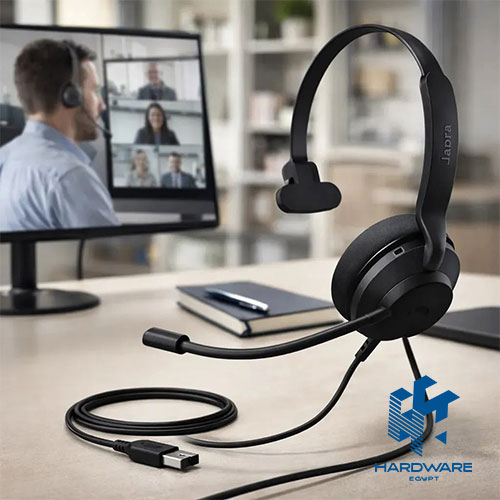
The best call center headset should make every conversation easier for both the employee and the customer.
A good headset allows the agent to hear clearly, speak naturally, and remain comfortable during long shifts. It should also reduce background noise, protect the user from sudden loud sounds, and connect correctly to the company’s phone or computer system.
For many businesses, choosing a headset becomes more difficult when wireless options are added.
A wireless headset for office phone use may connect through Bluetooth, DECT, a USB receiver, or a dedicated base station. Some wireless headsets work with computers and mobile phones but cannot connect directly to a desk phone. Others support several devices, allowing an employee to switch between a desk phone, laptop, and mobile.
The best wireless headset for work therefore depends on where and how it will be used.
A call centre with fixed agent desks may prefer durable USB or Quick Disconnect headsets. A receptionist may benefit from a wireless DECT headset with a long range. A hybrid employee may need Bluetooth connectivity, active noise cancellation, and compatibility with Microsoft Teams, Zoom, or another meeting platform.
This guide explains how to compare:
- Wired and wireless call-centre headsets.
- Mono and stereo designs.
- USB, QD, Bluetooth, DECT, and desk-phone connections.
- Noise-cancelling microphones and active noise cancellation.
- Comfort and hearing protection.
- Wireless range and battery life.
- Office-phone compatibility.
- Local headset prices and accessories.
- Headsets for agents, receptionists, managers, and hybrid workers.
Businesses can start by reviewing the available Call Center Headsets before choosing the exact connection type and wearing style.
What Is a Call Center Headset?
A call-centre headset combines headphones or an earpiece with a microphone designed for regular business calls.
Unlike basic consumer headphones, a professional headset may include:
- A directional noise-cancelling microphone.
- A flexible microphone boom.
- Acoustic-shock protection.
- Call-answer and mute controls.
- Quick Disconnect compatibility.
- Desk-phone integration.
- USB softphone support.
- Wireless base stations.
- Central device management.
- Replaceable cushions and cables.
Jabra describes professional contact-centre headsets as equipment designed around call clarity, durability, comfort, and compatibility with major desk phones and software platforms. Its current and legacy contact-centre ranges include both wired and wireless models.
The best call center headset is not automatically the model with the highest price. It should match the agent’s phone, software, working environment, and daily call duration.
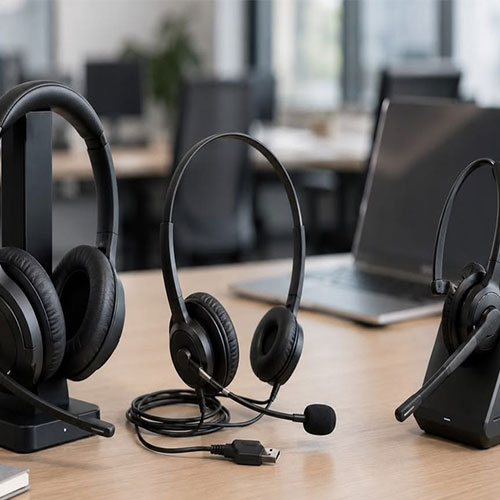
Call Center Headset vs Regular Headphones
| Buying Factor | Call Center Headset | Regular Consumer Headphones |
|---|---|---|
| Main purpose | Business calls and customer communication | Music, entertainment, and general use |
| Microphone | Usually positioned close to the mouth | May be built into the ear cup |
| Noise handling | Designed to reduce office noise during calls | Often focused on listening noise cancellation |
| Call controls | Answer, end, mute, and volume | May provide limited media controls |
| Wearing time | Designed for long shifts | Comfort varies by model |
| Desk-phone support | Available on selected models | Often unavailable |
| Quick Disconnect | Common in call centres | Rare |
| Hearing protection | Available on professional models | Not always designed for call-centre exposure |
| Management | May support central business deployment tools | Usually managed individually |
| Durability | Built for repeated daily use | Varies widely |
A premium consumer headset may sound excellent for music but still perform poorly in a busy contact centre if its microphone captures surrounding conversations.
Wired or Wireless: Which Is Better?
Both wired and wireless headsets can work well.
The correct choice depends on whether the employee needs mobility, how long calls last, how many devices are used, and whether battery charging can be managed reliably.
Wired Headset
A wired headset connects through USB, Quick Disconnect, RJ9, a 3.5mm connector, or another phone-specific cable.
It is usually suitable for:
- Fixed call-centre desks.
- Employees who remain at the computer.
- Large headset deployments.
- Budget-controlled projects.
- Long shifts where battery charging is undesirable.
- Training environments.
Wireless Headset
A wireless headset may connect through Bluetooth, DECT, or a proprietary USB receiver and base station.
It is usually suitable for:
- Receptionists.
- Managers.
- Hybrid workers.
- Employees who move during calls.
- Staff switching between several devices.
- Home-office users.
- Employees who need to access documents or equipment away from the desk.
Logitech explains that wired office headsets can offer straightforward USB-A, USB-C, or 3.5mm connections, while wireless business headsets provide movement through Bluetooth or USB receivers.
Wired vs Wireless Headset Comparison
| Requirement | Wired Headset | Wireless Headset |
|---|---|---|
| Purchase cost | Usually lower | Usually higher |
| Battery | Not required | Requires charging |
| Mobility | Limited by cable | Better movement |
| Installation | Usually simple | May require pairing or a base |
| Call reliability | Consistent physical connection | Depends on wireless environment |
| Desk-phone support | Requires correct cable or adapter | Requires compatible base or Bluetooth support |
| Multi-device use | Limited on basic models | Common on professional models |
| Large-scale deployment | Cost-effective | Requires charging and device management |
| Hot desking | QD or USB can work well | Can be convenient with paired receivers |
| Best use | Fixed agents | Mobile office workers and receptionists |
The best call center headset for a fixed agent may be wired, while the best wireless headset for work may be more appropriate for a manager or receptionist.
Mono or Stereo Headset?
A mono headset covers one ear. A stereo or duo headset covers both ears.
Mono Headset
A mono headset allows the user to hear nearby colleagues and workplace activity.
It may suit:
- Receptionists.
- Small offices.
- Supervisors.
- Employees who need awareness of their surroundings.
- Agents who communicate with colleagues beside them.
Stereo Headset
A stereo headset covers both ears and can reduce distraction in busy environments.
It may suit:
- Large contact centres.
- Open offices.
- Home workers.
- Employees handling sensitive or detailed calls.
- Workers who need stronger concentration.
Mono vs Stereo Comparison
| Factor | Mono | Stereo |
|---|---|---|
| Environmental awareness | Better | Lower |
| Concentration | Moderate | Better in noisy offices |
| Weight | Often lighter | Usually slightly heavier |
| Comfort | Good for users who prefer one open ear | Good for users wanting balanced pressure |
| Music and media | Limited | Better |
| Call-centre use | Reception and collaborative environments | Busy open-plan call floors |
| Main consideration | Surrounding noise remains audible | May isolate the user from nearby activity |
Neither design is always better. Employee preference and work environment matter.
What Makes the Best Call Center Headset?
The best call center headset should perform well in five main areas:
- Microphone clarity.
- Comfort.
- Connection compatibility.
- Hearing protection.
- Durability.
Call Center Headset Feature Checklist
| Feature | Why It Matters | What to Confirm |
|---|---|---|
| Noise-cancelling microphone | Reduces background noise heard by the customer | Microphone direction and boom position |
| HD or wideband audio | Improves speech clarity | Phone and platform support |
| Acoustic-shock protection | Limits sudden high-volume sounds | Protection technology and level |
| Adjustable headband | Improves fit | Range and padding |
| Replaceable ear cushions | Extends headset life | Local replacement availability |
| Flexible microphone boom | Improves voice pickup | Rotation and durability |
| Mute control | Supports quick call management | Headset or cable control |
| Call-answer button | Simplifies call handling | Platform compatibility |
| Lightweight design | Reduces long-shift fatigue | Total weight |
| USB compatibility | Connects to computers and softphones | USB-A or USB-C |
| QD support | Allows fast disconnection | Cable standard and adapter |
| Desk-phone support | Connects to office phones | RJ9, EHS, handset lifter, or base |
| Wireless range | Determines movement | Bluetooth or DECT range |
| Battery life | Supports a full workday | Talk time, not only standby time |
Microphone Noise Cancellation vs Active Noise Cancellation
These two features solve different problems.
Noise-Cancelling Microphone
A noise-cancelling microphone reduces the background sound transmitted to the person on the other side of the call.
It helps prevent customers from hearing:
- Nearby agents.
- Keyboard noise.
- Air-conditioning systems.
- Office conversations.
- General room activity.
Active Noise Cancellation
Active noise cancellation, often called ANC, reduces what the headset user hears from the environment.
It helps the employee concentrate by reducing continuous surrounding noise.
A headset may have:
- A noise-cancelling microphone only.
- ANC only.
- Both.
- Neither.
For a call centre, microphone performance is usually more important than premium music-focused ANC.
Headset Noise Features
| Feature | Who Benefits | Main Purpose |
|---|---|---|
| Directional microphone | Customer and agent | Focuses on the employee’s voice |
| Microphone noise cancellation | Customer | Reduces transmitted background noise |
| Passive ear isolation | Employee | Blocks some sound through the ear cushion |
| Active noise cancellation | Employee | Electronically reduces surrounding noise |
| Sidetone | Employee | Allows the user to hear their own voice |
| Acoustic protection | Employee | Limits sudden loud sounds |
Comfort for Long Call-Centre Shifts
Comfort can affect productivity, concentration, and employee acceptance.
A headset may feel comfortable during a five-minute test but become uncomfortable after several hours.
Businesses should consider:
- Headset weight.
- Clamping pressure.
- Ear-cushion material.
- Ear-cup size.
- Headband padding.
- Microphone-boom balance.
- Heat around the ears.
- Glasses compatibility.
- Mono or stereo preference.
- Replaceable parts.
Jabra positions its professional contact-centre range around durability, call quality, and comfort for employees who use headsets throughout the working day.
For a large project, test several models with a small employee group before purchasing for the entire team.
Hearing Protection
Contact-centre employees may wear headsets for many hours each day.
Professional models can include technologies designed to reduce sudden audio spikes and manage listening exposure.
Hardware Egypt lists the FIBERME FCH7101 with hearing protection intended to reduce high-volume sound and a directional noise-reducing microphone. The reviewed price was 1,166 EGP.
The Jabra BIZ 1500 Mono listing includes PeakStop hearing protection and a noise-cancelling unidirectional microphone.
Hearing protection features should not replace:
- Correct volume settings.
- Employee breaks.
- Suitable headset fit.
- Noise-risk policies.
- Occupational-health requirements.
- Regular equipment checks.
Headset Connection Types
Choosing the wrong connection is one of the most common purchasing mistakes.
Headset Connection Comparison
| Connection Type | Best For | Main Check |
|---|---|---|
| USB-A | Computers and traditional USB ports | Operating-system and platform support |
| USB-C | Modern laptops and devices | Whether the port supports audio |
| 3.5mm | Laptops, mobiles, and selected phones | TRRS wiring and call-control support |
| RJ9 | Desk phones | Phone-specific wiring compatibility |
| Quick Disconnect | Call centres and hot desks | Correct QD cable and adapter |
| Bluetooth | Laptops, mobiles, and compatible phones | Profile support and call controls |
| USB wireless receiver | Computers and UC platforms | Certification and receiver type |
| DECT base | Desk phones and long-range office use | Base compatibility and wireless region |
| EHS cable | Remote desk-phone call control | Exact phone and headset model |
| Handset lifter | Older desk phones | Physical installation and phone shape |
A headset with the correct connector can still lose call-control features if the phone, software, or adapter is not supported.
Quick Disconnect Headsets
Quick Disconnect, or QD, allows an employee to separate the headset from the lower connection cable without removing the headset.
This can be useful for:
- Hot desking.
- Shift changes.
- Agent training.
- Replacing damaged cables.
- Connecting the same headset to different adapters.
- Allowing employees to leave the desk temporarily.
The Jabra Link 230 QD USB Call Center Headset Adapter is listed at 2,060 EGP and is designed to connect compatible Jabra QD headsets to computer softphones.
The Jabra Link 260 QD USB Call Center Headset Adapter was reviewed at 2,254 EGP. Hardware Egypt describes it as a QD-to-USB solution with DSP, noise filtering, acoustic protection, and in-line call controls.
The Jabra Link 265 QD USB Training Cable connects two compatible QD headsets to one computer. This allows a supervisor to listen to or join an agent’s call during training. Its reviewed price was 3,070 EGP.
What Is a Wireless Headset for Office Phone Use?
A wireless headset for office phone use connects to a desk phone without permanently tying the employee to the desk.
Professional systems may use:
- A DECT base station.
- Bluetooth.
- A USB receiver.
- An electronic hook switch cable.
- A handset lifter.
- A multi-device base.
A dedicated office-phone headset may allow an employee to:
- Answer calls remotely.
- End calls away from the desk.
- Mute the microphone.
- Adjust the volume.
- Move through the office.
- Switch between a desk phone and computer.
- Use the same headset for a mobile phone.
However, these functions depend on compatibility.
A wireless headset advertised for laptops may not work directly with a desk phone.
Bluetooth vs DECT Wireless Headsets
Bluetooth Headsets
Bluetooth headsets are useful for laptops, mobile phones, tablets, and supported desk phones.
Advantages include:
- Broad device support.
- Compact USB receivers.
- Easy mobile-phone connection.
- Good hybrid-work flexibility.
- Multipoint connectivity on selected models.
Limitations can include:
- Shorter practical range than DECT.
- Interference.
- Differences between direct Bluetooth and USB-receiver performance.
- Limited desk-phone compatibility.
DECT Headsets
DECT wireless headsets are designed around business calls and office movement.
Advantages may include:
- Longer range.
- Dedicated wireless connection.
- Desk-phone integration.
- High device density.
- Multi-device bases.
- Better suitability for call-heavy roles.
Jabra lists the Engage 75 SE with a wireless range of up to 150 metres and connectivity for up to five devices. The Engage 65 SE also lists up to 150 metres and connection to two devices. Exact range depends on the workplace and local conditions.
Bluetooth vs DECT Comparison
| Requirement | Bluetooth | DECT |
|---|---|---|
| Mobile phone connection | Strong | Available on selected models |
| Computer connection | Strong | Usually through a base or USB adapter |
| Desk-phone connection | Limited or model-dependent | Common on professional systems |
| Wireless range | Suitable for nearby movement | Usually better for larger offices |
| Device density | Depends on environment | Designed for business deployments |
| Portability | Better | Base often remains at the desk |
| Multi-device switching | Common | Common on premium bases |
| Best use | Hybrid workers | Receptionists and call-heavy office users |
What Is the Best Wireless Headset for Work?
The best wireless headset for work depends on the employee’s role.
A hybrid employee may need:
- Bluetooth.
- USB receiver.
- ANC.
- Laptop and mobile connectivity.
- Foldable design.
- Long battery life.
A receptionist may need:
- DECT range.
- Desk-phone connection.
- Computer connection.
- Remote answering.
- A charging base.
- All-day talk time.
A manager may need:
- Multi-device connectivity.
- Strong microphone clarity.
- Stereo sound.
- ANC.
- Comfortable cushions.
- Meeting-platform certification.
Jabra’s office range separates products for primary office use, office-and-mobile use, and broader hybrid work. Its current range includes Evolve models for office calling and Engage models for contact centres.
Logitech’s business range includes wired and wireless Zone models for office calls, meetings, and hybrid work, with options using Bluetooth or USB receivers.
Wireless Work Headset Checklist
| Feature | Why It Matters | What to Confirm |
|---|---|---|
| Talk time | Determines whether it lasts through the shift | Call time, not only music time |
| Charging time | Affects daily readiness | Full and quick-charge times |
| Wireless range | Controls movement | Real office range |
| Bluetooth multipoint | Connects several devices | Number of simultaneous connections |
| USB receiver | Improves computer integration | USB-A or USB-C |
| Desk-phone base | Connects to office phones | Phone compatibility |
| Remote call control | Allows answering away from desk | EHS or handset-lifter requirement |
| ANC | Improves concentration | Whether ANC works during calls |
| Microphone boom | Improves voice pickup | Adjustable or boomless design |
| Busy light | Shows colleagues the user is on a call | Built-in or external |
| Replaceable battery | Extends device life | Battery serviceability |
| Central management | Helps IT teams | Supported management software |
Call Center Headsets Available from Hardware Egypt
Hardware Egypt currently lists wired contact-centre headsets, QD adapters, training cables, and hearing-protection models.
Reviewed Local Headset Prices
| Product | Main Direction | Reviewed Price |
|---|---|---|
| ME Quick Disconnect 02 | Basic USB QD connection cable | 446 EGP |
| FIBERME FCH7101 | Hearing-protection call-centre headset | 1,166 EGP |
| FiberME 7000 Direct USB | USB softphone headset | 1,534 EGP |
| FIBERME FCH7105 | Hearing-protection headset | 1,547 EGP |
| ADD-800 Wired Headset | Durable call-centre headset | 2,030 EGP |
| Jabra Link 230 | QD-to-USB adapter | 2,060 EGP |
| Jabra Link 260 | QD USB adapter with controls | 2,254 EGP |
| Jabra Link 265 | Dual-headset training cable | 3,070 EGP |
| Jabra BIZ 1500 variants | Entry professional Jabra headset | Confirm current quotation |
| Wireless Jabra office models | Wireless office and contact-centre headset | Confirm current quotation |
Prices were reviewed on July 30, 2026 and may change according to stock and promotions.
FIBERME FCH7101
The FIBERME FCH7101 Headset is listed with a directional noise-reducing microphone and hearing protection intended to reduce sudden high-volume sounds.
The reviewed price was 1,166 EGP.
It may suit:
- Budget-sensitive call centres.
- Customer-service teams.
- Entry headset deployments.
- Employees who need a simple professional headset.
- Businesses prioritising hearing protection.
FIBERME FCH7105
The FIBERME FCH7105 Headset is listed at 1,547 EGP.
Hardware Egypt describes it as a clear-sound headset with hearing protection and noise-reduction functions.
FiberME 7000 Direct USB
The FiberME 7000 Direct USB Call Center Headset was reviewed at 1,534 EGP.
Its listed features include:
- Direct USB connection.
- In-line volume control.
- Noise-cancelling microphone.
- Cardioid microphone.
- Adjustable headband.
- Rotating speaker joint.
- One-year warranty.
- Spare ear cushion.
This model may suit softphone agents who work entirely through computers.
ADD-800 Wired Headset
The ADD-800 is listed at 2,030 EGP.
Hardware Egypt describes it as a durable call-centre headset designed with a flexible microphone boom, reinforced speaker cabinet, and stress-resistant materials.
It may suit:
- High-volume call centres.
- Shared desks.
- Environments where headset durability is important.
- Businesses requiring mono or binaural options.
Jabra BIZ 1500
Jabra positions the BIZ 1500 as an affordable professional contact-centre headset.
Hardware Egypt lists mono and duo versions, including USB and QD directions. The listed specifications for the mono version include:
- Noise-cancelling unidirectional microphone.
- PeakStop hearing protection.
- Adjustable microphone boom.
- Padded headband.
- Soft ear cushions.
The model may suit businesses looking for a recognised professional headset family without moving immediately into premium wireless pricing.
Choosing a Headset by Employee Role
| Employee Role | Suitable Direction | Features to Prioritise |
|---|---|---|
| Call-centre agent | Wired USB or QD stereo headset | Microphone clarity, durability, and comfort |
| Receptionist | Wireless DECT mono headset | Desk-phone control, range, and charging base |
| Supervisor | Mono or stereo headset with training support | QD cable, dual-listening, and mute controls |
| Manager | Wireless multi-device headset | Bluetooth, ANC, and mobile connectivity |
| Home worker | USB or Bluetooth stereo headset | Noise cancellation and meeting certification |
| Sales employee | Wireless headset with mobile support | Multipoint connection and microphone quality |
| Help-desk employee | Wired or wireless USB headset | Long-shift comfort and call controls |
| Shared-desk employee | QD or individual USB headset | Hygiene, fast connection, and simple setup |
| Front-desk employee | Mono wireless headset | Environmental awareness and mobility |
| Video-meeting user | Stereo UC headset | Clear microphone, ANC, and computer integration |
Headset Compatibility with Office Phones
A wireless headset for office phone use must be checked against the exact phone model.
The business should confirm:
- Phone brand.
- Phone model.
- Headset port.
- USB headset support.
- Bluetooth support.
- EHS compatibility.
- Required cable.
- Required handset lifter.
- Call-control support.
- Firmware requirements.
The available IP Phones use different headset interfaces.
For example, the Fanvil X1SP Enterprise IP Phone is listed with EHS wireless-headset support and HD audio.
This does not mean every wireless headset will work automatically. The correct EHS cable or compatible base may still be required.
USB Headset vs Desk-Phone Headset
| Requirement | USB Headset | Desk-Phone Headset |
|---|---|---|
| Main connection | Computer or laptop | Physical IP or office phone |
| Best for | Softphones and online meetings | Traditional desk-based calling |
| Call controls | Depends on software compatibility | Depends on phone and adapter |
| Mobility | Wired or USB wireless | Wired, Bluetooth, or DECT |
| Setup | Usually plug-and-play | May require cables or a base |
| Hybrid use | Strong | Better with multi-device bases |
| Main buying check | Platform and USB connector | Exact phone compatibility |
A business using a computer softphone does not need to purchase a desk-phone-specific wireless base unless employees also use physical phones.
Best Headset for Microsoft Teams, Zoom, and Softphones
Software certification can improve call controls, mute synchronisation, status lights, and user experience.
Check whether the headset is certified or tested for:
- Microsoft Teams.
- Zoom.
- Google Meet.
- Webex.
- Genesys.
- Avaya.
- Cisco systems.
- Browser-based contact-centre platforms.
- The business’s SIP softphone.
Jabra states that its professional contact-centre range works with many traditional desk phones, softphone clients, and major contact-centre platforms.
Certification does not necessarily mean that a non-certified headset produces bad audio. It usually affects integration, controls, deployment, and support.
Wireless Range: Do Not Trust One Number Alone
Manufacturers often publish maximum wireless ranges.
Real office range depends on:
- Walls.
- Doors.
- Metal.
- Glass.
- Office layout.
- Wireless interference.
- Base placement.
- Device density.
- Local regulations.
A headset marketed with a 150-metre range will not necessarily deliver that distance through several concrete walls.
Range testing should include:
- The employee’s desk.
- Reception areas.
- Meeting rooms.
- Corridors.
- Storage areas.
- Break rooms.
- The furthest location where calls must continue.
Battery Life and Charging
A wireless headset should last through the employee’s working pattern.
Do not compare only the music-listening figure. Check the published talk time.
Wireless Headset Battery Checklist
| Battery Check | Why It Matters |
|---|---|
| Talk time | Determines call availability |
| Standby time | Affects idle periods |
| Full charging time | Controls daily preparation |
| Quick charge | Helps after unexpected battery loss |
| Charging base | Encourages correct storage |
| USB charging | Adds flexibility |
| Replaceable battery | Extends product life |
| Battery-health reporting | Helps IT identify ageing units |
| Use while charging | Supports long shifts |
| Spare headset availability | Prevents agent downtime |
Jabra lists a 90-minute charging time and a 30-minute fast charge providing 40% charge for selected Engage models.
Office Headset Hygiene
Shared headsets can create hygiene and comfort problems.
Businesses should decide whether agents will:
- Receive personal headsets.
- Share only lower cables or base stations.
- Use replaceable ear cushions.
- Clean headsets between shifts.
- Use personal microphone covers.
- Store devices in labelled locations.
For hot-desking environments, personal QD headsets can be connected to shared lower cables or USB adapters.
Headset Deployment Costs
The headset price is not the only cost.
| Cost Element | Why It Matters |
| Headset hardware | Main purchase cost |
| USB or QD adapter | May be required for computer use |
| Desk-phone cable | Connects the headset to the phone |
| EHS cable | Enables remote desk-phone call control |
| Handset lifter | Supports older phones |
| Wireless base | Provides desk-phone and computer connection |
| Charging stand | Keeps wireless headsets ready |
| Spare battery | Reduces downtime |
| Replacement cushions | Extends headset life |
| Training cable | Supports agent coaching |
| Software management | Helps configure large deployments |
| Warranty and support | Affects replacement speed |
| Test units | Reduces the risk of a poor large purchase |
| Hygiene supplies | Supports shared environments |
The cheapest headset can become more expensive if it needs several adapters or fails early under heavy use.
Example Headset Plan for a Small Call Centre
A ten-agent call centre may need:
- Ten personal wired USB or QD headsets.
- Two spare headsets.
- One supervisor training cable.
- Replaceable ear cushions.
- Central softphone configuration.
- Basic headset cleaning supplies.
- A replacement process.
- Employee fit testing.
For fixed agents, wired headsets often provide the best balance of reliability and cost.
Example Headset Plan for a Mixed Office
A mixed office may need:
- Wired USB headsets for support agents.
- Wireless DECT headsets for receptionists.
- Bluetooth UC headsets for managers.
- Stereo ANC headsets for hybrid employees.
- QD training equipment for supervisors.
- Compatible EHS cables for selected desk phones.
This role-based approach is usually better than purchasing the same headset for every employee.
Common Headset Buying Mistakes
Choosing Based on Speaker Sound Alone
Business calls depend heavily on microphone quality.
A headset that sounds excellent for music may transmit office noise clearly to customers.
Confusing ANC with Microphone Noise Cancellation
ANC helps the employee. Microphone noise cancellation helps the customer.
A call-centre headset should prioritise the microphone.
Assuming Every Bluetooth Headset Works with a Desk Phone
Many Bluetooth headsets connect to mobiles and laptops but require a base station or adapter for an office phone.
Ignoring the Connector
USB-A, USB-C, QD, RJ9, and 3.5mm connections are not interchangeable without the correct cable or adapter.
Buying Wireless Without Checking Talk Time
A headset that does not last through the working day creates downtime.
Choosing Premium Wireless Models for Every Agent
Wireless mobility may be unnecessary for agents who remain at fixed desks.
Ignoring Employee Comfort
One headset shape may not suit every employee.
Forgetting Replacement Parts
Ear cushions, batteries, cables, and charging bases affect the long-term cost.
Buying Consumer Gaming Headsets for a Call Centre
Gaming headsets may be heavy, difficult to manage centrally, and unsuitable for desk-phone integration.
Skipping Compatibility Testing
The business should test the complete setup:
- Headset.
- Phone or computer.
- Software.
- Call controls.
- Mute behaviour.
- Audio levels.
- Remote answer.
- Wireless range.
Complete Headset Buying Checklist
User Requirements
- Employee role.
- Calls per day.
- Shift length.
- Required mobility.
- Need for surrounding awareness.
- Home or office environment.
- Music and meeting use.
- Glasses and comfort requirements.
Audio Requirements
- Noise-cancelling microphone.
- Stereo or mono.
- ANC.
- HD voice.
- Sidetone.
- Hearing protection.
- Microphone-boom design.
- Speaker volume.
Connection Requirements
- USB-A.
- USB-C.
- QD.
- RJ9.
- 3.5mm.
- Bluetooth.
- DECT.
- Desk-phone base.
- EHS cable.
- Handset lifter.
Wireless Requirements
- Talk time.
- Charging time.
- Range.
- Multi-device support.
- Bluetooth multipoint.
- Replaceable battery.
- Charging base.
- Busy light.
Commercial Requirements
- Headset price.
- Adapter price.
- Cable price.
- Warranty.
- Replacement cushions.
- Spare headsets.
- Battery replacement.
- Technical support.
- Product availability.
- Future expansion.
Final Recommendation
The best call center headset should provide clear microphone performance, long-shift comfort, reliable connectivity, hearing protection, and suitable durability.
Choose a wired USB or QD headset for fixed call-centre employees who spend most of the day at the computer.
Choose a mono headset for receptionists and supervisors who need to remain aware of nearby activity.
Choose a stereo headset for agents working in noisy open offices or home environments.
Choose a wireless headset for office phone use when an employee needs to move away from the desk during calls. Confirm that the headset supports the exact phone model, EHS cable, base station, and remote call-control requirements.
Choose the best wireless headset for work according to the employee’s devices. Hybrid workers may need Bluetooth, a USB receiver, ANC, and mobile connectivity. Receptionists may need a longer-range DECT system with a desk-phone base.
Before purchasing, test the headset with the actual phone, softphone, and workplace noise.
A complete quotation should explain:
- Headset price.
- Required adapters.
- Desk-phone cables.
- Wireless base.
- EHS cable.
- Replacement cushions.
- Batteries.
- Warranty.
- Training equipment.
- Technical support.