


Cisco IP Phone Price: Wireless and Small Business System Guide 2026
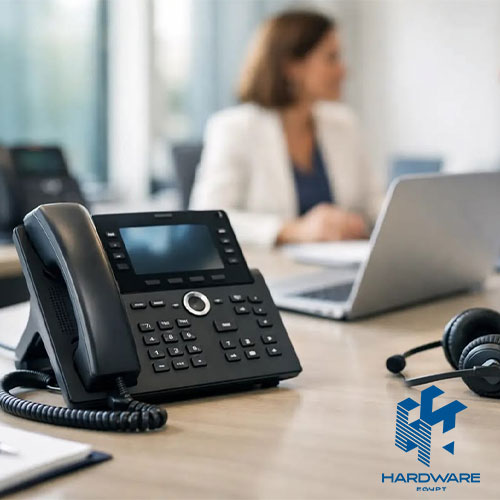
The Cisco IP phone price is only one part of the total cost of a business phone system. A company may also need call-control software, an IP PBX or cloud subscription, SIP service, network switches, reliable internet, headsets, installation, licences, and ongoing technical support.
For this reason, businesses should not choose a Cisco phone based on the handset price alone.
A lower-cost desk phone may be suitable for employees who handle occasional calls. Receptionists, managers, call-centre agents, and shared workspaces may need additional lines, programmable buttons, colour displays, Bluetooth, Wi-Fi, or expansion modules.
A Cisco wireless IP phone serves a different requirement. It allows employees to move around a workplace while remaining connected to the business phone system through the company Wi-Fi network. This can be useful in hospitals, warehouses, shops, factories, hotels, and large offices.
The right IP phone systems for small business also depend on how the calls will be managed. A business may choose a cloud phone system, an on-premises IP PBX, or a hybrid setup that combines internal control with hosted services.
What This Guide Covers
This guide explains:
- Typical Cisco IP phone price levels in Egypt.
- The difference between Cisco 7800, 8800, and 9800 phones.
- Current and older Cisco wireless IP phone models.
- Cloud, on-premises, and hybrid IP phone systems.
- The hardware a small business needs.
- PoE, switches, Wi-Fi, QoS, and internet requirements.
- Phone choices for receptionists, managers, teams, and mobile workers.
- Local IP phone alternatives and reviewed prices.
- Common compatibility and purchasing mistakes.
Businesses can begin by exploring available IP Phones before selecting the call-control platform and network design.
What Is an IP Phone System?
An IP phone system carries voice calls through an internet protocol network instead of depending only on traditional analogue telephone wiring.
The handset connects to the local network using Ethernet, Wi-Fi, or a wireless base station. A call-control platform then manages extensions, call routing, voicemail, transfers, conference calls, external numbers, and other business functions.
The platform may be:
- Installed inside the business.
- Hosted in a data centre.
- Delivered as a cloud subscription.
- Combined with analogue or mobile connections.
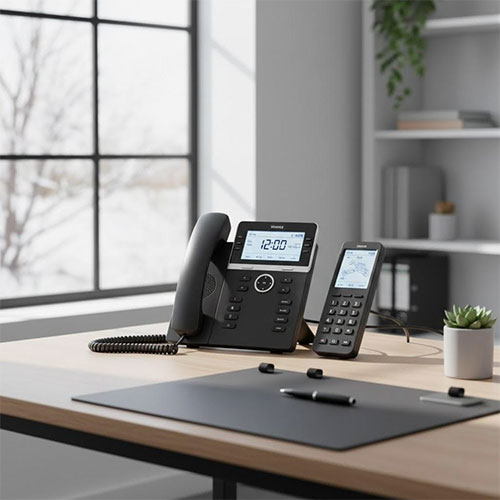
A complete system may include desk phones, wireless handsets, softphone applications, conference phones, headsets, an IP PBX, SIP trunks, gateways, switches, and network security
Main Components of a Small-Business IP Phone System
| Component | Main Function | Important Buying Check |
|---|---|---|
| IP phone | Allows employees to make and receive calls | Lines, SIP accounts, screen, PoE, and headset support |
| IP PBX | Controls extensions and call features | User capacity and concurrent calls |
| SIP trunk | Connects the system to external telephone services | Channels, numbers, and provider compatibility |
| Router or firewall | Connects and protects the network | QoS, security, and internet reliability |
| PoE switch | Provides network data and electrical power | PoE standard and total power budget |
| Access point | Connects wireless IP phones | Coverage, roaming, capacity, and voice QoS |
| Headset | Supports hands-free communication | Phone compatibility and noise cancellation |
| Gateway | Connects analogue lines or phones | FXS, FXO, GSM, or PRI requirements |
| UPS | Keeps communication equipment running | Required runtime and connected load |
| Management platform | Configures phones and users | Licensing, remote management, and updates |
Small businesses considering an on-premises setup can compare available IP PBX systems. Companies retaining analogue lines or older telephones may also require a VoIP Gateway.
Cloud vs On-Premises vs Hybrid Phone Systems
The phone model cannot be selected correctly until the business decides where the call control will operate.
Cloud IP Phone System
A cloud system places the main phone platform in the provider’s infrastructure. The business usually pays a recurring fee for each user or extension.
The provider manages much of the system software, while the company connects compatible desk phones, wireless phones, mobile applications, or computer softphones.
Cisco Webex Calling is an example of a cloud phone system. Cisco states that it supports a range of Cisco desk phones and provides core business-calling functions without requiring the customer to maintain the complete call-control infrastructure on site.
On-Premises IP PBX
An on-premises IP PBX is installed inside the company or in its private data centre.
This can provide more direct control over extensions, call routing, recording, integrations, gateways, and local calling. However, the business becomes responsible for configuration, backups, updates, security, and maintenance.
Hybrid Phone System
A hybrid setup combines local and hosted components.
For example, a business may keep an on-premises PBX while using cloud applications, remote extensions, SIP trunks, or failover services.
Small-Business Phone System Comparison
| System Type | Best For | Main Advantage | Main Limitation |
|---|---|---|---|
| Cloud phone system | Small teams and distributed offices | Fast deployment and remote management | Ongoing subscription cost |
| On-premises IP PBX | Businesses needing local control | Customisation and internal management | Requires technical administration |
| Hybrid system | Companies moving gradually to cloud | Flexible transition | More complex design |
| Hosted SIP system | Businesses using compatible SIP phones | Choice of endpoints and providers | Compatibility must be checked |
| Analogue and IP combination | Companies retaining old lines or devices | Gradual migration | Requires gateways and extra management |
The most suitable IP phone systems for small business depend on the number of users, locations, call volume, support resources, and required integrations.
Cisco IP Phone Price in Egypt
The Cisco IP phone price in Egypt varies widely according to the series, firmware, condition, seller, warranty, included accessories, and whether the product is locally stocked or imported.
The same model may appear at very different prices because one listing is new, another is refurbished, and another excludes international shipping or customs.
Reviewed Cisco Phone Price Examples
| Cisco Model | Main Direction | Reviewed Market Example | Important Note |
|---|---|---|---|
| Cisco 7821 | Entry two-line business phone | About 9,100–13,000 EGP | Price varies by firmware, seller, and import terms |
| Cisco 7841 | Four-line Gigabit desk phone | About 14,500 EGP | Check firmware and power supply |
| Cisco 8841 | Premium voice desk phone | About 6,500–17,850 EGP | Range includes refurbished, local, and imported listings |
| Cisco 8865 | Wi-Fi and video desk phone | About 20,000 EGP | Confirm platform and licence compatibility |
| Cisco Wireless 8821 | Rugged Wi-Fi handset | Around 45,668 EGP for one renewed import listing | End-of-sale product |
| Cisco 9800 Series | Current desk-phone family | Request a current quotation | Local availability varies |
| Cisco Wireless 9821 | Current Wi-Fi 6E wireless phone | Request a current quotation | Newer model with limited local price visibility |
Market prices were reviewed on July 30, 2026 and should be treated as planning examples rather than fixed selling prices.
A local listing showed the Cisco 7821 at 11,190 EGP but out of stock, while another listed it at 12,000 EGP. Imported listings ranged from roughly 9,100 to 13,000 EGP, depending on import charges.
Cisco 8841 examples ranged from 6,500 EGP for a refurbished listing to 8,000 EGP on another local catalogue and 17,847 EGP for an imported multiplatform model. The condition, firmware, warranty, and import costs explain much of this difference.
Why Cisco IP Phone Prices Vary
Phone Series
A basic two-line phone costs less than an executive model with Wi-Fi, Bluetooth, video, touchscreen controls, or expansion-module support.
Firmware Type
A Cisco phone may use enterprise firmware designed for Cisco Unified Communications Manager or multiplatform firmware intended for supported cloud and third-party call-control services.
The hardware may look identical, but the firmware and supported platform can be different.
Cisco publishes separate documentation for enterprise and multiplatform versions of the 7800 and 8800 series. The supported functions are similar in some areas but are not identical.
New, Used, or Refurbished Condition
Used and refurbished phones may cost much less. Buyers should check:
- Screen condition.
- Handset and cable.
- Footstand.
- Power adapter.
- PoE operation.
- Firmware.
- Factory-reset status.
- Warranty.
- Licence eligibility.
- Previous account or provisioning locks.
Included Power Supply
Many IP phones are designed to receive power through PoE. A power adapter may not be included.
If the network switch does not provide PoE, the business may need a compatible adapter or injector.
Local Stock vs Imported Stock
Imported prices may exclude customs, shipping, local warranty, installation, and support.
A product that appears cheaper online may have a higher final landed cost.
Lifecycle Status
Older Cisco phones may remain available after Cisco has announced end-of-sale dates.
This does not mean every older model stops working immediately. However, lifecycle status affects future software, support, replacement units, and long-term system planning.
Cisco IP Phone Series Explained
Cisco has several phone generations, each designed to meet different requirements.
Cisco Phone Family Comparison
| Cisco Family | Typical Position | Best For | Main Check |
|---|---|---|---|
| 6800 Series | Entry and small-business calling | Basic cloud or hosted deployments | Exact model and platform support |
| 7800 Series | Cost-effective business voice | General office users | Lines, firmware, and lifecycle |
| 8800 Series | Premium voice and video collaboration | Managers, executives, and active call users | Wi-Fi, Bluetooth, video, and licences |
| 9800 Series | Current modern desk-phone direction | New deployments and hybrid workplaces | Local price and platform version |
| Wireless 800 Series | Rugged wireless smartphones | Mobile and frontline staff | Wi-Fi coverage and licensing |
| Wireless 9821 | Current rugged Wi-Fi handset | Mobile workers needing tactile controls | Wi-Fi 6E network readiness |
| Conference phones | Meeting rooms | Group calls and audio conferencing | Room size and microphone coverage |
Cisco 7800 Series
The Cisco 7800 Series includes the 7811, 7821, 7841, and 7861.
Cisco positions the range as a cost-effective business voice portfolio. The 7821 provides two lines, the 7841 provides four, and the 7861 supports a larger number of line or feature keys.
Suitable Uses
- General employees.
- Shared desks.
- Small reception points.
- Break rooms.
- Basic administrative users.
- Businesses moving from analogue phones.
Important Lifecycle Check
Cisco’s support pages now list 2026 end-of-sale announcements for selected 7800 models, including the 7821 and 7811. Buyers should check the exact SKU and lifecycle notice before planning a new long-term rollout.
Cisco 8800 Series
The Cisco 8800 Series is designed for higher-feature business voice and collaboration.
Selected models provide colour displays, Gigabit Ethernet, Bluetooth, Wi-Fi, USB, video, expansion modules, and more programmable controls.
Cisco describes the range as suitable for knowledge workers, administrators, executives, open offices, conference rooms, and mobile workers within a campus.
Suitable Uses
- Executives.
- Managers.
- Receptionists.
- Personal assistants.
- Employees handling several calls.
- Video-calling users.
- Shared or premium workspaces.
Cisco 9800 Series
The Cisco Desk Phone 9800 Series is the newer desk-phone direction.
Cisco’s 2026 data sheet lists models including the 9811, 9841, 9851, 9861, and 9871. The family uses PhoneOS and supports different Cisco and third-party calling platforms, depending on the model and configuration.
The series adds features such as:
- Modern displays.
- Secure calling.
- Meeting support.
- Desk reservation.
- Emergency notifications.
- Configurable action buttons.
- Background-noise processing on selected models.
- Wi-Fi and Bluetooth on selected models.
- Expansion-module support on selected models.
For new projects, the 9800 Series should be considered alongside older 7800 and 8800 stock rather than assuming an older phone is automatically the best value.
Which Cisco Desk Phone Fits Each User?
| User Type | Suitable Cisco Direction | Features to Prioritise |
|---|---|---|
| Light office user | 7811, 7821, or comparable 9800 entry model | Simple interface and one or two lines |
| General employee | 7821, 7841, 9841, or 9851 | Wideband audio and programmable keys |
| Receptionist | 7861, 8851, 8861, 9861, or 9871 | Many lines, BLF, headset, and expansion module |
| Manager | 8841, 8851, 9851, or 9861 | Colour display, Gigabit network, Bluetooth |
| Executive | Premium 8800 or 9800 model | Video, Wi-Fi, touchscreen, and meetings |
| Shared desk | Supported hot-desking model | User sign-in and personal settings |
| Meeting room | Cisco conference phone | Full-duplex audio and microphone coverage |
| Mobile worker | Cisco wireless IP phone | Roaming, battery, durability, and Wi-Fi |
Cisco Wireless IP Phone Options
A Cisco wireless IP phone connects through the company’s Wi-Fi network rather than remaining connected to one desk by Ethernet.
This is different from using a consumer mobile phone with a calling application. Cisco wireless phones are managed business endpoints designed for workplace voice, security, roaming, and call-control integration.
Current Wireless Direction
Cisco’s current wireless portfolio includes the Wireless Phone 860 and the newer Wireless Phone 9821. Cisco also lists the 840S, although its support page identifies the broader 840 model as end-of-life.
Cisco Wireless Phone Comparison
| Model | Main Direction | Wireless Technology | Durability | Important Note |
|---|---|---|---|---|
| Cisco 8821 | Older rugged voice handset | Wi-Fi 5 generation support | IP-rated and shock-resistant | End of sale in 2024 |
| Cisco 840/840S | Rugged Android wireless phone | Dual-band enterprise Wi-Fi | IP65 | Check lifecycle and exact model |
| Cisco 860/860S | Premium rugged Android wireless phone | Dual-band enterprise Wi-Fi | IP68 | Hot-swappable battery on 860 |
| Cisco Wireless 9821 | New tactile wireless handset | Wi-Fi 6E | IP54 and rugged design | Newer 2026 direction |
Cisco Wireless Phone 8821
The Cisco Wireless IP Phone 8821 was designed for mobile workers in healthcare, manufacturing, retail, and industrial environments.
Published specifications include a 2.4-inch colour display, Wi-Fi support, Bluetooth, replaceable batteries, rugged construction, and up to 13 hours of talk time.
However, Cisco announced that the last day to order the 8821 was August 7, 2024. A buyer finding an 8821 in Egypt should treat it as legacy stock and verify condition, battery availability, chargers, firmware, and support.
Cisco Wireless Phone 840 and 860
The Cisco 840 and 860 operate as managed wireless smartphones on the organisation’s Wi-Fi network.
The 840 family is rated IP65, while the 860 family is rated IP68. The 860 includes a larger display, cameras, a hot-swappable battery, and rugged protection designed for demanding environments.
These phones may suit:
- Hospitals.
- Warehouses.
- Manufacturing.
- Retail floors.
- Maintenance teams.
- Security personnel.
- Hotel operations.
- Large campuses.
Cisco Wireless Phone 9821
The Cisco Wireless Phone 9821 is a newer handset designed for frontline and mobile workers.
Its published specifications include Wi-Fi 6E connectivity, tactile buttons, a colour display, a replaceable battery, rugged construction, call features, AI noise removal, push-to-talk, worker-safety options, and support for on-premises and cloud environments.
This may be a more suitable direction for a new Cisco wireless deployment than building around the older 8821.
Wireless IP Phone vs DECT Phone
A Wi-Fi IP phone uses the business wireless LAN. A DECT phone uses a dedicated DECT base station.
Wireless Phone Technology Comparison
| Technology | Main Advantage | Best For | Main Limitation |
|---|---|---|---|
| Wi-Fi IP phone | Uses the business wireless network | Large managed campuses and mobile teams | Requires voice-ready Wi-Fi |
| DECT IP phone | Dedicated voice coverage and simple mobility | Small offices, warehouses, and shops | Requires a DECT base |
| Wi-Fi desk phone | Avoids an Ethernet cable at the desk | Flexible office layouts | Still requires electrical power |
| Mobile softphone | Uses an employee smartphone | Remote and hybrid workers | Device and app management concerns |
| Corded Ethernet phone | Stable wired connection and PoE | Fixed desks | No physical mobility |
For businesses that do not require a Cisco wireless platform, the WiFi IP Phone FAP2714W provides dual-band Wi-Fi, two SIP accounts, HD voice, and six-way conferencing.
A DECT alternative can combine the Grandstream DP722 DECT Cordless IP Phone with the Grandstream DP752 DECT VoIP Base Station.
Network Requirements for Wireless IP Phones
A wireless phone should not be added to an unplanned office Wi-Fi network and expected to work reliably.
Voice traffic is sensitive to delay, packet loss, roaming interruptions, and congestion.
Wireless Voice Network Checklist
| Network Check | Why It Matters |
|---|---|
| Complete coverage | Prevents calls from dropping in weak areas |
| Capacity planning | Ensures enough airtime for phones and other devices |
| Roaming | Allows calls to continue between access points |
| QoS | Prioritises voice packets |
| Separate voice VLAN | Improves management and security |
| Stable internet | Supports cloud and external calls |
| Controller configuration | Coordinates access points and roaming |
| Power backup | Keeps access points and switches available |
| Interference survey | Identifies crowded channels |
| Security | Protects voice registration and traffic |
Cisco’s wireless phone documentation explains that the phones depend on the organisation’s Wi-Fi network and access points. Cisco also warns that calls may fail if the wireless infrastructure loses power or connectivity.
Businesses planning wireless voice should review available Access Point options as part of the phone-system project.
PoE, Switches, and Desk Phones
Most business desk phones use Power over Ethernet.
PoE allows one network cable to deliver data and electrical power to the phone. This reduces the need for a separate power adapter at every desk.
The switch must provide:
- The correct PoE standard.
- Enough power per port.
- Enough total PoE capacity.
- Suitable VLAN support.
- QoS.
- Enough Ethernet ports.
- Sufficient network speed.
Phone Power Comparison
| Power Method | Best For | Main Check |
|---|---|---|
| PoE switch | Multiple business phones | Total power budget and VLAN support |
| PoE injector | One or two phones | Correct standard and data speed |
| Power adapter | Non-PoE network | Correct Cisco or phone-specific adapter |
| Battery | Wireless handset | Talk time and charging process |
| UPS-backed PoE | Critical phone system | Required emergency runtime |
Businesses can compare suitable Network Switches before ordering a large group of PoE phones.
Essential Features for Small-Business IP Phones
The best endpoint depends on the employee’s work rather than job title alone.
IP Phone Feature Checklist
| Feature | Why It Matters | Who Needs It Most |
|---|---|---|
| SIP accounts | Supports one or more call identities | General users and shared phones |
| Line keys | Handles several calls or extensions | Receptionists and managers |
| BLF keys | Shows extension status | Reception and support teams |
| PoE | Simplifies power and cabling | Most fixed office phones |
| Gigabit Ethernet | Prevents a desk-network bottleneck | Employees connecting PCs through phones |
| HD audio | Improves speech clarity | All users |
| Full-duplex speakerphone | Improves hands-free calls | Managers and meeting rooms |
| Headset support | Supports long call sessions | Sales and call-centre teams |
| Bluetooth | Connects wireless headsets | Managers and mobile desk users |
| Wi-Fi | Allows flexible desk placement | Offices without desk Ethernet |
| Colour display | Improves directories and navigation | Active call users |
| Video | Supports face-to-face collaboration | Executives and remote teams |
| Expansion module | Adds more programmable keys | Receptionists and assistants |
| Zero-touch provisioning | Simplifies large deployments | IT teams and service providers |
The Fanvil X1SP Enterprise IP Phone provides an entry business-phone direction with HD audio and headset support.
The Fanvil X3SG Enterprise IP Phone adds a colour display, Gigabit networking, and additional SIP-line capability.
Local IP Phone Alternatives and Prices
Hardware Egypt’s current IP phone range includes Grandstream, Fanvil, FIBERME, and other brands. The category did not show a Cisco phone brand filter during the July 30, 2026 review, so Cisco availability may require a separate quotation or supplier check.
Reviewed Hardware Egypt IP Phone Prices
| Model | Main Use | Reviewed Price |
|---|---|---|
| Grandstream GRP2601P | Entry PoE desk phone | 2,050 EGP |
| Fanvil X1SP | Entry enterprise desk phone | 2,153 EGP |
| Grandstream GRP2601 | Entry non-PoE desk phone | 2,150 EGP |
| Grandstream GXP1615 | Entry two-line phone | 2,289 EGP |
| Grandstream GXP1625 | PoE two-line business phone | 2,431 EGP |
| Grandstream GRP2602 | Four-SIP desk phone | 2,795 EGP |
| Fanvil X3SG | Gigabit colour-screen phone | 3,857 EGP |
| Grandstream GRP2604 | Higher-feature desk phone | 4,159 EGP |
| Grandstream GRP2604P | PoE three-line desk phone | 4,300 EGP |
| Grandstream DP722 | DECT mobile handset | 3,824 EGP |
| Grandstream DP752 | DECT base station | 3,847 EGP |
| Grandstream WP820 | Dual-band Wi-Fi IP phone | 11,175 EGP |
| Grandstream GAC2500 | Conference phone | 26,199 EGP |
Prices were reviewed on July 30, 2026 and may change with stock and promotions.
The Grandstream GRP2601P IP Phone supports two SIP accounts, PoE, central provisioning, conferencing, and headset integration.
The Grandstream GRP2602 IP Phone provides a four-SIP direction for users needing more account flexibility.
The Grandstream GRP2604 IP Phone and Grandstream GRP2604P IP Phone can suit employees who need more line and call-handling functions.
For meeting spaces, the Grandstream GAC2500 Conference Phone offers a dedicated conference-room direction.
Planning IP Phone Systems for Small Business
The number of employees does not always equal the number of phones.
Some employees may use mobile or desktop softphones. Others may share a handset or require more than one device.
System Direction by Business Size
| Business Size | Typical Phone Mix | Suitable System Direction |
|---|---|---|
| 1–5 users | Entry desk phones and softphones | Hosted SIP or small cloud system |
| 6–15 users | Desk phones, one reception phone, headsets | Cloud or entry IP PBX |
| 16–30 users | Mixed desk phones, wireless phones, conference phone | Managed cloud or on-premises PBX |
| 31–75 users | Role-based phones, call queues, reporting | Scalable PBX or UCaaS platform |
| 76+ users | Central provisioning, several locations, analytics | Enterprise or multi-site architecture |
| Warehouse or hospital | Wireless phones and desk phones | Managed VoWLAN and call control |
| Call centre | Desk phones or softphones with headsets | Queue, recording, reporting, and supervisor tools |
Five-User Office Example
A small office may need:
- Four entry or mid-range desk phones.
- One receptionist phone.
- Cloud or PBX user licences.
- One SIP trunk or hosted calling plan.
- A PoE switch.
- A router with QoS.
- One UPS.
- Optional call-centre or office headsets.
Fifteen-User Office Example
A larger small business may need:
- Ten general desk phones.
- Two management phones.
- One receptionist phone.
- One conference phone.
- One or two wireless handsets.
- An IP PBX or cloud platform.
- Managed PoE switching.
- VLAN configuration.
- Headsets.
- Call routing and voicemail.
Employees who handle frequent calls can compare Call Center Headsets as part of the endpoint plan.
Total Cost of an IP Phone System
The total system cost should include more than the phone purchase.
IP Phone System Cost Elements
| Cost Element | One-Time or Recurring | Planning Question |
|---|---|---|
| Desk and wireless phones | One-time | How many users need physical devices? |
| IP PBX hardware | One-time | Is local call control required? |
| Cloud licences | Recurring | What is the monthly user price? |
| SIP trunks | Recurring | How many simultaneous external calls are needed? |
| Telephone numbers | Recurring | Are new or ported numbers required? |
| PoE switches | One-time | Is there enough power and port capacity? |
| Access points | One-time | Will wireless phones be deployed? |
| Cabling | One-time | Are Ethernet outlets available? |
| Headsets | One-time | Which users need hands-free operation? |
| Installation | One-time | Who will configure phones and the network? |
| Support | Recurring or contract | Who will troubleshoot outages? |
| Recording storage | Recurring | How long must calls be retained? |
| Internet backup | Recurring | Does the business require failover? |
| UPS | One-time | How long should phones remain available? |
A higher Cisco IP phone price may be justified when the business already operates Cisco call control, switching, identity, or management systems. The same handset may provide less value if it requires additional licences, firmware conversion, or a platform the company does not use.
Network Readiness for Business VoIP
Voice quality depends on the network.
Common problems include:
- Slow or unstable internet.
- Packet loss.
- High latency.
- Jitter.
- Incorrect QoS.
- Overloaded switches.
- Poor cabling.
- Weak Wi-Fi.
- Missing power backup.
- Incorrect firewall configuration.
Before deployment, test:
- Internet upload and download stability.
- Latency to the provider.
- Packet loss.
- Jitter.
- Available bandwidth.
- Switch capacity.
- PoE capacity.
- VLAN configuration.
- Wi-Fi roaming.
- Firewall and NAT behaviour.
Security Requirements
An IP phone is a network endpoint and should be managed like other business devices.
Important controls include:
- Strong administrator credentials.
- Secure provisioning.
- Current firmware.
- Encrypted signalling where supported.
- Encrypted media where supported.
- Separate voice VLAN.
- Firewall rules.
- Restricted management access.
- Disabled unused services.
- Secure cloud accounts.
- Multi-factor authentication for administration.
- Call-fraud monitoring.
- Backups of PBX configuration.
Cisco’s 7800, 8800, and 9800 documentation describes secure calling and encrypted communication capabilities, but the actual security functions depend on the model, firmware, call-control platform, and configuration.
Common Cisco IP Phone Buying Mistakes
Buying the Wrong Firmware Version
A Cisco enterprise phone and a multiplatform phone may not work with the same call-control service without the correct firmware and licensing.
Confirm the complete SKU, not only the model number.
Choosing by Phone Price Alone
The handset may require:
- A PBX.
- User licences.
- A power adapter.
- A PoE switch.
- A headset.
- A support contract.
- Provisioning.
- Compatible firmware.
Buying End-of-Sale Stock for a New Long-Term Project
Older Cisco models can still be useful, but the business must understand their support and replacement timeline.
Assuming a Wireless Phone Works on Any Wi-Fi
A Cisco wireless IP phone needs reliable coverage, roaming, QoS, security, and call-control compatibility.
Using a Consumer Router for a Busy Phone System
A basic router may not provide enough control for VLANs, QoS, failover, security, or many simultaneous users.
Ignoring Power Failure
Cloud calling still depends on local power, internet, switches, routers, and access points.
A UPS and backup internet connection may be necessary.
Mixing Phones Without Checking Provisioning
Different brands and models can sometimes use the same SIP service, but central provisioning, features, directories, BLF, and firmware management may vary.
Complete Buying Checklist
Cisco Phone Details
- Exact Cisco model.
- Complete SKU.
- Enterprise or multiplatform firmware.
- New, used, or refurbished condition.
- Lifecycle status.
- Supported call-control platform.
- Number of lines.
- Gigabit Ethernet.
- PoE support.
- Power adapter inclusion.
- Wi-Fi and Bluetooth.
- Headset compatibility.
- Expansion-module support.
- Warranty.
Small-Business System Requirements
- Number of users.
- Number of locations.
- Simultaneous external calls.
- Reception requirements.
- Call queues.
- Auto attendant.
- Voicemail.
- Call recording.
- Conference calling.
- Mobile and desktop applications.
- CRM integration.
- Office-hours routing.
- Remote-worker support.
- Reporting.
Network Requirements
- Internet stability.
- Backup internet.
- Router and firewall.
- QoS.
- Voice VLAN.
- PoE switch.
- Ethernet cabling.
- Access-point coverage.
- Wireless roaming.
- UPS capacity.
Commercial Requirements
- Phone price.
- PBX or cloud cost.
- SIP-trunk cost.
- User licences.
- Installation.
- Training.
- Support.
- Replacement devices.
- Firmware updates.
- Warranty and return terms.
Final Recommendation
The Cisco IP phone price should be evaluated as part of a complete communication system.
For light office users, a two-line model such as the Cisco 7821 may provide enough functionality, but its lifecycle and firmware must be checked.
For managers, receptionists, and users who handle more calls, the Cisco 8800 Series offers more advanced options. For new long-term deployments, the Cisco 9800 Series should also be considered because it is Cisco’s newer desk-phone direction.
A Cisco wireless IP phone is appropriate when employees need to move across a workplace while staying connected to the business extension. New projects should compare the current Wireless Phone 860 and 9821 with any older 8821 stock.
The most suitable IP phone systems for small business combine the correct phones with compatible call control, reliable internet, PoE switching, QoS, security, and support.
Before purchasing, confirm the exact SKU, firmware, platform, price, lifecycle, accessories, network requirements, and total ongoing cost.