


Dell Laptop With Graphics Card: How to Choose the Right Model
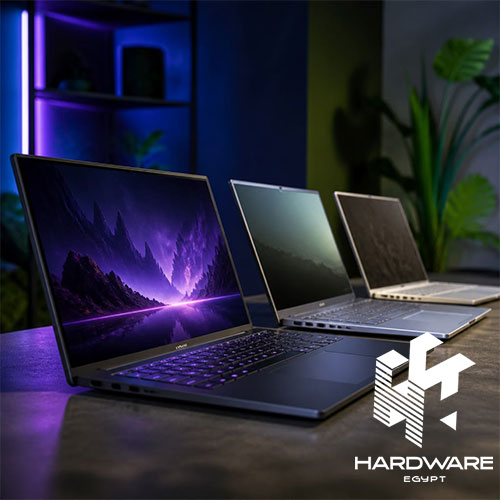
A laptop with a dedicated graphics card sounds like an obvious upgrade.
But whether it is actually worth paying for depends on what you plan to do with the machine.
If your day is mostly emails, documents, browser tabs, presentations, and video calls, integrated graphics may be perfectly adequate. Once you move into gaming, video editing, 3D modelling, rendering, or other GPU-heavy applications, the graphics card becomes much more important.
That is why searching for a Dell laptop with a graphics card is only the beginning.
You still need to ask:
- Which graphics card does it have?
- How much VRAM does it offer?
- What processor is paired with it?
- Is the display suitable for the workload?
- How much RAM and storage do you get?
- How well does the cooling system handle sustained workloads?
- Is the laptop designed for gaming, business, or professional work?
Then comes another question that often appears during the buying process:
Dell or Lenovo laptops which is better?
There is no honest one-brand answer.
Dell and Lenovo both cover several categories, from everyday laptops to business systems, gaming machines, and professional workstations. A Dell Latitude and Lenovo ThinkPad solve a very different problem from a Dell G15 and Lenovo LOQ.
And if you already own a Dell laptop, you may not be shopping at all. You may simply be trying to answer:
How to know my Dell laptop model?
That information becomes useful when you need the right driver, charger, battery, RAM, SSD, display, warranty details, or technical documentation.
So rather than treating these as three unrelated questions, this article brings them together: how to choose a Dell laptop with graphics card, how Dell compares with Lenovo, and how to identify the Dell laptop you already own.
What Does a Graphics Card Actually Do in a Dell Laptop?
Before comparing models, it helps to separate integrated and dedicated graphics.
Integrated Graphics
Integrated graphics are part of the processor platform and are generally suitable for:
- Web browsing.
- Microsoft Office.
- Presentations.
- Streaming.
- Basic photo editing.
- Everyday productivity.
For these tasks, paying extra for a dedicated GPU may not improve your experience enough to justify the additional cost.
Dedicated Graphics
A dedicated graphics processing unit is designed for heavier graphical workloads.
It becomes more useful for:
- Gaming.
- Video editing.
- 3D modelling.
- Rendering.
- CAD.
- Visualisation.
- GPU-accelerated applications.
The difference can be substantial.
Hardware Egypt’s current Dell G15 gaming laptop, for example, combines a Core i7-13650HX processor with 16GB DDR5 RAM, a 512GB SSD, NVIDIA RTX 3050 6GB graphics, and a 15.6-inch FHD 120Hz display.
That combination tells you much more than simply seeing the words “Dell laptop with graphics card.”
The CPU, GPU, memory, display, and cooling are all part of the performance equation
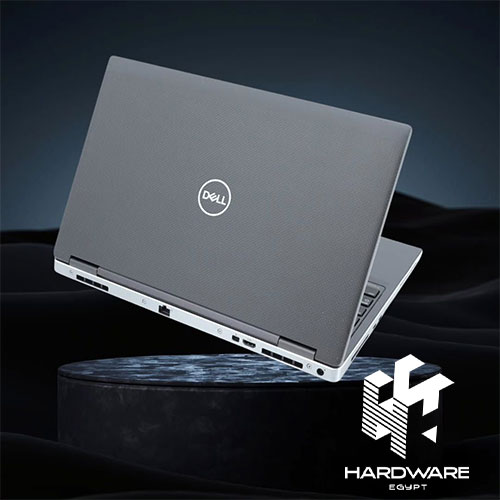
How Much Graphics Power Do You Actually Need?
This is where it is easy to spend more than necessary.
A powerful GPU looks impressive on a product page. But if your laptop spends most of its life running Word, Chrome, accounting software, and video meetings, you may never use that extra graphics performance.
A practical way to think about it is:
| Workload | Graphics Direction |
|---|---|
| Office work | Integrated graphics |
| Browsing and study | Integrated graphics |
| Light creative work | Integrated or entry-level dedicated GPU |
| Casual gaming | Entry-level dedicated GPU |
| Modern gaming | Dedicated gaming GPU |
| Video editing | Dedicated GPU can help |
| 3D modelling | Dedicated GPU often useful |
| Rendering | Higher-performance GPU |
| Professional GPU workloads | Workstation-class graphics may be appropriate |
VRAM matters as well.
A dedicated GPU with 2GB VRAM is not equivalent to a 6GB model simply because both are described as dedicated graphics.
When comparing a Dell laptop with graphics card, look at:
- Exact GPU model.
- VRAM.
- CPU.
- RAM.
- Display resolution.
- Target workload.
- Cooling.
The GPU should fit the job, not simply the budget.
Dell Laptop With Graphics Card: Gaming or Professional Work?
A Dell laptop with a dedicated GPU is not automatically a gaming laptop.
This distinction is important.
Dell Gaming Laptops
Gaming models are generally built around:
- Dedicated graphics.
- High-refresh displays.
- Powerful processors.
- Cooling.
- Sustained performance.
- Gaming-focused keyboards.
For example, Hardware Egypt’s current Dell G15-5511 gaming laptop combines an Intel Core i7-11800H with 16GB RAM, 512GB SSD, RTX 3060 6GB graphics, and a 15.6-inch FHD 120Hz display.
That is clearly a performance-oriented machine.
Dell Laptops With Dedicated Graphics for Everyday Work
A dedicated GPU can also appear in a laptop that is not primarily intended for gaming.
The Dell Vostro 3520 with NVIDIA graphics combines a Core i7-1255U, 8GB RAM, 512GB SSD, and NVIDIA MX550 2GB graphics.
That configuration demonstrates why the phrase “Dell laptop with graphics card” is too broad by itself.
The MX550 and RTX 3060 serve very different purposes.
Dell or Lenovo Laptops Which Is Better?
This is probably the question that creates the most unnecessary brand debates.
The honest answer is:
It depends on the two laptops you are actually comparing.
Both companies have strong products, but their strengths vary across categories.
| Category | Dell | Lenovo |
|---|---|---|
| Everyday laptops | Strong range | Strong range |
| Business | Latitude / Dell Pro | ThinkPad |
| Gaming | G Series / Alienware | LOQ / Legion |
| 2-in-1 | Inspiron and related models | Yoga |
| Professional work | Precision/workstation lines | ThinkPad P and workstation lines |
| Budget options | Broad selection | Broad selection |
| Keyboard reputation | Depends on model | ThinkPad is particularly strong |
| Premium models | Strong | Strong |
| Overall winner | Depends on configuration | Depends on configuration |
The important thing is to compare actual models rather than make a decision based on brand reputation alone.
Hardware Egypt’s Lenovo laptops in Egypt range provides a useful comparison point because it includes different Lenovo configurations for everyday use, business, and gaming.
Dell vs Lenovo for Business Users
For business users, the comparison should move away from gaming specifications.
Look at:
- Keyboard.
- Portability.
- Battery.
- Security.
- Connectivity.
- Warranty.
- Manageability.
- Docking options.
- Display quality.
Dell’s Latitude range and Lenovo’s ThinkPad range are both built around professional use.
Hardware Egypt’s Dell Latitude 5440 provides an example of a business-oriented configuration designed around professional productivity rather than gaming performance.
If you type all day, keyboard comfort may matter more than a small difference in processor performance.
For a broader look at Lenovo’s business direction, the existing ThinkPad in Egypt article provides additional context on ThinkPad’s positioning for professional users and students.
The useful comparison is therefore:
Latitude vs ThinkPad
rather than:
Dell vs Lenovo
Dell vs Lenovo for Gaming
The comparison becomes more interesting when gaming is the goal.
Here, focus on:
- GPU.
- VRAM.
- CPU.
- Refresh rate.
- Response time.
- Cooling.
- RAM.
- SSD.
Hardware Egypt’s current Lenovo LOQ gaming laptop is listed with a Core i7-13620H, 16GB RAM, 512GB SSD, RTX 4050 6GB graphics, and a 15.6-inch FHD 144Hz display.
Compare those specifications with the Dell G15.
The brand name becomes much less important once you place the actual hardware side by side.
A good gaming comparison should therefore look at:
GPU first → CPU → display → cooling → memory → storage → price
rather than simply asking which logo is better.
Dell vs Lenovo for Students and Everyday Users
If you’re a student or general user, you may not need a dedicated graphics card at all.
Prioritise:
- Weight.
- Battery life.
- SSD storage.
- RAM.
- Keyboard.
- Display.
- Price.
A dedicated GPU makes more sense if your course or hobbies involve:
- Gaming.
- Architecture.
- Engineering.
- 3D modelling.
- Video editing.
- Design software.
Otherwise, the money may be better spent on more RAM, a larger SSD, a better screen, or a lighter laptop.
The wider laptop collection on Hardware Egypt lets you compare machines designed for different workloads instead of treating every laptop as the same type of product.
How to Know My Dell Laptop Model
If you already own a Dell laptop, identifying the exact model is usually straightforward.
And it is worth doing properly.
The exact model can help you find:
- Correct drivers.
- Compatible chargers.
- Replacement batteries.
- RAM information.
- SSD compatibility.
- Display parts.
- Warranty information.
- Technical documentation.
There are several ways to find it.
Method 1: Check the Bottom of the Laptop
Turn the laptop over.
Look for the identification label.
Depending on the model, you may find:
- Model name.
- Model number.
- Service Tag.
- Express Service Code.
The Service Tag is especially useful because it identifies your individual Dell machine.
Method 2: Use Windows Settings
On Windows:
- Open Settings.
- Select System.
- Open About.
- Look for device information.
The exact wording may vary slightly depending on the Windows version.
Method 3: Use System Information
Search Windows for:
System Information
Open the application and find:
System Model
This is particularly useful if the label on the bottom of the laptop is damaged or difficult to read.
Method 4: Use Dell SupportAssist
If SupportAssist is installed:
- Open the application.
- Look for device information.
- Check the model and Service Tag.
Method 5: Check BIOS/UEFI
Restart the laptop.
When the Dell logo appears, press F2.
The BIOS/UEFI screen can display the system model and Service Tag.
Method 6: Check the Original Box
If you still have the original packaging, the product label may include the model and Service Tag.
Model Number vs Service Tag: What’s the Difference?
This is an easy distinction to miss.
Model Number
The model identifies the laptop itself.
Examples include:
- Dell Latitude 5440.
- Dell G15-5530.
- Dell Vostro 3520.
Service Tag
The Service Tag identifies your specific physical device.
This can be particularly useful when checking:
- Warranty.
- Device-specific support.
- Drivers.
- Documentation.
- Original configuration.
So if someone asks:
What Dell laptop do you have?
saying “a Dell Core i7” is not enough.
The processor is a component.
The model is the identity of the laptop.
Why Knowing Your Dell Laptop Model Matters Before an Upgrade
Suppose you want to add RAM.
Or replace the SSD.
Or order a new charger.
Or replace a damaged screen.
You cannot safely assume that every Dell laptop uses the same components.
The exact model determines compatibility.
This becomes particularly important with memory and storage because upgrade options can vary between models and configurations.
It also matters when downloading drivers.
Installing a driver intended for another Dell model can create unnecessary problems.
So before searching for a replacement component, find the exact model first.
Can You Upgrade the Graphics Card in a Dell Laptop?
Usually, not in the same way you would upgrade a desktop graphics card.
Most laptop GPUs are integrated into the motherboard or system design rather than installed as removable desktop-style graphics cards.
That means the graphics configuration should be chosen carefully when purchasing the laptop.
If your workload requires an NVIDIA GPU, it is usually better to select the appropriate configuration from the beginning rather than assume you can upgrade the internal graphics later.
External GPU solutions can work with some compatible laptops, but compatibility depends on the available ports, standards, drivers, enclosure, and operating environment.
For most buyers, the simpler rule is:
Choose the graphics capability you need when buying the laptop.
What Should You Check Before Buying a Dell Laptop With Graphics Card?
Don’t stop at the GPU.
Look at the entire system.
Graphics
Check:
- Exact GPU.
- VRAM.
- Performance class.
Processor
The CPU should be appropriate for the workload and balanced with the GPU.
RAM
Check both capacity and upgrade options.
Storage
512GB may be enough for general use, but games, video files, and professional applications can consume space quickly.
Display
Check:
- Resolution.
- Refresh rate.
- Panel type.
- Brightness.
- Colour coverage.
Cooling
A powerful GPU produces more heat.
If you plan to game or render for long sessions, cooling matters.
Portability
A performance laptop can be much heavier than a business notebook.
If you carry the laptop every day, that difference is worth considering.
Dell Laptop With Graphics Card: Choosing by Use Case
| User | Better Direction | Main Priority |
|---|---|---|
| Student | Standard Dell | Battery and portability |
| Office employee | Business Dell | Comfort and reliability |
| Casual gamer | Entry dedicated GPU | GPU and display |
| Serious gamer | Dell gaming laptop | GPU, refresh rate, cooling |
| Designer | Performance laptop | Display, RAM, GPU |
| Video editor | High-performance laptop | CPU, GPU, RAM |
| Engineer | Workstation/performance model | CPU, GPU, application needs |
| 3D professional | Workstation | Professional performance |
This simple classification can prevent you from buying a machine that is far more powerful—or far less capable—than you actually need.
How to Compare Dell and Lenovo Laptop Prices
Price should come after configuration.
For example, a laptop with:
- 16GB RAM.
- 1TB SSD.
- Dedicated RTX graphics.
- 144Hz display.
should not be compared directly with a laptop that has:
- 8GB RAM.
- 512GB SSD.
- Integrated graphics.
- 60Hz display.
even if both are advertised with a similar processor family.
The existing laptop prices in Egypt guide can help you understand how processor, storage, graphics, screen quality, model year, and market conditions influence laptop pricing in Egypt.
The same logic applies when comparing Dell and Lenovo.
Common Mistakes When Choosing Between Dell and Lenovo
Choosing the Brand Before the Laptop
Start with the workload and specifications.
Comparing Core i7 With Core i7
The exact generation and processor model matter.
Looking Only at the GPU Name
VRAM, CPU, cooling, and display also affect performance.
Buying a Gaming Laptop for Office Work
You may be paying for weight, cooling, and GPU performance that you rarely use.
Buying a Business Laptop for Heavy 3D Work
A thin business machine may not be designed for sustained professional graphics workloads.
Forgetting the Exact Dell Model
This can make driver updates, repairs, and upgrades unnecessarily difficult.
Comparing Prices Without Comparing Configurations
Different RAM, storage, graphics, displays, operating systems, and warranties can completely change the value of a laptop.
Dell Laptop Buying Checklist
Before buying:
- Define your main workload
- Decide whether you actually need a dedicated GPU
- Check the exact GPU model
- Check VRAM
- Check processor model and generation
- Confirm RAM capacity
- Check SSD capacity
- Review screen size and resolution
- Check refresh rate if gaming
- Check panel type
- Review cooling for performance models
- Check available ports
- Consider battery life
- Consider weight and portability
- Confirm operating system
- Confirm warranty
- Verify exact model/SKU
- Check current price and availability
Bottom Line
A Dell laptop with graphics card can mean very different things.
It could be a Vostro with an entry-level NVIDIA GPU for a professional who occasionally needs additional graphics performance. It could be a G15 built around gaming hardware and a high-refresh display. Or it could be a workstation designed for engineering, CAD, 3D, or other demanding professional applications.
That is why the graphics card should be selected according to the workload, not simply because the laptop has one.
The same principle applies to Dell or Lenovo laptops which is better?
There is no useful answer without knowing the models being compared.
A Dell Latitude and Lenovo ThinkPad should be compared based on business requirements. A Dell G15 and Lenovo LOQ should be compared based on GPU, CPU, cooling, display, RAM, storage, and price.
And if you’re wondering how to know my Dell laptop model, you don’t need to guess. Check the bottom label, Windows System Information, Settings, SupportAssist, BIOS/UEFI, or the original packaging. Once you have the exact model and Service Tag, finding compatible drivers and replacement components becomes much easier.
For buyers comparing actual Dell configurations, the Dell G15-5530 is an example of a Dell gaming system with RTX graphics, while the Dell Vostro 3520 shows how a Dell laptop with dedicated graphics can also be positioned around everyday professional use.
For business users, the Dell Latitude 5440 provides a very different direction, prioritising professional productivity rather than gaming performance.
And if you’re comparing Lenovo against Dell, the Lenovo laptops range and Lenovo LOQ gaming laptop provide useful points of comparison for actual hardware.
If you’re still deciding which laptop category fits your needs, the existing laptop buying tips content can help you work through the basic questions around performance, brands, specifications, and use case before choosing a specific machine.
The best laptop is not necessarily the one with the strongest GPU, the newest processor, or the most expensive configuration.
It is the one where performance, display, portability, price, warranty, and your actual workload all make sense together.
Frequently Asked Questions
Which Dell laptop with graphics card should I choose?
Choose based on your workload. An entry-level dedicated GPU can be enough for lighter graphics tasks, while gaming, video editing, 3D work, and GPU-intensive applications may require a more capable graphics solution.
Dell or Lenovo laptops which is better?
Neither is universally better. Both brands have strong options across business, everyday, gaming, and professional categories. Compare the specific models, configurations, price, warranty, and workload rather than choosing only by brand.
How to know my Dell laptop model?
Check the label on the bottom of the laptop, Windows Settings, System Information, Dell SupportAssist, BIOS/UEFI, or the original packaging. The Service Tag can also help identify your specific device.
What is the difference between a Dell model number and Service Tag?
The model number identifies the laptop model, while the Service Tag identifies the individual Dell device. The Service Tag can be useful for device-specific support, warranty, drivers, and documentation.
Can I upgrade the graphics card in a Dell laptop?
In most Dell laptops, the internal GPU is not designed to be replaced like a desktop graphics card. If graphics performance is important, it is generally better to select the appropriate GPU configuration when buying the laptop.