


Laser Color Printing for Businesses
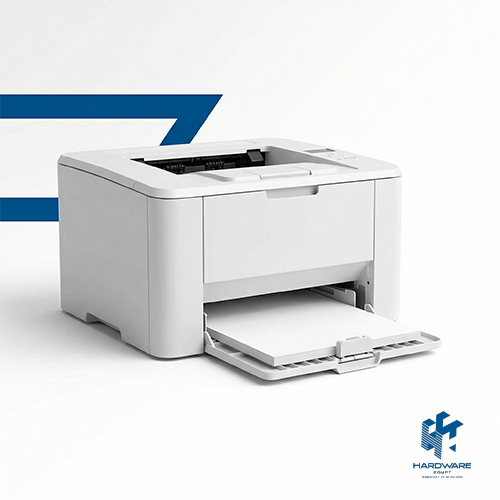
It is hugely clear that there are many businesses in many industries that are growing more each day. The workflow has grown as well. Therefore, anyone who has a company needs a Laser color printer to print important documents, contracts, meeting minutes, reports, etc.
An attractive, clear file and paperwork that is printed can have a great impact and leave a good impression for both employees and clients, along with making work easy.
In this article, we will talk about how the Laser color printer HP Laser is ideal for offices and what its impact is on most businesses.
Why HP Laser Printers Are Ideal for Businesses
Here is why the HP Laser color printer is best:
- Fast and Efficient: Prints documents quickly, keeping up with a busy office with high performance..
- Consistent Quality: Delivers readable text and rich colors every time to keep your branding professional.
- Cost-Effective: the toner with this type lasts longer than ink and reduces the need to refill the inks.
- Suitable for High Volume: Built to handle heavy flows efficiently.
- Professional Impact: Rich color printing makes proposals, reports, and marketing materials look readable and attractive
- Supports Productivity: Less wasting of time during work and helps your team focus on work rather than fixing printer issues.
Recommended HP Laser Printers for Small, Medium, and Large Businesses
Laser color printer: HP Laser depends on how much printing you will be doing, the kind of tasks you handle, and the size of your team. There are great options available that can fit your needs:
1. For Small Businesses:
Small businesses usually need printers that offer great quality and not to waste a lot of money. These models are perfect if your printing needs are simple to moderate:
- HP Color Laser 150nw(4ZB95A), Compact & Affordable:
A simple color laser printer with solid output and easy mobile printing. Fit for everyday office documents.
- HP Color LaserJet MFP 178nw (4ZB96A), All-In-One Convenience:
Has printing, scanning, and copying in one device.
2. For Medium Businesses:
If your office prints larger volumes of papers or needs more advanced features, these models help a lot:
- HP Color LaserJet Pro MFP 4303fdw, Balanced Performance:
Great for medium teams that work with fast color printing, double printing the 2 sides of paper, scanning, and wireless connectivity.
- HP Color LaserJet Pro MFP M479fdw,Power & Versatility:
A slightly more functioning model that delivers high results and handles heavier print jobs without doing any effort.
3. For Large Businesses & Heavy Workloads:
Large teams or offices who prints continuously need powerful machines:
- HP Color LaserJet Enterprise MFP M776dn, Enterprise-Level Performance:
This model is targeted for busy workplaces and provides fast printing, advanced features, and strong multifunction support.
How a Laser Color Printer, HP Laser, Can Save Money Over Time
A Laser color printer, HP Laser, might seem like spending a lot of money when there are basic printers to buy at a lower price. But when you know your needs, you will know how to save money when buying a printer for the office. Here is how it saves money and time:
- Lower Cost Per Page:
Laser printers use toner instead of ink, and toner lasts for a much longer time. That means fewer replacements and a lower cost for every printed page. - Fewer Reprints:
Expired ink, faded colors, or pages that are not printed will lead to wasted paper and time. A laser color printer, such as an HP laser, delivers sharp, consistent results as well as reducing mistakes and unnecessary reprints.
- Energy Efficiency:
Modern HP Laser models are designed to be energy efficient. They have a huge power up to print many copies in just a little time, quickly, and do not consume unnecessary electricity.
- Less Maintenance & Downtime:
Because it is built to keep up with heavy workflows without having any trouble that stops the printing process often.
- Longer Life:
Laser printers HP are known for their durability. So you will not need to buy a new one every now and then because it is not working properly.
How to Choose the Right Printer for Your Office Size
Here is a simple checklist to look up to:
Step 1: Know Your Office Needs
Start by asking yourself:
- Do you print a few pages a day or hundreds?
- Do you need color for branding materials and presentations?
- Do you want extra functions like scanning and copying?
Understanding this helps you avoid paying for features you don’t need and ensures you do get the ones you want
Step 2: Align Printer Features to Your Print Volume
- Small Teams (1–5 people):
A Laser color printer HP Laser with basic color printing and wireless support is usually enough. You get quality prints in return.
- Mid‑Size Groups (5–20 people):
Look for models with faster print speeds, wireless connectivity, and has a lot of options such as: scan, copy, fax. These help teams stay productive and organized.
- Large Offices (20+ people):
Heavy workloads need machines that function fast. Go for printers with larger paper trays, high monthly cycles, and excellent color performance to handle continuous jobs.
Step 3: Think About Long‑Term Costs
A printer that has a cheap price may cost more in ink, repairs and service calls. A Laser color printer HP Laser might cost more at first. But the toner put inside lasts longer and maintenance is often simpler.
Step 4: Do not Forget Connectivity and Support
Check if the printer works well with your devices or not. Try testing if it works or not by printing from laptops, phones, or tablets. So it can ease your printing work.
To sum it all up, Laser color printer HP Laser saves you a lot and lets you and the team concentrate more on your task. From professional documents to cost savings, speed, and reliability, the printer can make a real difference in how your team works and how clients see your brand.
Ready to upgrade your office printing? Explore the range of HP Laser color printers at our website and find the perfect fit for your business today.
Make your documents stand out and your workflow smoother!