


Tp Link Wireless Access Point in Egypt: A Tier-by-Tier Pricing Breakdown
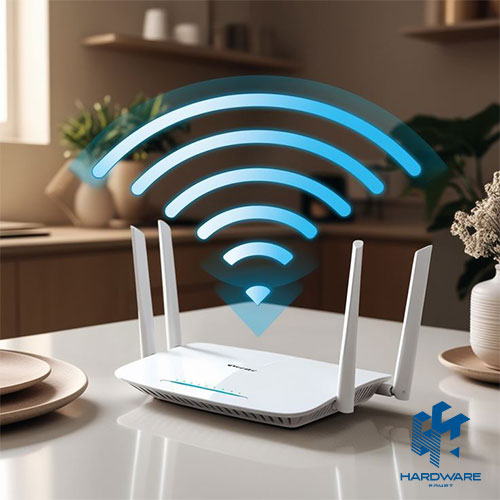
Access point prices in Egypt vary because TP-Link models are built for different spaces and workloads. A TP-Link access point designed for one room cannot be compared directly with a business system serving many users across several floors.
Before choosing a TP-Link access point, define the coverage area, peak device count, Wi-Fi generation, and installation needs. PoE, Omada management, wall materials, cabling, and local warranty can all change the final cost.
This guide compares the main tiers, explains hidden setup expenses, and shows when a TP- Link wireless access point is worth paying more for. It also helps you avoid buying features that the network cannot use.
Choose the Right TP Link Access Point for Your Space
- One room or small apartment: a basic model may be enough for light browsing and streaming.
- Villa, clinic, or small office: an Omada Wi-Fi 5 or entry Wi-Fi 6 model often offers the best balance.
- Busy office, school, or venue: choose a high-density Wi-Fi 6 model and plan for several coordinated units.
- Hotel or dormitory: wall-plate access points can provide dedicated coverage in each room.
- Garden, warehouse, or building link: use outdoor or bridge hardware designed for that environment.
What Determines Access Point Price in Egypt?
Wi-Fi Generation
Wi-Fi 5 is still practical for moderate traffic. Wi-Fi 6 handles crowded networks more efficiently. Wi-Fi 7 is intended for premium deployments with compatible devices and multi-gigabit infrastructure.
Radio Design and Uplink Speed
Dual-band models use 2.4GHz and 5GHz, while premium units may add 6GHz. More antennas, spatial streams, processing power, and faster Ethernet ports usually increase the price.
Standalone or Omada Management
A standalone TP Link access point is configured separately. An Omada model can be managed with other units from one dashboard. This is useful for offices, schools, hotels, and multi-floor sites.
Installation and Total Deployment Cost
Compare the complete package, not only the device. A lower-priced unit may need an injector, extra cabling, or additional access points. A higher-tier TP Link wireless access point may cost more initially but simplify installation and management.
Access Point, Router, or Wi-Fi Extender?
A router connects the local network to the internet and usually provides basic Wi-Fi. A Wi-Fi extender repeats an existing signal. A dedicated Access Point connects to the wired network and creates a new wireless cell with more predictable performance.
Use an extender when running Ethernet is impossible and the requirement is light. Use an access point when reliability, speed, roaming, or several connected devices matter. For most business environments, the wired access point is the stronger long-term option.
TP-Link Access Point Prices by Tier
The following ranges are planning estimates rather than live quotations. Stock, exchange rates, hardware versions, bundled accessories, and warranty terms can change the access point price in Egypt.
| Tier | Common Models | Best For | Planning Range |
|---|---|---|---|
| Basic home / SOHO | TL-WA801ND, TL-WA901ND |
One room, apartment extension, and light traffic | About 450–900 EGP |
| Business Wi-Fi 5 | EAP225, EAP245 |
Small offices, clinics, and villas | About 1,800–4,500 EGP |
| Business Wi-Fi 6 | EAP610, EAP620 HD, EAP660 HD, EAP670 |
Busy offices and high-density venues | About 4,000–9,000+ EGP |
| Wall plate | EAP235-Wall, EAP615-Wall |
Hotels, dorms, and individual rooms | About 2,500–6,000+ EGP |
| Outdoor / bridge | Outdoor EAP models and bridge kits | Gardens, warehouses, parking areas, and building links | About 1,500–5,000+ EGP |
| Wi-Fi 7 premium | New Omada Wi-Fi 7 ranges | New high-capacity networks | Confirm current stock |
Treat these figures as a starting point. Compare the same model number, hardware revision, accessories, and warranty before deciding which listing offers better value.
Basic Models for Home and Small Offices
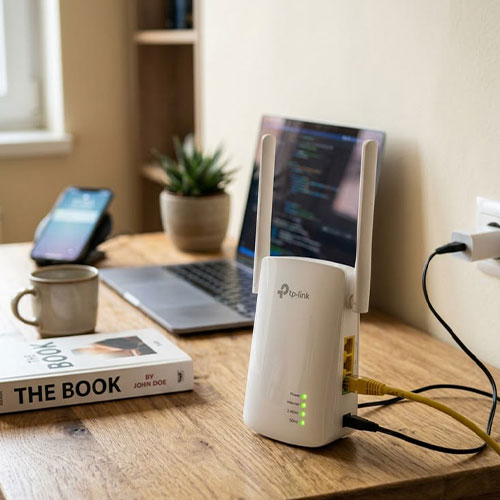
Entry-level models are designed for simple coverage. They work well for one extra room, a small reception area, or a low-traffic workspace. They are affordable, easy to configure, and suitable for browsing, email, and light streaming.
Their limits become clear in larger spaces. Basic units usually offer less capacity, fewer security controls, and no centralized management. They are not the best choice for several floors, many simultaneous users, or environments that need smooth roaming.
Choose this tier when the requirement is genuinely small. Buying two or three basic units can cost more and create more management work than choosing one suitable business model from the start.
Business Wi-Fi 5 and Wi-Fi 6 Omada Models
Wi-Fi 5 Omada models remain a practical choice for small and medium sites. They commonly support PoE, multiple SSIDs, guest networks, VLANs, and centralized management. They are suitable when most connected devices are not Wi-Fi 6 capable.
Wi-Fi 6 models are better for crowded spaces. They manage simultaneous users more efficiently and are useful when staff depend on cloud platforms, video meetings, large file transfers, and several mobile devices.
For offices that carry voice traffic, stable roaming and correct QoS settings are more important than the speed printed on the box. Plan the wireless network around IP Phones and any connected IP PBX so calls do not suffer from jitter or dropouts.
Is Wi-Fi 7 Worth the Higher Price?
Wi-Fi 7 can be valuable in a new premium network, but it is not automatically the best option. Its strongest benefits appear when client devices support the standard, and the wired network can provide enough speed and power.
A Wi-Fi 7 TP Link wireless access point may need a 2.5GbE or faster uplink, newer cabling, and a higher PoE budget. Those upgrades can raise the complete project cost well beyond the price of the access point itself.
For a normal office with standard laptops and a moderate internet connection, a well-designed Wi-Fi 6 deployment often gives better value. Choose Wi-Fi 7 when the expected client mix, traffic level, and replacement cycle justify it.
PoE, Switches, and Hidden Installation Costs
Most business access points receive power and data through one Ethernet cable. This makes ceiling installation cleaner, but the power source must support the correct standard. For several units, managed Switches are often easier to maintain than separate injectors.
Check whether the box includes an adapter or injector. Also confirm whether the model needs standard PoE, PoE+, or a higher power level. Cable length, trunking, racks, mounting, and Chargers & Power Supplies can all affect the final budget.
A realistic access point price in Egypt should include the device, PoE source, Ethernet runs, mounting, controller, configuration, and any site survey. This prevents a low device price from hiding a more expensive installation.
Coverage, Placement, and Number of Units
Coverage claims are measured under ideal conditions. Concrete walls, metal shelving, elevators, mirrors, nearby networks, and poor placement can reduce the real signal. A correctly positioned TP Link access point often performs better than a more expensive model installed in a corner.
- Small apartment or one room: one central unit may be enough.
- Multi-room home or small office: two or three coordinated units often work better than one unit at maximum power.
- Multi-floor property: start with at least one unit per floor, then adjust for area, construction, and user density.
- Hotel or dormitory: wall-plate models can give each room its own wireless and wired access.
- Warehouse or outdoor area: use equipment designed for weather, distance, and physical obstructions.
Meeting rooms need special attention. Test the network around every Conference Camera and Video Conference setup because high-resolution calls require steady upload and download performance.
Indoor, Wall-Plate, Outdoor, and Bridge Models
Ceiling-mounted models are common in offices, schools, and shops because they provide broad shared coverage. Wall-plate models are designed for individual rooms and may include Ethernet ports for wired devices.
Outdoor units use weather-resistant enclosures and are suitable for gardens, parking areas, and open workspaces. A wireless bridge is different: it links two locations over distance, such as two buildings, rather than serving as a normal indoor coverage point.
For sites with outdoor monitoring, include the traffic created by each Security Camera and any Smart Intercom endpoint. Continuous video and voice traffic can change the required capacity.
Omada Controller, Mesh, and Roaming
One Omada access point can work alone. A controller becomes more useful when several units are installed because it centralizes SSIDs, guest access, firmware updates, monitoring, and radio settings.
Mesh can connect selected access points wirelessly when Ethernet is unavailable. Wired backhaul is still more predictable. Seamless roaming helps compatible devices move between access points with less interruption, but it cannot fix poor placement or heavy interference.
Businesses using a VoIP Gateway should combine roaming with QoS, VLAN separation, and careful channel planning. These settings protect voice quality when users move around the site.
Security Features to Check
Business Wi-Fi should provide more than a shared password. Useful features include WPA2 or WPA3, separate SSIDs, guest isolation, VLAN assignment, captive portals, access control, scheduled updates, and client monitoring.
The access point is only one layer. Review the wider Network Security plan, including firewall rules, administrator accounts, firmware updates, remote management, and segmentation between staff, guest, voice, and surveillance traffic.
Advertised Speed vs. Real Performance
The speed printed on a TP Link wireless access point is a theoretical radio rate. It is not the speed one user will always receive. Distance, walls, interference, channel width, client hardware, active users, and Ethernet uplink speed all affect the result.
Choose by application performance rather than the largest number on the box. Email and browsing need little bandwidth. Video calls, cloud backups, surveillance streams, and large file transfers need more stable capacity.
Also check the internet line and wired backbone. A fast access point cannot compensate for a slow switch port, damaged cable, poor channel planning, or an overloaded internet connection.
How to Choose the Right TP Link Access Point
- Measure the area and mark concrete walls, floors, metal structures, and outdoor zones.
- Count total devices and estimate how many will be active during peak hours.
- List demanding uses such as video meetings, voice, cloud software, surveillance, and file transfers.
- Choose Wi-Fi 5, Wi-Fi 6, or Wi-Fi 7 according to real device support and the expected upgrade cycle.
- Confirm PoE standard, switch power budget, cable category, and uplink speed.
- Decide whether a standalone setup is enough or an Omada controller is needed.
- Select ceiling, wall-plate, outdoor, or bridge hardware for the installation environment.
- Compare local warranty, return terms, hardware revision, and after-sales support.
Common Buying Mistakes
- Choosing the lowest access point price in Egypt without calculating cabling, PoE, controller, and installation costs.
- Buying a home model for a busy office that needs roaming, VLANs, and centralized management.
- Paying for Wi-Fi 7 while keeping an old switch, slow uplink, and devices that only support earlier standards.
- Assuming one powerful unit can cover several concrete floors.
- Using an indoor model outdoors or using a coverage access point as a building bridge.
- Comparing model names without checking hardware version, warranty, and included accessories.
- Increasing transmit power instead of fixing interference, channel overlap, or poor placement.
Calculate the Complete Network Cost
Reliable Wi-Fi depends on the complete set of Network Solutions around it. The router, switches, PoE budget, Ethernet cabling, controller, security policies, and internet connection all affect the final result.
For a small space, one affordable model may solve the problem. For a multi-floor office or customer-facing venue, several coordinated units usually provide better coverage, simpler management, and more consistent roaming.
Use the unit price as one part of the decision. Then calculate the complete deployment, confirm the expected number of users, and leave room for future growth.
How to Choose the Right TP-Link Access Point
The best access point price in Egypt is not always the lowest one. The right model should cover the space, support peak users, and work with the available PoE and management setup.
Compare the exact model, hardware revision, warranty, and included accessories. Then calculate cabling, mounting, switching, and configuration before making the final decision.
A well-planned TP Link wireless access point deployment reduces dead zones, avoids repeat purchases, and provides more stable performance over time.
FAQs: What Buyers Should Know About TP-Link Access Points
What is the average access point price in Egypt?
Basic home models may start below 1,000 EGP. Business Omada models can range from a few thousand pounds to higher premium levels. The final figure depends on Wi-Fi generation, capacity, PoE, mounting type, management features, warranty, and stock.
Which TP Link access point is best for a small office?
A Wi-Fi 5 or entry Wi-Fi 6 Omada model is often the best balance. Choose it according to active users, floor plan, PoE availability, and whether more units will be added later.
Can a TP Link wireless access point replace a router?
No. An access point normally adds wireless service to an existing router or wired network. The router still manages the internet connection and routing unless a separate gateway performs those functions.
Do Omada access points need a controller?
A single unit can usually work in standalone mode. A controller becomes useful when several units need centralized configuration, monitoring, guest access, firmware updates, and roaming.
Is Wi-Fi 6 worth the extra cost?
Yes when many users connect at once or the network carries video, voice, cloud applications, and large transfers. For light home use with older devices, Wi-Fi 5 may still offer better value.