


Best Smart Lock with Camera: How to Choose the Right Model
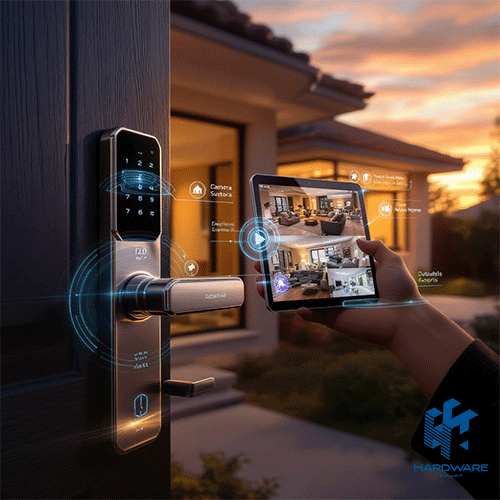
The best smart lock with camera should do more than replace a traditional key. It should help you see who is outside, control access to your home, and manage the door while you are away.
Reliable Access in Every Situation
A reliable smart door lock with a camera should remain usable even when:
- The internet connection is unavailable.
- Your mobile phone is out of reach.
- The main battery is running low.
For this reason, practical models offer several unlocking methods, along with a dependable emergency-access option.
Essential Features for Most Homes
For everyday home use, look for:
- Live video and night vision.
- Fingerprint recognition.
- Temporary guest passwords.
- Mobile app control.
- A mechanical key or emergency USB power.
Premium models may also include facial recognition, two-way audio, an indoor screen, tamper alerts, child protection, and automatic locking.
What to Check Before Choosing
More features do not always mean a better lock. The right choice must also match the entrance and the people using it.
When comparing the top smart door locks, check:
- Camera quality and video-storage options.
- Door thickness and mortise dimensions.
- Opening direction and handle position.
- Battery type and emergency backup.
- Installation requirements.
- Smart-home compatibility.
What This Guide Covers
This guide explains how to choose the best smart lock with camera for your home. It compares different lock types and locally available models while covering camera performance, access methods, installation, security, battery backup, and home automation.
You can begin by exploring the available smart door lock options, then compare each model based on your entrance, household size, and daily access needs.
What Is a Smart Door Lock with Camera?
A smart door lock with camera combines three security functions in one product:
- A physical and electronic locking mechanism.
- A keyless access system.
- A camera or video intercom for identifying visitors.
A standard electronic lock may provide fingerprints, passwords, cards, or mobile access. A camera smart lock adds visual monitoring, allowing users to see who is standing outside before opening the door.
Some models provide live video only. Others also offer recording, snapshots, night vision, motion detection, two-way audio, facial recognition, or an indoor display.
The camera may therefore serve two different purposes:
- Monitoring and communicating with visitors.
- Recognizing authorized users for contactless entry.
A cat-eye smart lock usually focuses on visitor viewing, while a face-recognition model uses its camera for both monitoring and biometric access.
What Should the Best Smart Lock with Camera Include?
The best smart lock with camera should provide useful security features rather than simply advertising a camera.
The camera should show a clear and correctly positioned image. The lock should provide more than one everyday access method, and users should understand exactly how to enter when the battery is empty.
The following table explains the main buying criteria.
Essential Camera Smart Lock Features
| Feature | Why It Matters | What to Confirm |
|---|---|---|
| Camera | Allows visual verification before opening | Exact resolution and viewing angle |
| Live video | Lets users check the entrance remotely | Whether live view is always available |
| Night vision | Improves visibility in dark entrances | Infrared or colour night vision |
| Two-way audio | Allows communication with visitors | Audio clarity and call duration |
| Fingerprint access | Provides fast everyday entry | Fingerprint capacity and sensor quality |
| Facial recognition | Provides contactless biometric access | Face capacity and low-light performance |
| Temporary passwords | Controls visitor and service access | One-time, scheduled, or repeating codes |
| Application control | Supports alerts, records, and remote management | Exact app functions |
| Mechanical key | Provides emergency access | Key-cylinder location and included keys |
| Emergency power | Helps when the battery is empty | Micro USB or USB-C connection |
| Tamper alarm | Warns of unusual access attempts | Local alarm and mobile alert |
| Access records | Tracks how and when the door was opened | Log detail and retention period |
| Automatic locking | Reduces the chance of leaving the door open | Delay and configuration settings |
| Child protection | Helps prevent accidental indoor opening | How the function is activated |
A household does not necessarily need every feature. The correct combination depends on the users and property.
For example, a rental unit may prioritise temporary passwords and remote user management. A family apartment may need fingerprints, an indoor display, and child protection. A villa may require stronger night vision and clear outdoor-protection specifications.
Types of Smart Locks with Cameras
Buyers often use the term best smart lock with camera for several different product types. Understanding the differences makes comparison easier.
Cat-Eye Smart Lock
A cat-eye smart lock replaces or expands the function of a traditional door viewer. Its camera shows the person standing outside through an indoor screen or mobile application.
Most cat-eye models use fingerprints, passwords, cards, or keys for entry rather than facial recognition.
This type may offer good value for apartments and homes where visitor verification is more important than face-based unlocking.
Face-Recognition Smart Lock
A face-recognition smart lock uses its camera to identify authorised users and unlock the door.
It may also provide live video, two-way audio, passwords, fingerprints, cards, and mobile control.
These models are normally more expensive than basic camera locks because they combine visitor monitoring with biometric processing.
Video Intercom Door Lock
A video intercom door lock focuses on communication. Visitors can ring the doorbell, and the resident can see and speak with them before allowing entry.
This configuration may suit a main family entrance or a property that does not already have a separate intercom system.
Standard Fingerprint Smart Lock
A fingerprint model does not necessarily include a camera. It may still provide app control, passwords, cards, logs, and temporary access.
This type may be more suitable for internal offices, rooms, or entrances that already have a separate security camera.
Smart Lock Type Comparison
| Smart Lock Type | Main Advantage | Best For | Main Check |
|---|---|---|---|
| Cat-eye smart lock | Visitor viewing at a practical cost | Apartments and family homes | Camera and indoor screen |
| Face-recognition smart lock | Contactless biometric access | Premium homes and larger families | Recognition quality and face capacity |
| Video intercom lock | Communication before entry | Main residential entrances | Audio and remote opening |
| Fingerprint smart lock | Fast everyday access | Homes, offices, and internal rooms | Sensor and backup access |
| App-controlled smart lock | Remote guest management | Rentals and managed properties | App permissions and connectivity |
| Keypad smart lock | Simple code-based access | Internal doors and small offices | Password management |
How We Compared the Top Smart Door Locks
The following model comparison uses published Hardware Egypt product information, including access methods, camera functions, app support, battery design, door compatibility, user capacity, and reviewed price.
The comparison does not represent hands-on laboratory testing. Final stock, installation requirements, camera specifications, warranty, and application functions should be reconfirmed before purchase.
Prices were last reviewed on July 29, 2026 and may change.
Top Smart Door Locks with Cameras
| Model | Best Use | Main Features | Reviewed Price |
|---|---|---|---|
| Smart Door Lock i12 Face Version | Premium all-in-one security | Face, fingerprint, video, audio, night vision | 24,000 EGP |
| Door Lock K30 Face Version | Large user capacity | 300 users, face, video, temporary codes | 19,500 EGP |
| Lzen New I11 Face Version | Premium biometric access | Face, fingerprint, app, rechargeable battery | 21,000 EGP |
| Lzen New I16 Face Version | Family security and visitor access | Face, audio, video, child lock, alarm | 18,000 EGP |
| Lzen New I10 Face Version | Balanced face-recognition option | Face, fingerprint, card, password, app | 19,500 EGP |
| Lzen New I15 Cat Eye | Camera access without facial recognition | Camera, fingerprint, card, password | 13,500 EGP |
| Smart Door Lock I13 Cat Eye | Flexible door-thickness support | Camera, alarm, 35–100mm door support | 13,500 EGP |
Smart Door Lock i12 Face Version
The Smart Door Lock i12 Face Version is one of the strongest local directions for buyers seeking the best smart lock with a camera and a broad premium feature set.
Its published functions include facial recognition, fingerprint access, passwords, cards, a mechanical key, live video, two-way audio, and colour night vision.
It also supports Tuya and Smart Life, making it relevant to buyers comparing home automation door locks.
This model can suit a main family entrance where users want to identify, speak with, and potentially unlock the door for visitors through one device.
The i12 provides the most value when the household will actively use facial recognition, video intercom, night vision, and app management. Buyers who only need fingerprint entry may find a simpler model more cost-effective.
Before purchasing, confirm:
- Exact camera resolution.
- Viewing angle.
- Recording availability.
- Video-storage terms.
- Door measurements.
- Application permissions.
- Warranty and installation.
Door Lock K30 Face Version
The Door Lock K30 Face Version is suitable for larger households, shared properties, or offices that need to register many users.
Its listing includes facial recognition, fingerprints, passwords, cards, live video, two-way audio, temporary passwords, colour night vision, and mechanical-key access.
The published user capacity reaches approximately 300 accounts across administrators, faces, fingerprints, passwords, and cards.
This makes the K30 one of the top smart door locks for entrances where many different people require controlled access.
However, user capacity should not be the only buying factor. A family with four residents may receive little benefit from a 300-user system unless the camera, battery, and access features also meet their needs.
Lzen New I11 Face Version
The Lzen New I11 Face Version Smart Door Lock is another premium face-recognition direction.
Its published configuration includes facial recognition, fingerprints, password access, mobile management, and a rechargeable battery.
This model may appeal to users comparing the best smart lock with camera options according to design and biometric access rather than the lowest price.
When comparing it with the i12, K30, or I16, check the exact differences in:
- Camera resolution.
- Screen size.
- Face capacity.
- Fingerprint capacity.
- Battery capacity.
- Temporary-code functions.
- Door compatibility.
- Emergency opening.
- Included installation parts.
Lzen New I16 Face Version
The Lzen New I16 Face Version Smart Door Lock combines several household access and visitor-management functions.
Its listed features include face recognition, fingerprints, passwords, cards, app control, live video, two-way audio, a child lock, an anti-theft alarm, and emergency Micro USB power.
The combination makes it a strong camera smart lock option for a family with different access preferences.
For example, one resident may use face recognition, another may prefer a fingerprint, and a guest may receive a temporary password.
The child-lock and alarm functions may also be useful for family homes, although the buyer should confirm how they operate in practice.
Lzen New I10 Face Version
The Lzen New I10 Face Version Smart Door Lock provides facial recognition, fingerprint entry, passwords, cards, app control, and emergency access.
It represents a balanced smart door lock with a camera for buyers who want several biometric and keyless options without automatically choosing the highest-priced model.
The I10 may suit a household where users want flexibility. Regular residents can use fingerprints or face recognition, while visitors can use temporary passwords or cards.
The buyer should still check:
- Mortise compatibility.
- Door thickness.
- Opening direction.
- Camera position.
- App functions.
- Battery charging.
- Video-storage options.
Lzen New I15 Cat Eye
The Lzen New I15 Cat Eye Smart Door Lock is suitable for buyers who need a camera but do not require facial recognition.
Its functions include a cat-eye camera, fingerprint access, passwords, cards, a mechanical key, temporary access, and mobile management.
This model may provide better value than a facial-recognition lock when the camera is mainly required for visitor verification.
The I15 can therefore be considered among the top smart door locks for apartment entrances where users want to see who is outside before opening.
Confirm the exact camera resolution, night vision, viewing angle, screen, outdoor protection, and recording terms before purchasing.
Smart Door Lock I13 Cat Eye
The Smart Door Lock I13 Cat Eye is relevant when door thickness is a major concern.
Its published specifications state that it supports doors between approximately 35mm and 100mm thick.
It also includes a camera, fingerprint access, passwords, cards, a mechanical key, a tamper alarm, and a rechargeable battery.
This can make it a practical smart door lock with camera for entrances that require wider thickness compatibility.
However, the supported thickness range does not guarantee that the lock will fit every door. Mortise dimensions, handle direction, bolt position, and frame clearance must also be checked.
How to Compare Smart Lock Camera Quality
The camera is one of the most important parts of the best smart lock with camera, but product pages may use general descriptions such as “HD camera” without explaining the actual performance.
A useful camera should show a recognisable image, cover the correct part of the entrance, and work in low-light conditions.
Camera Specifications to Compare
| Camera Specification | Why It Matters | What to Ask |
|---|---|---|
| Resolution | Affects visible facial detail | Is it 720p, 1080p, 2K, or another resolution? |
| Field of view | Determines entrance coverage | What is the viewing angle? |
| Camera position | Affects the captured face angle | Is it suitable for the handle height? |
| Night vision | Supports dark entrances | Is it infrared or colour? |
| Live video | Allows immediate remote checking | Can it be accessed at any time? |
| Motion detection | Detects activity before the doorbell | Is sensitivity adjustable? |
| Recording | Saves visitor events | Does it save clips, images, or nothing? |
| Storage | Determines where records are kept | Local memory or cloud storage? |
| Subscription | Affects long-term cost | Is a monthly payment required? |
| Two-way audio | Supports visitor communication | Is audio available through the app? |
Camera Resolution
Resolution determines the amount of image detail, but it should not be considered alone.
A 1080p camera with a poor viewing angle may be less useful than a lower-resolution camera positioned correctly.
If the product listing only says “HD,” ask for the exact resolution.
Viewing Angle
The viewing angle should match the entrance.
A narrow apartment corridor may not need the same field of view as a wide villa doorway. The camera should show the visitor’s face without requiring the person to stand in one exact position.
Night Vision
Night vision is important for dark corridors, staircases, and evening use.
Infrared night vision normally produces a black-and-white image, while colour night vision may require additional light.
The important question is whether a face remains recognisable at the normal standing distance.
Live View and Recording
Live view and recording are separate functions.
A video smart lock may show the entrance in real time without saving any footage. Another model may save a snapshot when the doorbell is pressed.
Ask whether the camera:
- Records video.
- Saves still images.
- Records motion events.
- Requires the visitor to press the doorbell.
- Uses local storage.
- Uses cloud storage.
- Requires a subscription.
- Allows footage to be downloaded.
For wider or continuous monitoring, a separate Security Camera may provide stronger recording and storage functions than a camera smart lock.
Comparing Smart Lock Access Methods
The top smart door locks provide several entry methods because no single method is perfect for every user.
A dependable lock should include at least two convenient electronic methods and one emergency method.
Smart Lock Access Comparison
| Access Method | Best For | Main Advantage | Main Limitation |
|---|---|---|---|
| Face recognition | Contactless family entry | No key, card, or touch needed | Performance may vary in poor lighting |
| Fingerprint | Regular users | Fast daily access | Wet or damaged fingers may fail |
| Permanent password | Household members | No physical credential | Can be shared or observed |
| Temporary password | Guests and service providers | Controlled access | Requires correct scheduling |
| Card | Children and employees | Simple tap entry | Can be lost |
| Mobile app | Remote management | Alerts, logs, and guest access | Depends on connectivity and accounts |
| Mechanical key | Emergency access | Works without power | Can be misplaced |
| Remote control | Nearby indoor access | Simple for some households | Limited range |
Face Recognition
Face recognition offers hands-free entry and may be convenient for users carrying bags.
The buyer should check face capacity, recognition distance, night performance, and anti-spoofing protection.
Fingerprint Recognition
Fingerprint entry is practical for everyday use and usually faster than entering a password.
However, the lock should also include another option because moisture, dust, injury, or sensor problems may affect recognition.
Temporary Passwords
Temporary codes are valuable for:
- Maintenance teams.
- Cleaning services.
- Relatives.
- Rental guests.
- Property viewings.
- Deliveries.
- Temporary employees.
The application should allow the administrator to set the starting time, expiration time, and number of uses.
Mechanical-Key Backup
A mechanical key remains one of the most important safety features.
It should be stored outside the locked property in a secure location. A mechanical key kept inside the home cannot help during a lockout.
A simpler Smart Door Lock Basic i7 2503 may be suitable when fingerprints, passwords, cards, app control, and emergency access are more important than an integrated camera.
How Home Automation Door Locks Work
Home automation door locks connect entrance access with other compatible devices and routines.
Instead of functioning as a separate electronic lock, the door can become part of the wider home-automation system.
For example, unlocking the entrance may trigger the hallway light. A failed access attempt may trigger a notification or activate a camera.
Useful automation scenarios include:
- Turning on lights after the door opens.
- Sending an alert when a child arrives home.
- Creating a temporary code for a visitor.
- Locking the door during a night routine.
- Activating a camera after repeated failed attempts.
- Adding the entrance to a home or away scene.
- Sharing limited access with another user.
- Reviewing entry events through an application.
The Smart Door Lock Handle Tuya App 2096 is an example of an app-controlled model built around Tuya functions.
Home Automation Door Locks Compatibility
| Platform | Possible Function | What to Confirm |
|---|---|---|
| Tuya | Alerts, scenes, user sharing | Exact functions supported by the model |
| Smart Life | Device management and automation | Whether remote unlocking is available |
| Alexa | Voice commands or status checks | Security restrictions and commands |
| Google Home | Routines and voice control | Regional and model compatibility |
| Apple Home | Apple-based automation | HomeKit or Matter support |
| Matter | Cross-platform integration | Official certification |
| Smart lighting | Entrance-light automation | Shared app or hub |
| Security camera | Linked monitoring | Trigger and platform compatibility |
| Alarm system | Failed-entry response | Direct or automated integration |
Many home automation door locks support Tuya or Smart Life, but this does not automatically mean they support every Alexa, Google Home, Apple Home, or Matter function.
Buyers should confirm the exact available commands for each model.
For a wider connected system, compare the available Smart Home System products.
A property that needs a separate communication system may also benefit from a Smart Intercom rather than depending only on the lock camera.
Battery Life and Emergency Access
Battery performance is especially important when choosing the best smart lock with camera because camera and wireless functions consume more energy than a basic fingerprint or keypad lock.
Video calls, night vision, facial recognition, mobile notifications, weak Wi-Fi, and frequent daily use can all reduce battery life.
Smart Lock Battery Checklist
| Battery Check | Why It Matters |
|---|---|
| Battery type | Determines whether it is rechargeable or replaceable |
| Battery capacity | Helps compare similar models |
| Estimated openings | Provides a usage guideline |
| Charging time | Affects maintenance |
| Removable battery | Can simplify charging |
| Low-battery alert | Reduces unexpected lockouts |
| App battery display | Allows remote monitoring |
| Emergency USB port | Provides temporary power |
| Mechanical key | Works without electricity |
| Replacement availability | Affects long-term use |
Battery-life claims should be treated as planning estimates rather than guaranteed real-world results.
Actual use depends on:
- Daily opening frequency.
- Live-video usage.
- Wi-Fi signal strength.
- Face-recognition activity.
- Night-vision use.
- Indoor-screen use.
- Number of alerts.
- Battery age.
- Temperature.
The emergency USB connection normally provides enough temporary power to authenticate and open the door. It does not immediately recharge the entire battery.
Door Compatibility and Installation
A smart door lock with camera may provide excellent video and automation features but still be unsuitable for the entrance.
Before comparing prices, measure the door and photograph the current locking system.
Smart Lock Installation Table
| Installation Check | Why It Matters | Information Needed |
|---|---|---|
| Door material | Affects drilling and fixing | Wood, steel, aluminium, or armoured |
| Door thickness | Determines panel fit | Exact millimetre measurement |
| Opening direction | Affects handle configuration | Left, right, inward, or outward |
| Mortise dimensions | Controls bolt alignment | Existing lock-body size |
| Frame clearance | Affects smooth locking | Strike position and available space |
| Handle height | Affects camera position | Current handle measurement |
| Weather exposure | Affects electronics | Indoor, sheltered, or exposed |
| Existing locking points | May require modification | Number and position of bolts |
| Installer experience | Affects long-term reliability | Smart-lock installation background |
Professional installation is recommended when the entrance requires drilling, mortise replacement, frame changes, or adjustment of multiple bolts.
Poor installation can cause:
- Handle resistance.
- Bolt misalignment.
- Incomplete locking.
- Battery drain.
- Emergency-key problems.
- Incorrect camera angle.
- Damage to the door.
- Unreliable automatic locking.
Indoor and Outdoor Smart Locks
Not every video smart lock is designed for direct exposure to rain, dust, heat, or sunlight.
A lock installed in an apartment corridor faces different conditions from a lock installed on an external villa door.
Outdoor buyers should confirm:
- IP protection rating.
- Temperature range.
- Humidity range.
- Rain exposure.
- Dust protection.
- Direct-sunlight tolerance.
- Coastal-air suitability.
The word “weatherproof” should not replace an exact protection rating.
If the product does not clearly state its outdoor rating, installing it in a covered area is safer.
Physical and Digital Security
The best smart lock with camera must protect both the physical door and the connected account.
Physical security depends on:
- Mortise quality.
- Cylinder quality.
- Bolt strength.
- Door material.
- Frame strength.
- Tamper alarm.
- Installation quality.
Digital security depends on:
- Application passwords.
- User permissions.
- Firmware updates.
- Wi-Fi protection.
- Temporary-code management.
- Video-storage security.
- Administrator access.
After installation:
- Change default passwords.
- Use a unique app password.
- Enable two-factor authentication when available.
- Keep the application updated.
- Install firmware updates.
- Remove unused accounts.
- Delete expired temporary codes.
- Review device-sharing permissions.
- Secure the home router.
- Check access records regularly.
Larger properties that need centralised user management may require a dedicated Access Control system instead of a consumer camera smart lock.
Camera Smart Lock or Separate Devices?
A combined smart door lock with camera provides access control, visitor viewing, and communication in one product.
A separate lock, camera, and intercom can provide more flexibility.
Combined vs Separate Security Setup
| Requirement | Camera Smart Lock | Separate Products |
|---|---|---|
| Clean entrance design | Better | More visible devices |
| One-app control | Often possible | May require several apps |
| Camera positioning | Fixed by the lock | Can be adjusted independently |
| Recording options | May be limited | More camera choices |
| Future upgrades | Entire unit may need replacement | Products can be upgraded separately |
| Weather protection | Depends on lock | Each product can be selected separately |
| Communication | Included in selected models | Requires doorbell or intercom |
| Maintenance | One integrated product | Each device can be repaired separately |
A combined lock may suit users who want a simple entrance with fewer devices.
Separate devices may be better when continuous recording, wider camera coverage, or independent upgrades are important.
A complete entrance-security plan may include additional Security & Automation products.
Choosing the Best Smart Lock with Camera by Use
| Main Use | Suitable Direction | Features to Prioritise |
|---|---|---|
| Family apartment | Cat-eye or face-recognition lock | Camera, fingerprints, child lock, indoor screen |
| Villa entrance | Protected outdoor camera lock | IP rating, night vision, battery, tamper alarm |
| Rental property | App-controlled password lock | Temporary codes, records, remote management |
| Large household | High-capacity biometric lock | Face and fingerprint capacity |
| Small office | Fingerprint, card, and app lock | User removal and access logs |
| Internal room | Standard fingerprint lock | Simple access and lower cost |
| Elderly users | Card, fingerprint, and key | Easy operation and backup access |
| Families with children | Fingerprint and child-lock model | Indoor protection and easy entry |
| Frequent visitors | Video intercom lock | Live video, audio, temporary codes |
| Smart-home users | Tuya-compatible lock | Scenes, alerts, and automation |
Common Smart Lock Buying Mistakes
Buying Before Measuring the Door
A feature-rich lock may not fit the existing mortise, thickness, or opening direction.
Assuming Every Camera Records
Some locks only provide live viewing. Recording, storage, and cloud subscriptions must be checked separately.
Ignoring Emergency Entry
Users should understand exactly how to enter when the battery is empty or a sensor does not respond.
Assuming Wi-Fi Means Universal Automation
Wi-Fi, Tuya, or Smart Life support does not guarantee compatibility with every smart-home platform.
Choosing by User Capacity Alone
A large user capacity provides little value if the home only needs a few accounts.
Ignoring Privacy
A camera may capture visitors, neighbours, workers, and family members. Video access and storage should be controlled.
Installing an Indoor Lock Outdoors
Temperature tolerance does not automatically confirm rain and dust protection.
Depending on One Unlocking Method
A reliable entrance needs at least one convenient backup and one emergency method.
Complete Buying Checklist
Before choosing the best smart lock with camera, confirm the following.
Door and Installation
- Door material.
- Door thickness.
- Opening direction.
- Mortise dimensions.
- Handle position.
- Frame clearance.
- Weather exposure.
- Required modification.
- Installation cost.
- Installer experience.
Camera and Video
- Camera resolution.
- Viewing angle.
- Camera position.
- Night-vision type.
- Live viewing.
- Motion detection.
- Two-way audio.
- Video recording.
- Storage location.
- Subscription fees.
Access Methods
- Face capacity.
- Fingerprint capacity.
- Password capacity.
- Card capacity.
- Temporary passwords.
- Administrator accounts.
- Access logs.
- User removal.
- Mechanical key.
- Emergency power.
Battery and Automation
- Battery type.
- Battery capacity.
- Charging time.
- Low-battery warning.
- Local access without Wi-Fi.
- Application name.
- Tuya or Smart Life support.
- Alexa or Google compatibility.
- Matter certification.
- Firmware support.
Purchase and Support
- Current price.
- Availability.
- Warranty.
- Return terms.
- Installation support.
- Replacement batteries.
- Included accessories.
- Technical assistance.
Final Recommendation
The best smart lock with camera is the model that fits the entrance, provides a useful visitor view, supports the household’s preferred access methods, and remains usable during battery or connectivity problems.
Choose a face-recognition model when contactless entry and premium biometric access are priorities.
Choose a cat-eye smart lock when seeing visitors matters more than facial unlocking.
Choose a standard fingerprint or app-controlled lock when the entrance already has a separate camera.
The i12 Face Version provides a broad premium combination. The K30 is suitable for higher user capacity. The I16 and I10 provide flexible family access, while the I15 and I13 offer camera-based monitoring without making facial recognition essential.
Before purchasing any of the top smart door locks, verify the camera specifications, recording terms, storage, door compatibility, installation requirements, emergency access, application functions, automation support, warranty, and current price.
Frequently Asked Questions
What is the best smart lock with camera?
The best smart lock with camera is the model that fits the door and combines clear video, reliable access methods, battery backup, emergency entry, and practical app control.
Are the top smart door locks always face-recognition models?
No. Some of the top smart door locks use fingerprints, cards, passwords, or cat-eye cameras without facial recognition. The right option depends on the entrance and users.
How do home automation door locks work?
Home automation door locks connect with compatible applications, lights, cameras, alarms, and routines. Available automation depends on the exact lock and platform.
Can a smart door lock with camera record visitors?
Some models record clips or snapshots, while others only provide live video. Recording and storage terms should be confirmed before purchase.
Can a camera smart lock work without Wi-Fi?
Local methods such as fingerprints, passwords, cards, faces, and keys may continue working. Remote video and app functions normally need internet connectivity.