


HP Laptop Prices in Egypt: How to Choose the Right HP Laptop
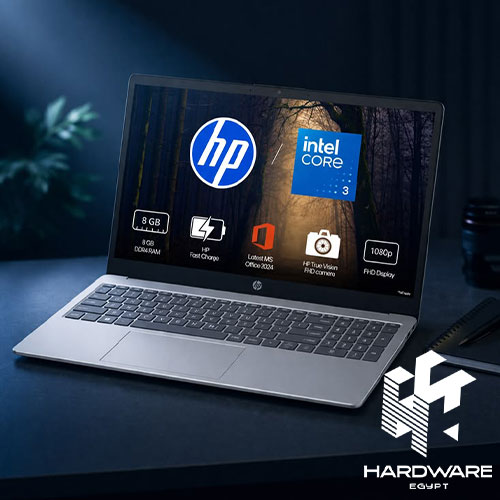
Searching for HP laptop prices in Egypt usually starts with one simple question:
How much does an HP laptop cost?
The problem is that there is no single answer.
An HP laptop for university work is not in the same category as a business ProBook, a premium EliteBook, a gaming Victus, or a professional ZBook workstation. They all carry the HP name, but they are built around very different workloads.
That is why comparing prices without comparing the machines themselves can be misleading.
The same thing happens when you compare sellers. One listing may look cheaper because it has less RAM, an older processor, a different operating system, or a different warranty arrangement. The number on the product page only tells part of the story.
And then there is what happens after the purchase.
An HP laptop screen flickering problem can turn an otherwise suitable machine into a frustrating one. Sometimes the cause is a driver or Windows setting. Sometimes the problem is related to the display hardware. Knowing how to narrow it down before replacing anything can save both time and money.
At the other end of the spectrum, professionals may need an HP workstation laptop because their applications demand much more than a conventional office laptop.
So this is not simply a price list.
It is about understanding what you are paying for, which HP category fits your workload, and when spending more actually makes sense.
What Determines HP Laptop Prices in Egypt?
The brand name is only the starting point.
When comparing HP laptop prices in Egypt, look at the complete configuration.
The biggest factors include:
- Processor model and generation.
- RAM.
- SSD capacity.
- Dedicated or integrated graphics.
- Display size and resolution.
- Refresh rate.
- Touch capability.
- Build quality.
- Form factor.
- Operating system.
- Warranty.
- Model age.
- Availability.
Hardware Egypt’s published HP laptop prices in Egypt guide also points to processor generation, RAM, storage, display, currency movements, import costs, warranty, and laptop series as factors that can change local pricing.
Processor
Don’t stop at “Core i5” or “Core i7.”
The exact CPU model matters.
A newer mobile Core i5 can be very different from an older Core i5 in performance, efficiency, and platform features.
For basic office work, you may not need a high-end processor.
For engineering, editing, development, or other demanding applications, the processor becomes much more important.
RAM
RAM affects how comfortably you can keep several applications open.
A student using a browser, Word, and presentations has different requirements from someone running Adobe applications, development environments, or engineering software.
SSD Storage
SSD storage affects both capacity and everyday responsiveness.
512GB can be a practical starting point for many users, while people working with large media files, games, or professional projects may need more.
Graphics
Integrated graphics are enough for many everyday tasks.
A dedicated GPU becomes more important for:
- Gaming.
- 3D modelling.
- Rendering.
- CAD.
- Video editing.
- GPU-accelerated applications.
This is one reason two HP laptops with similar-looking product names can sit in very different price brackets.
HP Laptop Prices in Egypt: What Do Current Listings Actually Tell You?
It is tempting to publish one price range and call it the current market price.
That would be misleading.
Hardware Egypt’s July 2026 pricing guide published indicative ranges of approximately:
| HP Laptop Segment | Indicative Range |
|---|---|
| Entry-level | EGP 15,000–25,000 |
| Mid-range | EGP 25,000–40,000 |
| Business | EGP 35,000–55,000 |
| 2-in-1 | EGP 30,000–50,000 |
| Gaming/Creator | EGP 45,000–90,000+ |
These figures come from the published guide and should be treated as reference ranges rather than fixed September 2026 prices.
Current product listings show why the exact configuration matters.
For example, the HP ProBook 450 G9 is currently listed at EGP 34,500 with a 12th-generation Intel Core i5-1235U, 8GB RAM, 512GB NVMe SSD, and NVIDIA MX570 graphics.
Compare that with the older HP ProBook 450 G7, which is listed at EGP 17,919 with a 10th-generation Core i7-10510U, 8GB RAM, 1TB HDD, and NVIDIA MX250 graphics.
The cheaper laptop is not simply a “cheaper version” of the same machine.
It is an older configuration with different storage, processor generation, and graphics.
That is why the headline price should always be the beginning of the comparison, not the end.
HP Laptop Series in Egypt: Which One Fits Your Work?
Once you understand the series, comparing prices becomes much easier.
Hardware Egypt’s existing HP laptops in Egypt content covers several HP families and explains how they are positioned for different types of users.
HP Pavilion
Pavilion is generally aimed at everyday computing.
It can work well for:
- Students.
- Home users.
- Office work.
- Browsing.
- Light creative tasks.
If you don’t need a dedicated GPU or enterprise-focused features, this category can offer a sensible balance.
HP Envy
Envy moves toward the premium consumer segment.
The additional cost may come from:
- Better materials.
- Higher-quality displays.
- Slimmer designs.
- Premium features.
- Portability.
The important question is whether those features improve your actual experience.
HP Spectre
Spectre sits higher in HP’s premium range and is commonly associated with slim and convertible designs.
Some configurations add:
- Touchscreens.
- 360-degree hinges.
- Pen support.
- Higher-resolution displays.
If you will never use those features, a conventional laptop may provide better value.
HP ProBook
ProBook is more business-oriented.
It can be a practical choice when the priority is:
- Professional productivity.
- Security.
- Manageability.
- Durability.
- Business connectivity.
HP EliteBook
EliteBook sits higher in the business range and is designed for users who may need stronger security, mobility, manageability, and business-focused features.
HP Victus and Omen
These are the gaming-oriented options.
Their prices are influenced heavily by:
- Dedicated GPU.
- CPU.
- Cooling.
- Display refresh rate.
- RAM.
- Storage.
The HP Victus 15-R0045ne currently listed by Hardware Egypt, for example, combines a Core i7-13700H, 16GB RAM, 1TB SSD, RTX 4050 6GB graphics, and a 16.1-inch FHD 144Hz IPS display.
That is a completely different performance class from an everyday HP laptop.
HP Workstation Laptop: Who Actually Needs One?
An HP workstation laptop is not simply an expensive HP laptop.
It is designed for professional workloads where sustained performance, professional graphics, memory capacity, and software requirements can matter.
HP’s ZBook family is the main example.
A workstation can make sense for:
- Engineering.
- Architecture.
- CAD.
- 3D modelling.
- Rendering.
- Scientific applications.
- Advanced video production.
- Professional design workflows.
Hardware Egypt’s existing business HP laptops content includes ZBook workstation examples alongside ProBook and EliteBook systems.
The important distinction is the workload.
You Probably Don’t Need a Workstation If…
Your laptop is mainly used for:
- Email.
- Office applications.
- Browsing.
- Video calls.
- Presentations.
- Basic business software.
A workstation in that situation may simply mean paying for hardware you rarely use.
A well-configured business laptop can be more practical.
HP Workstation Laptop vs Gaming Laptop
These two categories can look similar on paper.
Both can have powerful processors, dedicated graphics, lots of RAM, and advanced cooling.
But they are designed around different priorities.
| Requirement | Workstation Laptop | Gaming Laptop |
|---|---|---|
| Main purpose | Professional workloads | Gaming and high-performance use |
| Graphics | Professional GPU options | Gaming GPUs |
| Software focus | Professional applications | Games and consumer applications |
| Display | Depends on workload | Often high refresh rate |
| Design | Usually professional | Often gaming-oriented |
| Portability | Varies | Often heavier |
| Best fit | CAD, engineering, 3D, technical work | Gaming, rendering, demanding consumer use |
A gaming laptop can certainly run professional applications.
That does not automatically make it a workstation.
If your software depends on professional graphics drivers or specific certifications, the distinction becomes more important.
HP Laptop Screen Flickering: Why Does It Happen?
An HP laptop screen flickering problem can be frustrating because the symptom looks simple while the cause may not be.
The screen might:
- Flash intermittently.
- Flicker only after Windows starts.
- Show lines.
- Go black briefly.
- Flicker when the lid moves.
- Work normally with an external monitor.
The first useful question is:
When does the flickering start?
If it appears before Windows loads, hardware becomes more suspicious.
If the screen is stable during startup and begins flickering after Windows starts, software, drivers, applications, or display settings deserve attention first.
HP’s official support information also treats flickering and display distortion as symptoms that can have hardware-related causes, while troubleshooting may involve drivers, settings, and diagnostics.
How to Troubleshoot HP Laptop Screen Flickering
Don’t start by replacing the screen.
Start with the easiest checks.
Check the BIOS or Startup Screen
Restart the laptop and watch the display before Windows fully loads.
If the screen flickers during startup, the issue is less likely to be caused by a Windows application alone.
If the problem begins only after Windows loads, investigate software and drivers first.
Update Windows and the Display Driver
An outdated, corrupted, or incompatible display driver can cause display problems.
Start with Windows Update.
Then use the support resources for your exact HP model.
Avoid downloading drivers from unknown websites.
Check the Refresh Rate
Open Windows display settings and confirm that the selected refresh rate is supported by the laptop’s display.
An incorrect setting can sometimes contribute to display instability.
Test an External Monitor
Connect the laptop to another display if possible.
If the external monitor works normally while the laptop screen continues flickering, the problem may be related to the internal display, cable, panel, or connection.
If both displays show the problem, software or graphics hardware deserves closer attention.
Run HP Diagnostics
HP provides hardware diagnostics for its PCs.
If diagnostics identify a hardware issue, repeatedly changing display settings is unlikely to solve the underlying problem.
When Should an HP Laptop Screen Flickering Problem Be Professionally Inspected?
There is a point where troubleshooting should stop.
Professional inspection becomes appropriate when:
- Flickering occurs during BIOS/startup.
- The screen has visible physical damage.
- Moving the lid changes the problem.
- Persistent lines appear.
- Colours become distorted.
- The display repeatedly goes black.
- Diagnostics report a hardware issue.
If the LCD panel or internal display hardware is damaged, software troubleshooting will not fix the physical problem.
Trying to disassemble the display without the appropriate experience can also create additional damage.
Can a BIOS Update Fix HP Laptop Screen Flickering?
Sometimes, but only for specific models and configurations.
HP has published BIOS updates addressing display-specific issues on particular notebook configurations. That does not mean every HP laptop with a flickering display needs a BIOS update.
The safe approach is simple:
Check the exact model first.
Then look at the relevant HP support documentation.
Do not update BIOS simply because the screen is flickering.
New vs Pre-Owned HP Laptops: Why the Price Difference Matters
A low HP laptop price in Egypt can sometimes reflect the condition of the machine rather than an unusually good deal.
The laptop could be:
- Older generation.
- Pre-owned.
- Refurbished.
- Open-box.
- Imported through another channel.
- Covered by a different warranty.
This becomes especially important with older business laptops.
For example, the difference between the current HP ProBook 450 G9 and older G7 configuration is not simply the processor name. Storage, graphics, generation, and overall platform are different as well.
If You’re Considering Pre-Owned Hardware, Check:
- Battery condition.
- Screen condition.
- SSD health.
- Keyboard and trackpad.
- Hinges.
- Charging port.
- Serial number.
- Warranty.
- Cosmetic condition.
How to Compare HP Laptop Prices Across Stores
When two stores list what appears to be the same HP laptop at different prices, compare the complete configuration.
| What to Compare | Why It Matters |
|---|---|
| Exact model/SKU | Confirms the same machine |
| CPU | Performance can vary significantly |
| Generation | Affects performance and platform features |
| RAM | Affects multitasking |
| SSD | Determines capacity and responsiveness |
| GPU | Important for gaming and professional work |
| Display | Size, resolution, panel, refresh rate |
| Operating system | Windows and DOS are not equivalent |
| Condition | New, used, refurbished, or open-box |
| Warranty | Determines after-sales support |
| Accessories | Changes the total package |
This is also where a broader laptop prices in Egypt comparison becomes useful. Instead of looking at HP in isolation, you can understand how model generation, specifications, exchange-rate changes, import costs, and retailer policies affect laptop pricing in Egypt.
HP Laptop Prices in Egypt by Use Case
Instead of asking which HP laptop is cheapest, decide what class of machine you need.
For Students
Prioritise:
- Reasonable weight.
- SSD storage.
- Adequate RAM.
- Comfortable display.
- Battery life.
There is usually no reason to pay for workstation-class hardware unless your studies require demanding technical applications.
For Office Users
Business-focused options such as ProBook and EliteBook may make more sense.
Look at:
- Keyboard.
- Portability.
- Security.
- Webcam.
- Connectivity.
- Warranty.
For Gamers
Victus and Omen are the more relevant directions.
Prioritise:
- Dedicated GPU.
- CPU.
- Refresh rate.
- Cooling.
- RAM.
For Engineers and Designers
Start with the software.
If your work involves CAD, 3D modelling, simulation, rendering, or other demanding applications, compare workstation hardware against high-performance consumer laptops before deciding.
What Should You Check Before Buying an HP Laptop?
Before paying, run through the complete configuration.
Performance
- Exact processor model
- Processor generation
- RAM capacity
- SSD capacity
- GPU
Display
- Screen size
- Resolution
- Panel type
- Refresh rate if relevant
Practical Details
- Operating system
- Keyboard layout
- Battery condition
- Weight and portability
Purchase Details
- Exact model/SKU
- Warranty
- Condition
- Included accessories
- Current price
- Current availability
A few minutes spent checking these details can prevent a surprisingly expensive mistake.
Common Mistakes When Buying an HP Laptop
Comparing Processor Names Only
“Core i7” is not enough information.
The exact model and generation matter.
Choosing the Cheapest Listing
A lower price can reflect a different configuration, condition, warranty, or operating system.
Buying a Workstation Without Needing One
Professional hardware is valuable when the workload requires it.
Buying a Gaming Laptop for Simple Office Work
You may be paying for dedicated graphics and cooling that your work never uses.
Ignoring the Display
If you spend hours every day looking at the screen, display quality matters.
Treating Every Flickering Screen as a Hardware Failure
The cause could be software, drivers, settings, or hardware.
Diagnose first.
Ignoring Warranty
A small saving is not always worth a weaker support arrangement.
Treating Older Stock as Equivalent to Newer Stock
Compare the generation, configuration, condition, and warranty before deciding.
Bottom Line
Looking at HP laptop prices in Egypt is only the beginning.
The better question is what you are actually getting for the money.
A student may need a straightforward everyday laptop. An office user may get more value from a ProBook or EliteBook. A gamer needs to look at GPU, cooling, and display performance. And an engineer, architect, or designer working with demanding professional applications may have a genuine reason to consider an HP workstation laptop.
The same practical thinking applies to HP laptop screen flickering.
Don’t immediately replace the screen. First check when the problem occurs, investigate drivers and settings, test an external display if possible, and run diagnostics. If the evidence points to hardware, professional inspection becomes the sensible next step.
For current options, you can browse HP laptops and compare the available configurations rather than relying on a general price range.
If you’re specifically comparing business machines, business HP laptops provides additional context on ProBook, EliteBook, and ZBook models.
And if you’re trying to understand the broader Egyptian laptop market, laptop prices in Egypt can help you compare the factors that influence pricing across different brands and configurations.
The best HP laptop is not necessarily the cheapest one, the newest one, or the most powerful one.
It is the one where the specifications, price, condition, warranty, and actual workload all make sense together.
Frequently Asked Questions
What are HP laptop prices in Egypt?
HP laptop prices in Egypt vary widely according to the series and configuration. Hardware Egypt’s July 2026 pricing guide published indicative ranges of about EGP 15,000–25,000 for entry-level models, EGP 25,000–40,000 for mid-range models, EGP 35,000–55,000 for business laptops, and EGP 45,000–90,000+ for gaming and creator systems. These are reference ranges rather than guaranteed current prices.
What causes HP laptop screen flickering?
Possible causes include display-driver problems, Windows or application conflicts, refresh-rate settings, display connections, the LCD panel, or other hardware issues. The symptom itself does not identify the cause.
What is an HP workstation laptop?
An HP workstation laptop is designed for demanding professional workloads such as engineering, CAD, 3D modelling, rendering, and other technical or creative applications. ZBook is HP’s main workstation family.
Is an HP workstation laptop better than a gaming laptop?
Not automatically. A workstation is designed around professional workloads and may provide professional graphics and software support, while a gaming laptop focuses on gaming performance. The right option depends on the applications you use.
Do graphic designers need an HP workstation laptop?
Not necessarily. Many designers can work comfortably with a capable consumer or business laptop. A workstation becomes more relevant when the workflow involves demanding 3D, CAD, rendering, simulation, or other workloads that justify workstation-class hardware.