


Best Portable Monitor: Portable vs Desktop Screens in Egypt
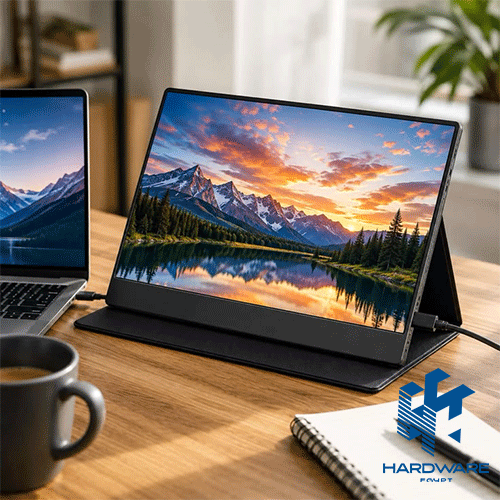
Choosing the best portable monitor starts with one question: do you genuinely need a screen that travels with you, or would a larger desktop display give you a better everyday experience?
Portable monitors solve a very specific problem. They give laptop users extra screen space without tying them to a permanent desk. That can be valuable for remote workers, consultants, developers, students, business travelers, and anyone who frequently works outside a traditional office.
But portability involves compromises. A desktop computer screen usually gives you more screen space, stronger ergonomics, a wider selection of resolutions and refresh rates, and a more permanent workstation experience. Portable screens prioritize low weight, thin dimensions, simple connectivity, and easy transport instead.
For anyone searching computer screen Egypt options, the smartest decision is, therefore, not to begin with size or price. Start with where you work, how frequently you move, what devices you will connect, and whether the monitor will be your main display or a second screen.
Portable-monitor guides currently ranking strongly in search make similar distinctions. Models are commonly evaluated around portability, resolution, image quality, weight, USB-C connectivity, stands, power requirements, gaming performance, touchscreen capability, and overall usability.
Buyers looking for conventional displays can also compare the current computer screens available through Hardware Egypt. The category currently shows 20 computer-screen listings across several sizes and specifications.
Best Portable Monitor Decision Matrix
| Main Requirement | Better Direction | Specifications to Prioritise | Why |
|---|---|---|---|
| Frequent business travel | Portable monitor | 13–16″, low weight, USB-C | Easier to carry |
| Remote work | Portable monitor | FHD/QHD, IPS, stable stand | Adds second-screen space |
| Permanent office setup | Desktop monitor | 24–27″, ergonomic stand | Better daily comfort |
| Graphic design | Desktop monitor | IPS/OLED, strong colour performance | Larger visual workspace |
| Mobile presentations | Portable monitor | USB-C, HDMI, good brightness | Flexible setup |
| Gaming while travelling | Portable gaming monitor | 120Hz+, low response time | Better motion performance |
| Desktop gaming | Gaming monitor | QHD/4K, 144Hz+, VRR | More performance options |
| Large spreadsheets | Desktop monitor | 27″ or ultrawide | More visible workspace |
| Student use | Portable or desktop | FHD IPS | Depends on mobility |
| Laptop dual-screen work | Portable monitor | USB-C DP Alt Mode | Simple connection |
There is no universal winner. The best screen is the one that removes a limitation from your actual setup.
What Is a Portable Monitor?
A portable monitor is a thin external screen designed to provide additional display space while remaining easy to transport.
Unlike a standard desktop computer screen, it usually does not rely on a large fixed stand. Many models use a folding cover, kickstand, integrated hinge, or lightweight support system.
Portable displays commonly fall around laptop-like screen sizes. PCWorld notes that 13.3-inch and 15.6-inch panels are particularly common, with smaller versions favoring lower weight and larger versions offering more usable workspace.
Modern models can also go far beyond basic Full HD office screens.
Current portable monitor ranges include the following:
- FHD displays.
- QHD and 2.5K models.
- 4K options.
- Touchscreens.
- OLED screens.
- High-refresh gaming monitors.
- Dual-screen portable systems.
- Models with internal batteries.
- USB-C-powered displays.
Tom’s Hardware’s current 2026 coverage, for example, includes portable displays ranging from compact productivity screens to touch, high-refresh gaming, wireless, and larger portable options.
So “portable monitor” now describes a category rather than one specific type of display.
Who Actually Needs the Best Portable Monitor?
A portable display makes the most sense when mobility is part of the workflow.
Business Travellers
If you regularly work from hotels, client offices, temporary workspaces, or coworking locations, using one laptop display can make tasks such as comparing documents, reviewing reports, or running presentations less comfortable.
A second portable display recreates part of a dual-monitor office setup without requiring a permanent workstation.
Remote and Hybrid Employees
Hybrid employees often move between home and office.
Instead of maintaining several full-sized displays in different locations, a portable screen can travel with the laptop.
Developers
Programming often benefits from multiple windows.
You might keep:
- Code on one display.
- Documentation on another.
- Browser preview on another.
- Terminal output visible while editing.
A portable monitor can therefore be useful when coding away from a permanent desk.
Students
Students can use a second screen for lectures, research, references, assignments, and online classes.
The important question is whether carrying another display every day is worth the productivity benefit.
Mobile Creative Professionals
Photographers, editors, and designers may benefit from extra workspace, but screen quality becomes much more important here.
A cheap portable display may be perfectly acceptable for spreadsheets while being unsuitable for color-sensitive work.
Portable Monitor vs Desktop Computer Screen
This is the core buying decision.
A desktop computer screen is usually better if the monitor will remain in one location.
Portable monitors are better if being able to move the screen is genuinely important.
| Feature | Portable Monitor | Desktop Computer Screen |
|---|---|---|
| Mobility | Excellent | Low |
| Typical size | Smaller | Larger |
| Desk ergonomics | Basic to moderate | Usually better |
| Connectivity | USB-C / HDMI common | HDMI / DP / USB-C common |
| Gaming options | Available | Much wider selection |
| High resolution | Available | Wider selection |
| Colour-focused models | Available | More professional options |
| Mounting | Limited on some models | VESA common |
| Travel | Excellent | Impractical |
| Main-display use | Possible | Usually better |
If the screen stays on the same desk five days a week, portability probably should not be your main buying priority.
Hardware Egypt’s existing Computer Monitors Buying Guide covers conventional monitor sizes, panel types, resolution, connectivity, curved screens, refresh rates, and general monitor selection in more depth.
What Size Portable Monitor Is Best?
For most traveling users, approximately 14 to 16 inches is a practical range.
A smaller display is easier to fit beside a laptop and adds less weight to your bag.
A larger portable display gives you more space but gradually reduces the main advantage of the category: portability.
13 to 14 Inches
Better for:
- Frequent flights.
- Small laptop bags.
- Compact desks.
- Lightweight setups.
Lenovo’s ThinkVision M14, for example, is a 14-inch FHD IPS portable display weighing around 598g according to Lenovo’s Egyptian product information.
15 to 16 Inches
Better for:
- General remote work.
- Coding.
- Larger spreadsheets.
- Gaming.
- Users who find 13-inch screens cramped.
Current search results show 15- to 16-inch portable displays appearing frequently in productivity and general-purpose recommendations.
17 Inches and Larger
These provide more screen space but require more bag space and can become significantly less convenient to carry.
Buy based on the dimensions and weight, not just the diagonal screen number.
Is Full HD Enough for a Portable Monitor?
For many users, yes.
1920 × 1080 remains practical on smaller portable screens because pixel density is already relatively high compared with larger desktop displays.
FHD works well for:
- Documents.
- Email.
- Spreadsheets.
- Coding.
- Browsing.
- Presentations.
- Standard video.
Higher resolutions become more attractive when you want finer text, creative detail, or a larger 16-inch display.
Current 2026 recommendations include everything from FHD panels to 2560 × 1600 portable screens and 4K OLED options.
Do not buy 4K simply because it is the highest number available. Higher resolution can increase cost and may be unnecessary for your workload.
IPS, OLED or Another Panel?
Panel technology affects colour, viewing angles, contrast, motion, and price.
IPS
IPS is a sensible general-purpose choice for portable monitors.
It usually provides wide viewing angles, which is particularly useful when the screen is positioned beside a laptop or shared during a meeting.
Lenovo’s ThinkVision M14 uses an IPS panel, as do many mainstream portable productivity displays.
OLED
OLED can offer excellent blacks, contrast, and strong colour performance.
ASUS currently offers portable ZenScreen OLED models, including a 16-inch OLED panel with 1920 × 1200 resolution and two USB-C DP Alt Mode connections.
OLED may appeal to:
- Creative users.
- Media consumption.
- Premium mobile setups.
But it generally comes at a higher product tier than a basic IPS portable display.
USB-C Is Important—But Check What Your Port Actually Supports
One of the biggest mistakes when buying the best portable monitor is assuming every USB-C port can output video.
It cannot.
A laptop’s USB-C connection needs the appropriate video capability for a USB-C-only portable display.
Lenovo specifically states that its ThinkVision M14 requires a full-function USB-C connector supporting DisplayPort 1.2 Alt Mode and suitable power delivery functionality.
ASUS portable monitors similarly list USB-C ports with DP Alt Mode on many current models.
Before buying, check your laptop specification for:
- DisplayPort Alt Mode.
- Thunderbolt.
- USB4.
- Video output over USB-C.
- Power delivery capability.
Do not judge compatibility from the connector shape alone.
USB-C vs HDMI for Portable Screens
USB-C can be particularly convenient because one cable may carry video and power when both devices support the required standards.
HDMI normally carries the video signal but does not generally power a portable monitor, which means the display may also need USB power or an adapter.
That is why many portable monitors include both USB-C and Mini HDMI.
For example, current ASUS ZenScreen models can include two USB-C DP Alt Mode ports plus Mini HDMI.
If you plan to connect several devices—such as a laptop, desktop, console, or older PC—having both connection types creates more flexibility.
Does a Portable Monitor Need Its Own Battery?
Not necessarily.
Many portable monitors draw power from the connected laptop or an external USB-C power source.
Others include internal batteries.
A battery can be useful when:
- Gaming away from a power outlet.
- Connecting devices with limited power output.
- Reducing dependence on a wall socket.
But it adds weight and another battery that needs charging.
For normal laptop productivity, a lightweight USB-powered screen can be simpler.
Brightness Matters More When You Travel
A permanent monitor usually sits in a predictable lighting environment.
Portable monitors do not.
You may work:
- Beside a bright hotel window.
- In a conference room.
- In a coworking space.
- Under strong office lighting.
That makes brightness and screen finish more important.
Current portable-monitor testing guides routinely evaluate brightness alongside contrast, colour accuracy, portability, and usability.
A matte or anti-glare screen can also be valuable when reflections are likely.
Do You Need a Touchscreen Portable Monitor?
Touch is useful for particular workflows, not everybody.
It can make sense for:
- Presentations.
- Drawing or annotation.
- Point-of-sale use.
- Interactive business applications.
- Creative work.
- Touch-based Windows workflows.
RTINGS currently identifies a touchscreen model as its main portable-monitor recommendation, showing that touch has become a meaningful subcategory rather than a niche feature.
But touch adds cost.
If you only need a second screen for Excel, email, browser tabs, or coding, you may never use it.
Best Portable Monitor for Gaming
Portable gaming monitors are now available with much higher refresh rates than basic office displays.
Current recommendations include 144Hz, 180Hz, and even 240Hz portable gaming screens.
For gaming, prioritize:
- Refresh rate.
- Response time.
- Adaptive sync.
- Resolution.
- HDMI/USB-C compatibility.
- Power requirements.
- Device compatibility.
However, if the system stays on a desk, a full-size gaming monitor often provides better value and a larger selection.
Hardware Egypt currently lists the Samsung LC32G55TQBM gaming monitor, a 32-inch QHD curved display with a 144Hz refresh rate, at EGP 8,900 when reviewed on 19 August 2026.
When a Desktop Computer Screen Is the Better Choice
Do not force a portable monitor into a permanent setup.
A desktop computer screen is generally the stronger direction when:
- You work at the same desk every day.
- You want 24–32 inches or more.
- Ergonomics are important.
- You need height adjustment.
- You use a monitor arm.
- You want QHD or 4K at a larger size.
- You need a high-refresh gaming display.
- You regularly perform creative work.
- You want multiple permanent inputs.
If you’re building a workstation around a fixed PC, compare the broader monitors range rather than limiting the search to portable displays.
For buyers setting up a complete fixed system, Hardware Egypt also lists desktops that can be paired with an appropriate external screen.
Choosing a Desktop Screen for Office Work
A 24-inch FHD IPS monitor remains a practical business choice.
It provides enough room for:
- Documents.
- Email.
- Browsing.
- Accounting systems.
- CRM platforms.
- Video meetings.
- General multitasking.
Hardware Egypt’s current HP M24F 24 Inch Full HD LED Monitor uses a 24-inch FHD IPS panel, HDMI/VGA connectivity and is listed at EGP 7,600 at the review date.
For a more connectivity-focused office display, the Dell 24 Inch Monitor P2419H uses a 23.8-inch FHD IPS panel and includes DisplayPort, HDMI, VGA, and USB connectivity. Hardware Egypt currently lists it at EGP 11,900.
Budget Desktop Screens
If the main requirement is a basic screen for administrative work, POS systems, simple office applications, or secondary desktop use, smaller displays can reduce cost.
The Dell LED Monitor 18.5 Inch E1920H is currently listed at EGP 4,500. Its reviewed specification includes 1366 × 768 resolution, a TN panel, DisplayPort and VGA connectivity.
This demonstrates why price should always be read beside specification.
A cheaper screen may be perfectly suitable for basic use but should not be compared directly with a larger IPS FHD monitor as if they provide the same experience.
Computer Screen Egypt: What Does the Local Market Look Like?
For someone searching for a computer screen Egypt, there are now options across standard office screens, gaming monitors, QHD displays, 4K models, and portable displays.
Egyptian marketplace listings currently include conventional monitors as well as portable FHD and 2K models, while price-comparison sites show a broad spread of office, gaming, QHD, OLED, and 4K displays.
Hardware Egypt’s dedicated Computer Screens category currently contains 20 products and includes HP, Dell, Lenovo, and Samsung listings at different sizes and price points.
One important distinction: when reviewed on 19 August 2026, Hardware Egypt’s Computer Screens category did not surface a conventional dedicated portable monitor among those 20 listings.
A product elsewhere on the site uses “View Sonic Portable Monitor” in its title, but its specifications identify it as the ViewSonic M1 Plus G2 portable projector, not a laptop-style portable external display.
That distinction matters.
Do not buy based on search wording alone. Read the actual product type and specifications.
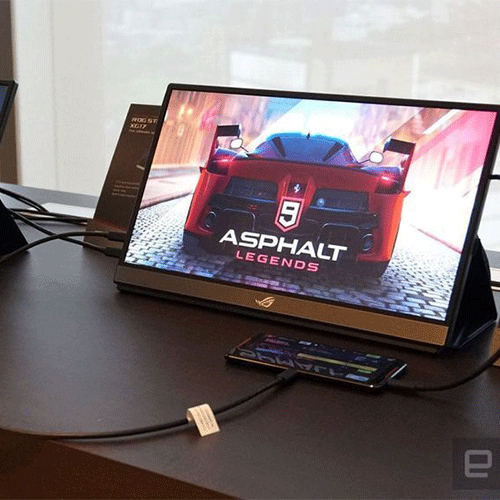
Current Computer Screen Examples at Hardware Egypt
The following prices were reviewed on 19 August 2026 and can change.
| Model | Main Use | Reviewed Specification | Reviewed Price |
|---|---|---|---|
| HP P19B | Basic office | 18.5″, HD | EGP 4,250 |
| Dell E1920H | Basic desktop | 18.5″, 1366×768, TN | EGP 4,500 |
| HP M24F | Office / general use | 24″, FHD, IPS | EGP 7,600 |
| Samsung LC32G55TQBM | Gaming | 32″, QHD, 144Hz, curved | EGP 8,900 |
| Dell P2419H | Business | 23.8″, FHD, IPS | EGP 11,900 |
These examples show why a single “computer screen price in Egypt” is not especially useful without context. Size, resolution, panel technology, gaming performance, connectivity, and intended use all affect what you are actually buying.
For a more general overview of the local selection process, Hardware Egypt’s previous guide to choosing a computer monitor in Egypt covers panel type, monitor size, resolution, refresh rate, ports, curved screens, and ergonomics.
Check Your Laptop Before Buying a Portable Monitor
Before ordering, confirm the laptop’s specifications.
Check:
- USB-C video output.
- HDMI output.
- DisplayPort support.
- Thunderbolt support.
- USB-C Power Delivery.
- Operating-system compatibility.
- Number of supported external displays.
This is particularly important with company laptops where the USB-C port may be intended primarily for charging or data rather than video.
If you’re also upgrading the computer itself, compare current laptops before deciding which external-screen connection you need.
Do Not Ignore the Stand
A great panel with a poor stand becomes frustrating quickly.
Portable screens can use:
- Folding magnetic covers.
- Integrated kickstands.
- Tripod mounts.
- Hinged stands.
- Laptop-attached frames.
Look for a stand that remains stable while typing and allows a comfortable viewing angle.
Lenovo’s M14, for example, supports a wide tilt range and includes a protective sleeve, while current ASUS models can include tripod sockets or dedicated kickstands.
For a permanent desk, a full-size adjustable stand is still generally more flexible.
Accessories You May Need
Your monitor purchase may also require:
- USB-C cable.
- HDMI cable.
- Mini-HDMI adapter.
- USB-C charger.
- Travel sleeve.
- Screen protector.
- Monitor arm.
- Docking station.
- Keyboard and mouse.
Do not assume every cable you need is included.
You can compare compatible computer accessories separately when planning the complete setup.
Common Portable Monitor Buying Mistakes
Assuming USB-C Automatically Means Video
USB-C is a connector format. The laptop still needs compatible video output.
Choosing the Biggest Portable Screen
A screen can become so large that you stop carrying it.
Ignoring Weight
The monitor, case, stand, charger, and cables all add to the bag.
Buying 4K Without Needing It
For standard office work, higher resolution may increase cost without improving your workflow enough to justify it.
Ignoring Brightness
Portable screens frequently operate in unpredictable lighting.
Choosing a Portable Monitor for a Permanent Desk
If the display never moves, a conventional desktop monitor may provide better ergonomics and more screen space.
Buying From an Unclear Seller
Specifications, warranty, return terms, invoice, and exact model identification matter when buying electronics.
Hardware Egypt’s guide to the best computer shops in Egypt explains why buyers should verify the configuration, invoice, warranty and return conditions rather than comparing price alone.
Best Portable Monitor Buying Checklist
Before buying, confirm:
- Main purpose.
- Travel frequency.
- Screen size.
- Physical dimensions.
- Total weight.
- FHD, QHD, or 4K.
- IPS or OLED.
- Brightness.
- Colour requirements.
- Refresh rate.
- Response time.
- Touchscreen requirement.
- USB-C connectivity.
- DisplayPort Alt Mode compatibility.
- HDMI or Mini HDMI.
- Power requirements.
- Built-in battery requirement.
- Stand design.
- Landscape and portrait support.
- Protective case.
- Laptop compatibility.
- Console compatibility if gaming.
- Warranty.
- Return policy.
- Current price.
- Local availability.
The best portable monitor is not the model with the longest specification list. It is the screen you can connect easily, carry comfortably, and use for the work you actually do.
Final Verdict: Portable or Desktop Computer Screen?
Choose a portable monitor when mobility is part of the problem you are trying to solve.
For frequent travellers, hybrid employees, students, developers, and professionals who regularly work outside one fixed location, a lightweight 14–16-inch USB-C display can transform a laptop into a much more practical dual-screen workspace.
Choose a desktop computer screen when the display will remain at a permanent workstation.
A 24- or 27-inch desktop monitor usually gives you more space, stronger ergonomics, broader connectivity choices, and a larger range of gaming, creative, QHD, and 4K configurations.
For buyers searching computer screen Egypt options, also distinguish between what is available internationally and what is actually listed locally. Portable monitor recommendations on global sites may not correspond directly with Egyptian inventory, warranty coverage, or local pricing.
At the review date, Hardware Egypt’s conventional screen range is significantly broader than its dedicated portable-monitor offering. Browse current computer screens and compare the screen type, resolution, inputs, panel and intended use before ordering.
If you specifically need a portable display configuration that is not currently listed, contact Hardware Egypt with the required size, resolution, device, connectivity and use case before substituting a different product.