


HP Printer Store Guide: Choosing the Right Small Office Printer
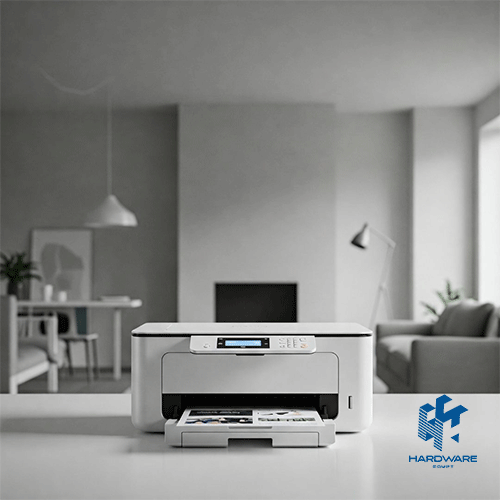
Choosing an HP printer store should involve more than finding the lowest price. A reliable store should help you compare printer technology, monthly print volume, print speed, paper capacity, connectivity, toner or ink costs, warranty coverage, and the availability of replacement supplies.
For a small office, the right printer depends mainly on what the team prints and how often it prints. A business producing invoices, contracts, reports, and other text-heavy documents will usually benefit from an HP LaserJet. An office that regularly prints presentations, graphics, photos, or marketing materials may need an OfficeJet, Smart Tank, or color LaserJet instead.
The ideal HP small office printer should match:
- The number of users
- Expected monthly page volume
- Black-and-white or color requirements
- Print-only or multifunction needs
- Paper sizes
- Wireless and network requirements
- Available desk space
- Toner or ink budget
- Security and access requirements
There is no single best LaserJet printer for small business use. A compact printer may be ideal for one or two employees, while a multifunction LaserJet with an automatic document feeder may be more suitable for a busy team that scans and copies documents every day.
HP categorizes its compact LaserJet 100 series for occasional black-and-white printing and teams of up to three users, while the LaserJet 200 series is positioned for more regular printing and teams of up to five users. Larger LaserJet Pro and Enterprise models are designed for higher volumes, more users, and more advanced security or management requirements.
This guide explains how to compare the main HP printer families, identify the features your office actually needs, estimate the full running cost, and choose a suitable model without paying for unnecessary functions.
Prices last reviewed: July 26, 2026. Prices and stock can change according to specifications, retailer updates, currency movement, promotions, and warranty terms.
What Should You Expect From an HP Printer Store?
A useful HP printer store should allow you to compare more than product names. It should provide the full model number, functions, printing technology, connectivity, speed, paper capacity, recommended usage, compatible supplies, and warranty information.
Before purchasing, confirm that the listing clearly states:
- Whether the printer is laser, inkjet, or ink tank
- Whether it prints in black only or in color
- Whether it prints only or also scans, copies, and faxes
- USB, Ethernet, Wi-Fi, and mobile-printing options
- Automatic duplex-printing support
- Automatic document feeder availability
- Paper-tray capacity
- Recommended monthly page volume
- Compatible cartridge or toner number
- Warranty and return terms
- Current stock status
A store should also make it easy to find compatible supplies. A low printer price provides little value if the required toner is difficult to source or its page yield does not match the office workload.
Businesses can begin by browsing the HP Store in Egypt and comparing the printer family, current stock, specifications, and related supplies.
HP Printer Types for Small Offices
HP offers several printer families for home offices, small companies, and larger workgroups. Each family solves a different printing problem.
| HP Printer Type | Best For | Main Advantage | Main Limitation |
|---|---|---|---|
| Monochrome LaserJet | Invoices, contracts, reports, and text documents | Fast, sharp black printing | No color output |
| Color LaserJet | Presentations, reports, charts, and business graphics | Fast text and professional color | Higher purchase and supply cost |
| OfficeJet Pro | Mixed color documents and moderate office use | Flexible all-in-one features | Ink costs depend on volume |
| Smart Tank | Frequent color printing at a lower running cost | High-yield refillable ink | Usually slower than business LaserJet models |
| LaserJet Multifunction | Printing, scanning, copying, and sometimes faxing | Several workflows in one device | Larger size and higher initial price |
| LaserJet Enterprise | High-volume and multi-user environments | Speed, capacity, management, and security | Excessive for many small offices |
The right category should be chosen before comparing individual models. Otherwise, a small business may compare a basic monochrome printer with a color multifunction device even though they serve different workflows.
Review the broader range of Printers For Office Use to compare laser, color, inkjet, and multifunction options.
LaserJet, OfficeJet, or Smart Tank?
The technology inside the printer affects its speed, output, maintenance, and running cost.
Choose a LaserJet for Text-Heavy Work
Laser printers are usually the strongest choice for businesses that regularly produce:
- Invoices
- Contracts
- Reports
- Forms
- Shipping documents
- Internal policies
- Client correspondence
- Training materials
HP describes LaserJet printers as suitable for fast, efficient business printing, while its compact LaserJet ranges are designed for home offices and small work teams. Models may include wireless printing, automatic duplex printing, scanning, copying, and security features, depending on the configuration.
Browse LaserJet Printers when the main requirement is fast text printing and dependable office output.
Choose OfficeJet for Flexible Color Work
OfficeJet models use inkjet technology and can suit small businesses that need color documents, reports, brochures, forms, and occasional images.
Many OfficeJet Pro models combine the following:
- Printing
- Scanning
- Copying
- Faxing
- Wireless connectivity
- Ethernet
- Automatic duplex printing
- Automatic document feeding
The HP OfficeJet Pro 7740, for example, supports printing, copying, scanning, and faxing up to A3 size. It offers Wi-Fi, Ethernet, Wi-Fi Direct, mobile printing, and automatic duplex functionality. It was listed at 26,500 EGP when prices were reviewed.
Compare OfficeJet Printers when the office needs flexible color and multifunction workflows.
Choose Smart Tank for Frequent Color Printing
A Smart Tank model can suit businesses that print color frequently but do not need the speed of a color LaserJet.
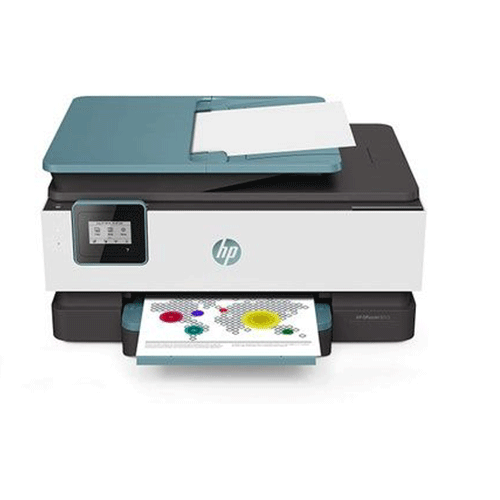
The HP Smart Tank 615 includes printing, scanning, copying, faxing, an automatic document feeder, and wireless connectivity. Hardware Egypt listed it at 8,899 EGP when reviewed, with an indicated recommended monthly volume of 400–800 pages.
The HP Smart Tank 615 may suit a home office or small team that prioritizes economical color output over high laser speed.
How Much Does Your Small Office Print?
Monthly page volume is one of the most important buying factors.
Do not estimate the workload only by asking how many times employees use the printer. One print job may contain one page, while another may include a 100-page report.
Use recent invoices, paper purchases, toner replacements, or print-counter data to estimate the actual monthly volume.
| Approximate Monthly Volume | Typical Office Situation | Suitable Direction |
|---|---|---|
| Under 500 pages | One user, home office, occasional printing | Compact LaserJet, OfficeJet, or Smart Tank |
| 500–1,500 pages | Small team with regular documents | LaserJet Pro or multifunction office printer |
| 1,500–3,000 pages | Busy office with daily printing | Faster LaserJet Pro with duplex and larger tray |
| 3,000–5,000 pages | Growing team or document-heavy department | Higher-capacity LaserJet Pro or color business printer |
| Above 5,000 pages | High-volume department or shared workgroup | Enterprise-class printer or managed setup |
HP positions its LaserJet 100 series for recommended volumes of up to about 1,000 pages per month and the 200 series for volumes of up to about 2,000 pages per month. Specific models may differ, so the recommended volume on the product specification should always be checked.
Buying a printer far below the expected workload can lead to slower workflows, frequent supply changes, and greater wear. Buying an Enterprise printer for a team producing only a few hundred pages can also waste money and space.
Print-Only or Multifunction?
A print-only printer is suitable when the office already has a scanner or rarely needs digital copies.
A multifunction printer may include:
- Printing
- Scanning
- Copying
- Faxing
- Automatic document feeding
- Duplex scanning
- Scan-to-email or network functions
An MFP costs more and takes up more desk space, but it can replace several separate devices.
A print-only printer makes sense when:
- The team mainly prints invoices and reports.
- Scanning is rare.
- A separate scanner already exists.
- Desk space is limited.
- The office wants the simplest possible device.
- The budget should focus on print speed and running cost.
The HP LaserJet 107a is a compact USB monochrome printer listed at 6,600 EGP when reviewed.
The wireless HP LaserJet 107w was listed at 6,900 EGP and adds wireless connectivity for offices that do not want every print job connected through one computer.
A Multifunction Printer Makes Sense When:
- Employees scan signed documents frequently.
- The office copies IDs, contracts, or forms.
- Multiple pages need to be scanned together.
- Faxing is still required.
- Space is limited, but several functions are needed.
- Employees need a shared document station.
An automatic document feeder is particularly useful when employees scan multi-page contracts or records. Without an ADF, every page must be placed manually on the scanner glass.
What Is the Best LaserJet Printer for Small Business?
The best LaserJet printer for small business use depends on the office workflow. A model that is ideal for a small accounting office may not suit a design team or a customer-service department.
Best for Basic Black-and-White Printing
A compact monochrome LaserJet is suitable when one or two users mainly print invoices, letters, and internal documents.
Prioritize:
- Compact size
- Simple controls
- Affordable toner
- USB or wireless connectivity
- Crisp black text
- A practical monthly volume
Models such as the HP LaserJet M111a, 107a, and 107w represent this basic category. Hardware Egypt listed the M111a at 4,744 EGP, the 107a at 6,600 EGP, and the 107w at 6,900 EGP when reviewed.
Best for a Small Team That Scans and Copies
The best LaserJet printer for small business teams that scan forms and contracts should usually be a multifunction model.
Look for:
- Flatbed scanner
- Automatic document feeder
- Copying
- Wireless printing
- Ethernet where needed
- Automatic duplex printing
- Mobile printing
- Suitable paper capacity
HP’s official small-office range includes multifunction models such as the M234sdw, which combines printing, copying, scanning, wireless connectivity, automatic document feeding, duplex printing, and a 150-sheet input tray.
Best for Professional Color Documents
A color LaserJet is more suitable when the office prints
- Presentations
- Charts
- Proposals
- Business graphics
- Training materials
- Client reports
- Branded documents
The HP Color LaserJet MFP 178nw combines color printing, copying, scanning, and mobile-printing capability. It was listed at 23,900 EGP when reviewed.
For higher workloads, the HP Color LaserJet Pro MFP 4303fdw offers printing, copying, scanning, faxing, automatic duplex printing, a 50-sheet ADF, and a recommended monthly volume of 750–4,000 pages. It was listed at approximately 33,250 EGP during the reviewed promotion.
Browse Laser Color Printers when professional color and faster document production are both required.
Best for High-Volume Black Printing
A growing office may need a printer with:
- Faster output
- Larger input capacity
- High-yield toner
- Stronger security
- Ethernet
- Centralized management
- Better support for multiple users
HP positions its enterprise printers for maximum productivity, high-speed output, multilayered security, and centralized fleet management. Some enterprise models can reach speeds of up to 75 pages per minute, although that level is unnecessary for most small offices.
The correct choice is the smallest model that can comfortably support the real workload with room for reasonable growth.
A Small-Office Printer Decision Matrix
| Office Requirement | Recommended Printer Type | Features to Prioritize |
|---|---|---|
| One user, occasional invoices | Compact monochrome LaserJet | Small size, USB or Wi-Fi, affordable toner |
| Two to five users, daily text printing | LaserJet Pro | Duplex, wireless, Ethernet, faster speed |
| Frequent scanning and copying | Multifunction LaserJet | ADF, scanner, copier, duplex |
| Regular color reports | Color LaserJet | Color speed, duplex, security, larger tray |
| Frequent low-cost color output | Smart Tank | High-yield ink, wireless, ADF where needed |
| A3 brochures or plans | Wide-format OfficeJet | A3 support, duplex, scan, copy, wireless |
| High-volume shared printing | LaserJet Enterprise | High speed, large trays, security, management |
This matrix is more useful than choosing a printer based on the model name alone.
Features That Matter in an HP Small Office Printer
Print Speed
Print speed is measured in pages per minute. A higher number can reduce waiting in a busy office, but it should be considered alongside first-page-out time.
A printer may produce pages quickly after starting but still take time to wake from sleep or process the first document.
Automatic Duplex Printing
Automatic duplex printing allows the printer to print on both sides of a page without manual handling.
It can reduce paper usage and make reports, proposals, and internal manuals easier to manage.
Automatic Document Feeder
An ADF allows several pages to be scanned or copied automatically.
This feature is valuable for:
- Contracts
- Employee documents
- Invoices
- Application forms
- Client records
- Multi-page reports
Paper Capacity
A small input tray may be sufficient for occasional printing. A busy office should choose a larger tray to reduce frequent paper loading.
Also confirm support for:
- A4
- A5
- Envelopes
- Labels
- Legal paper
- A3 where required
- Heavier media
Connectivity
An HP small office printer may include the following:
- USB
- Ethernet
- Wi-Fi
- Wi-Fi Direct
- Mobile printing
- Apple AirPrint
- Mopria
- HP mobile applications
USB can suit one computer. Ethernet provides a stable shared connection. Wi-Fi offers flexibility, while Wi-Fi Direct allows supported devices to connect without using the main office network.
Security
A network printer processes business information and should not be treated as a harmless office accessory.
Relevant security features may include:
- Secure boot
- Firmware validation
- Network protection
- User authentication
- Access controls
- Secure printing
- Centralized device management
HP includes Wolf Security features across selected LaserJet Pro and Enterprise products, with the exact protection level depending on the model.
Calculate the Total Cost, Not Just the Printer Price
The cheapest printer is not always the least expensive to operate.
The total cost can include:
- Printer purchase
- Toner or ink
- Drum or imaging components
- Paper
- Maintenance
- Replacement parts
- Electricity
- Network setup
- Downtime
- Service and warranty
- Shipping
Check the cartridge number first.
Before choosing a printer, identify the compatible toner or ink and confirm:
- Local availability
- Standard page yield
- High-yield option
- Current price
- Whether color cartridges are replaced separately
- Whether the drum is included or separate
Browse Toner Cartridges to compare compatible HP supplies before committing to a printer.
The broader Toner & Ink category can also help offices compare ink and toner availability across different printer technologies.
Estimate Cost Per Page
A simple planning calculation is:
Cartridge price ÷ expected page yield = approximate supply cost per page
The actual cost may differ because page-yield tests use standardized coverage. Pages with heavy graphics, large black areas, or frequent color use consume more toner or ink.
Do not compare cartridge prices alone. A more expensive high-yield cartridge may cost less per page than a cheaper low-yield option.
Current HP Printer Price Examples in Egypt
The following examples provide a planning snapshot from Hardware Egypt listings reviewed on July 26, 2026.
| Model | Main Use | Reviewed Price |
|---|---|---|
| HP LaserJet M111a | Compact monochrome print-only | 4,744 EGP |
| HP LaserJet 107a | USB monochrome print-only | 6,600 EGP |
| HP LaserJet 107w | Wireless monochrome print-only | 6,900 EGP |
| HP Laser MFP 135a | Mono print, scan, and copy | 8,188 EGP |
| HP Smart Tank 615 | Color all-in-one ink tank | 8,899 EGP |
| HP Color LaserJet MFP 178nw | Color print, scan, and copy | 23,900 EGP |
| HP OfficeJet Pro 7740 | A3 color all-in-one | 26,500 EGP |
| HP Color LaserJet Pro MFP 4303fdw | Business color multifunction | About 33,250 EGP |
The examples cover different functions and workloads, so they should not be compared on price alone.
A current HP printer store listing should always be checked again before purchase because promotions, stock, and model availability can change.
Common Printer-Buying Mistakes
-
Choosing Only by Purchase Price
A low initial price can be offset by expensive supplies, low page yield, limited capacity, or frequent maintenance.
- Ignoring Monthly Volume
A compact personal printer may not be suitable for a team producing thousands of pages.
- Buying Color When It Is Rarely Needed
A monochrome LaserJet may provide better speed and running cost when almost every document is black and white.
- Buying Print-Only When Scanning Is Frequent
A separate scanner may cost more and occupy additional space.
-
Forgetting the ADF
Scanning multi-page documents manually can waste employee time.
-
Comparing Model Names Without Specifications
Similar HP model numbers may include different connectivity, duplex, fax, or feeder options.
-
Ignoring Toner Availability
A printer cannot support the office if the required toner is difficult to find.
-
Choosing an Enterprise Printer for a Tiny Team
The additional speed, capacity, and management features may never be used.
- Ignoring Network Security
A shared printer should be configured, updated, and protected like any other connected office device.
HP Small Office Printer Checklist
Before purchasing, confirm:
- The office’s approximate monthly page volume
- Number of expected users
- Black-only or color output
- Print-only or multifunction requirement
- ADF requirement
- Automatic duplex requirement
- A4, legal, envelope, or A3 support
- Input-tray capacity
- USB, Ethernet, and Wi-Fi requirements
- Mobile-printing compatibility
- Printer dimensions
- Compatible toner or ink number
- Standard and high-yield cartridge prices
- Warranty coverage
- Return policy
- Local supply availability
- Invoice and serial number
Choose the Printer Around the Workflow
The right HP printer store should help you match the printer to the office rather than push the most expensive model.
Start with monthly print volume, document type, number of users, and the functions employees use every day. Then compare speed, duplex printing, ADF capacity, connectivity, security, toner availability, and warranty.
An HP small office printer should be large enough for the real workload but not overloaded with features the team will never use.
The best LaserJet printer for small business use may be:
- A compact monochrome printer for one user
- A wireless LaserJet for a small team
- A multifunction model for scanning and copying
- A color LaserJet for professional reports
- A higher-capacity model for a growing workgroup
Review the printer specifications, compatible supplies, and current stock through the HP printer store before completing the purchase.