


Best Computer Monitors in Egypt: Choose by Use and Budget
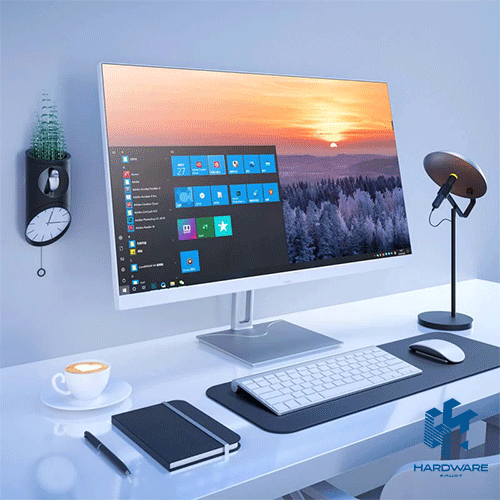
The best computer monitors are the screens that match how you actually use your computer. An office user, graphic designer, gamer, and video editor may all need different specifications, even when their budgets are similar.
For everyday work, a 24-inch Full HD IPS monitor may provide everything you need. Gaming usually benefits from a higher refresh rate and lower response time. Designers and editors may need QHD or 4K resolution, stronger color accuracy, and a larger screen.
When comparing a computer monitor Egypt listing, start with the intended use. Then review the screen size, resolution, panel type, refresh rate, response time, connectivity, stand adjustment, warranty, and current stock.
Current computer monitor prices in Egypt vary widely. Basic office displays may begin around 4,000–6,000 EGP, while larger QHD, 4K, smart, gaming, and professional monitors can cost considerably more. Current listings include office monitors near 4,500 EGP, Full HD IPS models around 7,600–11,900 EGP, and selected QHD gaming screens near 8,900–10,000 EGP.
Prices last reviewed: July 26, 2026. These figures are planning examples. Promotions, stock, model availability, warranty, and retailer updates may change the final price.
Best Computer Monitors by Use
There is no single monitor that is best for every user. The strongest option is the one that supports your main workload without adding expensive features you will not use.
| Main Use | Recommended Direction | Features to Prioritize |
|---|---|---|
| Everyday office work | 22–24-inch Full HD IPS | Clear text, HDMI, anti-glare screen, adjustable stand |
| Home and study | 24-inch Full HD | IPS panel, 75–100Hz, practical ports |
| Multitasking | 27-inch QHD | Larger workspace, sharp text, height adjustment |
| Competitive gaming | 24–27-inch Full HD or QHD | 144Hz+, low response time, adaptive sync |
| Creative work | 27–32-inch QHD or 4K | IPS or OLED, color coverage, calibration support |
| Entertainment | 27–32-inch QHD or 4K | Strong contrast, speakers or audio output |
| Small desk | 21.5–24-inch Full HD | Compact stand, slim bezels, VESA support |
HP’s monitor guidance recommends choosing the specifications around the use case. Gaming places more emphasis on refresh rate and response time, while office and creative work may prioritize clarity, color, connectivity, and ergonomics.
Browse available computer screens after defining the screen category you need.
What Screen Size Should You Choose?
Screen size affects comfort, desk space, image sharpness, and the amount of information you can view at once.
21.5 to 24 Inches
This range is suitable for:
- General office work
- Browsing and email
- Accounting systems
- Study
- Reception desks
- Dual-monitor setups
- Smaller workspaces
A 24-inch Full HD display usually provides a practical balance between price, clarity, and desk space.
27 Inches
A 27-inch monitor gives you more room for documents, spreadsheets, design tools, and multiple windows.
Full HD can still work at this size, but QHD generally provides sharper text and more usable screen space. A 27-inch QHD screen is often a strong choice for users combining office work, design, and entertainment.
32 Inches and Above
A larger monitor can improve immersion and multitasking, but it requires more desk depth.
QHD or 4K is normally more suitable at this size. Full HD may appear less sharp when spread across a 32-inch screen at a normal desk distance.
HP notes that larger displays do not automatically provide better image quality. Resolution, panel quality, color accuracy, and viewing distance remain important.
For a broader explanation of sizes and specifications, read the Computer Monitor in Egypt guide.
Full HD, QHD, or 4K?
Resolution refers to the number of pixels displayed on the screen. More pixels can produce sharper text and greater detail, but they may also increase the price and graphics requirements.
Full HD: 1920 × 1080
Full HD remains a practical choice for:
- Office applications
- Browsing
- Video meetings
- Study
- Basic entertainment
- Budget gaming
It works particularly well on screens between 22 and 24 inches.
QHD: 2560 × 1440
QHD provides more detail and workspace than Full HD.
It suits:
- 27-inch monitors
- Multitasking
- Graphic design
- Programming
- Gaming
- Detailed spreadsheets
- Users working with several windows
4K: 3840 × 2160
A 4K monitor provides substantially more detail than Full HD.
It may suit:
- Photo editing
- Video editing
- Detailed design
- Premium entertainment
- Large spreadsheets
- High-end gaming
- Users who need more workspace
Higher resolutions require stronger graphics performance, particularly when combined with high refresh rates in games. Dell recommends matching the resolution and refresh rate to the intended workload and hardware.
IPS, VA, TN, or OLED?
The panel affects color, contrast, viewing angles, response performance, and price.
IPS
IPS is a flexible choice for most users.
It generally provides the following:
- Wide viewing angles
- Consistent colors
- Clear images
- Good performance for office work
- Suitable color quality for many creative tasks
A modern IPS screen can also support high refresh rates for gaming.
VA
VA panels generally provide stronger contrast and deeper blacks than standard IPS panels.
They may suit:
- Movies
- Dark-room use
- Curved displays
- Story-driven games
- Users who value contrast
Some VA monitors may show more visible smearing in dark, fast-moving scenes, depending on the specific model.
TN
TN monitors traditionally focus on speed and affordability.
They can still suit competitive players, but their color quality and viewing angles may be weaker than IPS or OLED alternatives.
OLED
OLED displays provide deep blacks, strong contrast, and very fast pixel response.
They can be among the best computer monitors for premium gaming and media use, but they usually cost more. Buyers should also review warranty terms and manufacturer guidance about prolonged static content.
HP identifies IPS, VA, and TN as the main LCD panel categories, with each one offering a different balance of color, contrast, speed, and price.
How Much Refresh Rate Do You Need?
The refresh rate shows how many times the monitor updates its image each second.
A higher refresh rate can move look smoother, but not every user needs a gaming-level screen.
60Hz to 75Hz
This range is enough for:
- Documents
- Browsing
- Accounting
- Video meetings
- General office use
100Hz
A 100Hz monitor can feel smoother than a traditional 60Hz screen during scrolling and everyday movement. It can also support casual gaming.
144Hz to 180Hz
This range is a strong choice for most gaming setups.
It provides smoother motion without requiring the extreme hardware often needed for 240Hz or higher gaming.
240Hz and Above
Very high refresh rates mainly target competitive players whose graphics hardware can generate similarly high frame rates.
Dell explains that 60Hz is suitable for regular productivity, while 144Hz and higher rates are more relevant to gaming and fast-moving content.
The monitor must also be connected through a cable and port that support the selected resolution and refresh rate.
Best Computer Monitors for Office Work
An office screen should make documents comfortable to read and support long working sessions.
The most useful features are often:
- Full HD or QHD resolution
- IPS panel
- Anti-glare finish
- HDMI or DisplayPort
- Height and tilt adjustment
- Slim bezels
- VESA mounting
- USB hub where needed
- Flicker-reduction features
The Dell 24 Inch Monitor – P2419H is an example of a productivity-focused display. It includes a 23.8-inch Full HD IPS panel, HDMI, DisplayPort, VGA, and USB connectivity. It was listed at 11,900 EGP when reviewed.
This type of monitor is more suitable for office work than competitive gaming because its main value comes from its IPS panel, ports, and productivity design rather than a high refresh rate.
Best Computer Monitors for Gaming
Gaming monitors should be matched with the graphics card and the types of games being played.
Prioritize:
- 144Hz or higher refresh rate
- Low response time
- Adaptive sync
- DisplayPort or suitable HDMI version
- Full HD or QHD resolution
- Strong motion handling
- Suitable panel type
The Samsung LC32G55TQBM gaming monitor is a 32-inch curved WQHD display with a 144Hz refresh rate and AMD FreeSync Premium. It was listed at 8,900 EGP during the reviewed promotion.
A high-refresh screen will not reach its full potential if the computer cannot produce enough frames. Compare the monitor with a suitable Gaming PC before deciding on the resolution and refresh rate.
Best Computer Monitors for Creative Work
Designers, photographers, and editors need more than a large screen.
Important factors include:
- Color-gamut coverage
- Factory calibration
- IPS or OLED panel
- QHD or 4K resolution
- Uniform brightness
- Suitable contrast
- USB-C or DisplayPort
- Calibration support
- Adjustable stand
Do not assume that every 4K monitor is suitable for professional design. Resolution controls detail, but it does not guarantee accurate colors.
The best computer monitors for creative work should state their color coverage and calibration capabilities clearly. A high-resolution gaming monitor may still be less suitable than a professional IPS screen with stronger color accuracy.
Computer Monitor Prices in Egypt
Current computer monitor prices in Egypt depend on the size, resolution, refresh rate, panel, ports, stand, brand, and warranty.
Examples listed during the review included:
| Monitor | Main Specification | Reviewed Price |
|---|---|---|
| Dell E1920H | 18.5-inch office display | 4,500 EGP |
| HP M24F | 24-inch Full HD IPS, 5ms | 7,600 EGP |
| Samsung LC32G55TQBM | 32-inch QHD curved, 144Hz | 8,900 EGP |
| Dell P2419H | 23.8-inch Full HD IPS | 11,900 EGP |
These models serve different users. The Samsung model is positioned around gaming, while the Dell and HP screens focus more on everyday productivity.
A computer monitor Egypt price comparison should always use the exact model number. Two 24-inch monitors may differ in panel type, refresh rate, ports, ergonomics, warranty, and image quality.
Browse the broader Monitors category to compare available display types.
Check the Ports Before Buying
A monitor needs the right connection for your computer.
Common options include:
- HDMI
- DisplayPort
- USB-C
- VGA on older systems
- USB hub
- Audio output
HDMI is widely supported by laptops, desktops, and consoles.
DisplayPort is common in desktop and gaming setups, particularly where higher resolutions and refresh rates are required.
USB-C may carry video, data, and power through one cable, but not every USB-C port supports all these functions. Check the laptop, desktop, and monitor specifications before relying on it.
Common Monitor-Buying Mistakes
Choosing by Screen Size Alone
A larger screen may look less sharp if the resolution is too low.
Paying for a High Refresh Rate You Cannot Use
The computer must be capable of producing enough frames at the selected resolution.
Ignoring the Panel
Two monitors with the same size and resolution can have different colors, contrast, and viewing angles.
Buying a Gaming Monitor for Basic Office Work
A 240Hz screen may provide little practical value for spreadsheets and email.
Buying 4K Without Checking Scaling
Text may appear very small without appropriate operating-system scaling.
Forgetting Stand Adjustment
Height, tilt, swivel, and pivot adjustments can improve comfort during long work sessions.
Ignoring the Warranty
Check the warranty duration, dead-pixel policy, and service process before buying.
Computer Monitor Buying Checklist
Before purchasing, confirm:
- The main use
- Screen size
- Native resolution
- Panel type
- Refresh rate
- Response time
- HDMI, DisplayPort, or USB-C support
- Stand adjustment
- VESA mounting
- Graphics compatibility
- Warranty
- Dead-pixel policy
- Current stock
- Final price
A complete setup may also require a suitable mouse and keyboard, cables, adapters, or other Computer Accessories.
This is custom heading element
What Are the Best Computer Monitors for Most Users?
The best computer monitors for most users are 24- to 27-inch IPS screens with Full HD or QHD resolution, practical ports, and an adjustable stand. Gamers should also look for 144Hz or higher refresh rates.
How Much Does a Computer Monitor Cost in Egypt?
Basic office monitors may begin around 4,000–6,000 EGP, while IPS, QHD, gaming, smart, and 4K monitors can cost more. The final price depends on the model, specifications, stock, and warranty.
Is a 24-Inch Monitor Large Enough?
Yes. A 24-inch Full HD monitor is suitable for office work, study, browsing, and many gaming setups.
Is 27-Inch Full HD or QHD Better?
QHD usually provides a sharper image and more workspace on a 27-inch monitor. Full HD may be more affordable and easier for a lower-powered graphics card.