


How to Choose an HP Small Office Printer in Egypt
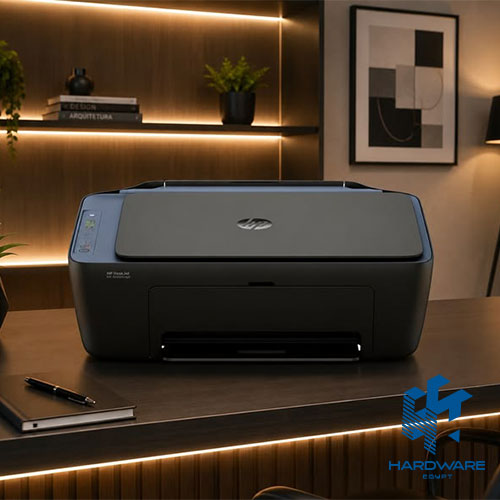
Choosing an HP small office printer starts with understanding how the office actually works. A team that prints contracts and invoices every day needs a different machine from a home office that occasionally prints colour presentations. The number of employees, monthly print volume, need for scanning, available desk space, and cost of replacement ink or toner all affect the decision.
For most small offices, the practical choice is usually one of three directions:
- A compact monochrome laser printer for fast black-and-white documents.
- An HP compact all in one printer for printing, scanning, and copying from one device.
- An HP Smart Tank printer for frequent colour printing with refillable ink bottles.
The initial purchase price is important, but it should not be the only factor used when comparing an HP printer price in Egypt. Running cost, page yield, paper handling, connectivity, scanning workflow, and consumable availability can have a much greater effect over the printer’s working life.
This guide compares suitable HP printer types, explains current reviewed prices in Egypt, and shows which specifications matter for a small business.
Which HP Small Office Printer Should You Choose?
The right HP small office printer depends mainly on what your team prints and how often it prints.
| Office Requirement | Suitable Printer Direction | Main Advantage | Main Limitation |
|---|---|---|---|
| Mainly invoices, contracts, and text | Monochrome HP LaserJet | Fast text printing and simple maintenance | No colour output |
| Print, scan, and copy in limited space | Compact monochrome multifunction printer | Three functions in one device | Basic models may not include an ADF |
| Frequent colour documents | HP Smart Tank all-in-one | Lower ink cost for regular colour printing | Slower than many laser printers |
| Wireless printing for several users | Wireless LaserJet or Smart Tank | Flexible placement and mobile printing | Network setup must be reliable |
| Multi-page scanning | All-in-one model with ADF | Faster document processing | Larger size and higher purchase price |
| Very light occasional use | Entry print-only model | Lower initial cost | Limited features and manual workflows |
For a team producing mostly black text, an HP LaserJet is often the most practical option. Businesses can compare available LaserJet printers before selecting a model.
An office that frequently scans contracts, IDs, forms, or receipts should normally choose an HP compact all in one printer rather than buying a print-only device and separate scanner.
What Should an HP Small Office Printer Provide?
A good HP small office printer should match the office’s real workload without taking up unnecessary space or creating avoidable operating costs.
For most teams of one to ten employees, the important requirements are:
- Reliable printing for everyday documents.
- A recommended monthly volume that matches actual use.
- Suitable black, colour, or mixed output.
- Simple USB, Wi-Fi, or network connectivity.
- Affordable and available ink or toner.
- Enough paper capacity for the working day.
- Scanning and copying when required.
- Reasonable physical dimensions.
- Compatibility with office computers and mobile devices.
- Clear warranty and support terms.
The best model is not necessarily the printer with the longest feature list. It is the model that handles the office’s repeated tasks with the fewest manual steps.
For example, a print-only laser device may be ideal for a small accounting office that already uses a separate scanner. A multifunction printer may be more suitable for a legal, property, medical, or administrative team that regularly scans signed documents.
HP Printer Price in Egypt: Current Reviewed Models
The following table provides a practical HP printer price in Egypt snapshot using listed Hardware Egypt prices reviewed on 5 August 2026. Prices and availability can change, so buyers should confirm the current quotation before placing an order.
| HP Printer | Main Direction | Functions | Connectivity | Reviewed Price |
|---|---|---|---|---|
| HP LaserJet 107a | Compact mono laser | USB | EGP 6,600 | |
| HP LaserJet 107w | Wireless compact mono laser | USB and wireless | EGP 6,900 | |
| HP Laser MFP 135a | Compact mono multifunction | Print, scan, copy | USB | EGP 8,188 |
| HP Smart Tank 515 | Wireless colour ink tank | Print, scan, copy | Wi-Fi, Bluetooth LE, USB | EGP 8,999 |
| HP Smart Tank 530 | Wireless colour ink tank with ADF | Print, scan, copy | Wireless and USB | EGP 12,800 |
The HP LaserJet 107a Printer is listed at EGP 6,600. It is a print-only monochrome laser model with USB connectivity, output of up to 20 pages per minute, and a recommended monthly volume of 100 to 1,500 pages.
The wireless HP LaserJet 107w Printer is listed at EGP 6,900, reduced from EGP 7,900 on the reviewed page. It offers a similar compact print-only direction with wireless functionality for offices that do not want every computer connected by cable.
The HP Laser MFP 135a Printer is listed at EGP 8,188. It adds scanning and copying to a monochrome laser workflow but relies on USB rather than Wi-Fi.
For colour printing, the HP Smart Tank 515 Printer is listed at EGP 8,999. It supports printing, scanning, copying, wireless connectivity, and mobile printing. Hardware Egypt lists speeds of up to 11 pages per minute in black and 5 pages per minute in colour.
The HP Smart Tank 530 Printer is listed at EGP 12,800 and adds an automatic document feeder, making it more practical for offices that regularly scan or copy several pages at once.
Important Price Note
An HP printer price in Egypt can change because of exchange rates, stock availability, promotions, warranty source, and included supplies. Two listings for the same model may also include different accessories, initial ink or toner quantities, or delivery terms.
Always compare the full model number, not only the marketing name.
HP LaserJet, Smart Tank, or DeskJet?
The three categories serve different office needs.
HP LaserJet Printers
Laser printers use toner and are normally the strongest option for offices that print black text frequently. They offer fast first-page output, sharp documents, and less concern about ink drying during periods of inactivity.
A print-only model can be compact and affordable, while a multifunction LaserJet adds scanning and copying.
Laser printers are generally suitable for:
- Contracts and invoices.
- Administrative forms.
- Shipping documents.
- Black-and-white reports.
- Text-heavy office work.
- Offices where printing may stop for several days.
The main limitation is colour. A monochrome laser printer cannot produce colour presentations, marketing sheets, or photographs.
HP Smart Tank Printers
Smart Tank printers use refillable ink bottles rather than small cartridges. They usually cost more than a basic cartridge printer at the time of purchase but can provide a more economical direction for frequent colour printing.
They are suitable for:
- Colour reports.
- Charts and presentations.
- Educational materials.
- Basic marketing documents.
- Product sheets.
- Offices printing both black and colour pages regularly.
The HP Smart Tank 581, for example, is officially rated at up to 12 pages per minute in black and 5 pages per minute in colour. It provides printing, copying, scanning, Wi-Fi, Wi-Fi Direct, and mobile printing.
Smart Tank printers are not automatically the right choice for every office. A business that prints only a small number of monochrome pages may find a compact laser printer simpler.
HP DeskJet and OfficeJet Printers
Cartridge-based inkjet printers can provide a lower purchase price and compact all-in-one functionality. They may suit light use, but buyers should calculate replacement cartridge costs before choosing them for regular business printing.
You can compare DeskJet printers when the office needs colour output and relatively light monthly use.
OfficeJet models typically provide more business-focused paper handling, connectivity, and scanning features. However, larger models may not meet the requirement for a truly compact printer.
When Is an HP Compact All in One Printer the Better Choice?
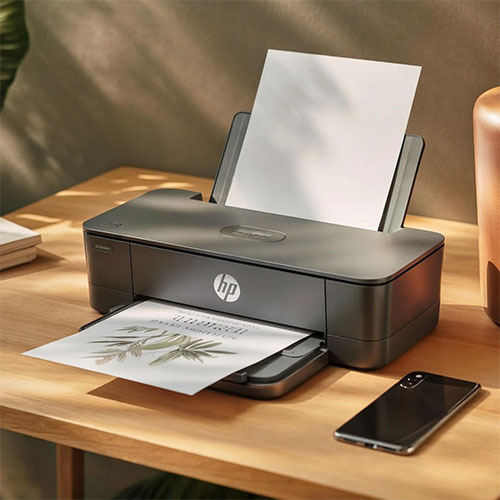
An HP compact all in one printer combines printing, scanning, and copying in one footprint. This is especially useful when the office has limited desk space or cannot justify separate devices.
It is usually the better choice when employees regularly need to:
- Scan signed contracts.
- Copy identity documents.
- Digitise receipts.
- Send forms by email.
- Archive paper records.
- Print and scan from the same workstation.
- Create occasional copies without visiting a copy centre.
Compact does not mean portable. The buyer should check the printer’s dimensions in its working position, not only its closed dimensions. Paper trays, output trays, scanner lids, and rear access can require extra clearance.
HP lists the LaserJet MFP M141w at 360 × 264 × 197 mm in its minimum configuration, with the depth increasing when fully opened. It prints, copies, and scans, offers up to 20 ppm black output, and is recommended for 100 to 1,000 pages per month.
This shows why dimensions and monthly volume should be reviewed together. A machine may fit physically but still be unsuitable for the workload.
Print-Only or All-in-One?
Choose print-only when:
- The office rarely scans.
- A separate scanner is already available.
- The goal is the smallest possible device.
- The budget is limited.
- Most work is black-and-white text.
Choose an HP compact all in one printer when:
- Scanning and copying are weekly or daily tasks.
- Space is limited.
- Employees need a simple shared workflow.
- Paper documents must be converted into PDFs.
- Buying and maintaining separate devices would be inefficient.
An all-in-one model adds convenience, but it also creates one point of dependency. If the machine requires maintenance, printing and scanning may both become unavailable. Offices with critical scanning requirements should consider whether a backup process is needed.
Key Features to Compare Before Buying
-
Recommended Monthly Page Volume
The recommended monthly volume is more useful than the maximum duty cycle.
The duty cycle represents a high technical limit, not the volume an office should produce every month. HP recommends the LaserJet M111w and M141w for approximately 100 to 1,000 pages per month, even though both have a maximum duty cycle of up to 8,000 pages.
Estimate the office volume using:
Employees × average pages per day × working days per month
A team of five people printing ten pages each across 22 working days produces roughly 1,100 pages per month.
-
Print Speed
Print speed is normally shown in pages per minute, or ppm.
A 20 ppm monochrome laser printer can be suitable for individual users and small teams, but speed becomes less important when the office prints only two or three pages at a time.
Also review first-page-out time. A printer that wakes and produces the first sheet quickly may feel faster in daily use than one with a higher continuous speed but a longer start-up delay.
-
Toner, Ink, and Page Yield
The purchase price does not show the total printing cost.
Before buying, confirm:
- The exact toner cartridge or ink bottle code.
- Standard and high-yield options.
- Expected page yield.
- Current replacement price.
- Local availability.
- Whether the printer is supplied with a starter cartridge.
- Whether colour cartridges must be replaced separately.
Hardware Egypt lists the HP 106A toner, used by compact models including the LaserJet 107 series, at EGP 2,677 on the reviewed toner page.
Browse available toner cartridges or compare ink cartridges before selecting the printer. This helps identify whether supplies are easy to replace locally.
-
Automatic Document Feeder
An automatic document feeder, or ADF, pulls several pages through the scanner without requiring the user to place each sheet on the glass.
An ADF is valuable for:
- Multi-page contracts.
- Employee forms.
- Invoices.
- Customer applications.
- Medical or administrative records.
- Regular document archiving.
A flatbed-only scanner is adequate for occasional scanning, books, photographs, and ID cards. It becomes slow when employees repeatedly scan long documents.
-
Automatic Duplex Printing
Automatic duplex printing turns the sheet and prints on both sides without manual intervention.
This can reduce paper use and simplify reports, but it is not included on every compact model. The LaserJet M111w and M141w do not provide automatic duplex printing; double-sided pages require a manual process.
Do not assume that “duplex support” always means automatic duplexing. Check whether the specification says automatic or manual.
-
Connectivity
USB is simple and reliable for one nearby computer.
Wi-Fi is more suitable when:
- Several employees share the printer.
- The device cannot be placed beside one computer.
- Mobile printing is needed.
- Employees use laptops around the office.
- The business wants fewer cables.
Ethernet can provide a stable shared connection in offices with a managed network, although entry compact models may not include it.
Wi-Fi Direct allows a compatible device to connect directly to the printer without joining the main office network. This can help visitors or temporary users, but access should still be managed appropriately.
-
Mobile Printing
HP’s wireless models may support the HP app, Apple AirPrint, Mopria, or Wi-Fi Direct, depending on the model.
Mobile printing can be useful for sales teams, managers, and employees who work mainly from phones or tablets. However, it should not replace checking desktop compatibility, driver support, and office network requirements.
-
Paper Capacity
A 150-sheet tray may be adequate for a small team printing moderate volumes. A very small tray requires more frequent refilling and can slow shared workflows.
Also confirm:
- Supported A4 and envelope sizes.
- Maximum paper weight.
- Label or card support.
- Output tray capacity.
- Manual feed requirements.
- Whether different media need frequent reconfiguration.
-
Colour Requirement
Do not buy a colour printer simply because colour may occasionally be useful.
Ask how many colour pages the office prints each month and whether those pages need internal-quality colour or professional marketing quality.
For very occasional colour work, outsourcing selected pages may cost less than maintaining a colour printer. For regular presentations, charts, certificates, and educational materials, a Smart Tank or business inkjet may be more practical.
HP Small Office Printer Recommendations by Use Case
Best Direction for Basic Black-and-White Printing
The HP LaserJet 107a is suitable for a single desk or a small office that needs compact, straightforward USB printing.
It does not scan, copy, or print wirelessly, so it is best when simplicity is more important than shared features.
Best Direction for Wireless Print-Only Use
The HP LaserJet 107w suits a small office that wants the compact laser format with wireless access.
It is useful when several employees need to print, but the office does not need integrated scanning or copying.
Best Direction for Compact Laser Multifunction Use
The HP Laser MFP 135a suits teams that want monochrome printing, scanning, and copying in one machine and are comfortable using a USB connection.
It can be a sensible HP compact all in one printer for a reception desk, administrative office, or individual professional workspace.
Best Direction for Affordable Colour Volume
The HP Smart Tank 515 is suitable when the office regularly prints colour and wants refillable ink, wireless access, mobile printing, scanning, and copying.
Its output is slower than compact mono laser models, so it should be selected for colour economy and flexibility rather than maximum document speed.
Best Direction for Multi-Page Scanning
The HP Smart Tank 530 adds an ADF, which can save substantial time when the team scans several-page documents.
It has a higher purchase price, but the workflow improvement may justify the difference for HR, property, education, medical administration, or document-heavy offices.
Total Cost of Ownership Worksheet
Use this simple worksheet instead of comparing only the initial HP printer price in Egypt.
| Cost Element | What to Confirm |
|---|---|
| Printer purchase | Current price, VAT, warranty, and delivery |
| Toner or ink | Exact supply code and replacement price |
| Page yield | Standard test yield and realistic office coverage |
| Paper | Monthly page volume and duplex use |
| Maintenance | User-replaceable parts and service terms |
| Network setup | USB, Wi-Fi, or Ethernet requirements |
| Lost time | Refilling, scanning, paper loading, and troubleshooting |
| Replacement cycle | Expected workload and future team growth |
A lower-priced printer can cost more over time if it uses expensive cartridges, requires manual scanning, or is too slow for the office.
Common Buying Mistakes
Buying for the Maximum Duty Cycle
A maximum duty cycle is not a recommended monthly target. Choose based on the normal recommended volume.
Ignoring Consumable Availability
The printer may be affordable while its toner or ink is expensive or difficult to find.
Review toner and ink availability before purchasing.
Choosing Print-Only When Scanning Is Frequent
Employees may end up using phone cameras, external services, or inefficient manual processes.
Paying for Colour That Is Rarely Used
A monochrome laser can be simpler and more economical for document-focused teams.
Assuming Every Wireless Printer Includes Every Feature
Wireless does not automatically mean Ethernet, automatic duplexing, cloud scanning, or an ADF.
Ignoring the Working Footprint
Measure the space needed with trays extended and the scanner lid open.
Buying Only for Today’s Team Size
Allow reasonable room for growth, but do not buy an enterprise printer for a very light workload.
Setup and Maintenance Tips
Place the printer on a stable surface with enough ventilation and clearance for paper access.
For wireless models:
- Connect the printer to a stable office network.
- Use a clear printer name.
- Install the correct HP software or driver.
- Test from each required device.
- Configure authorised users where possible.
- Keep firmware and applications updated.
- Document the toner or ink code.
Store paper in a dry location and use media that matches the printer specification. Dust, humidity, curled paper, and incorrect media can contribute to feeding problems.
For inkjet and Smart Tank printers, print regularly enough to keep the system active. For laser printers, keep spare toner available when printing is business-critical.
Final HP Small Office Printer Buying Checklist
Before approving the purchase, confirm:
- The office’s estimated monthly page volume.
- Black-only or colour requirements.
- Print-only or all-in-one functions.
- Flatbed scanner or ADF.
- Manual or automatic duplex printing.
- USB, Wi-Fi, Ethernet, and mobile support.
- Paper input and output capacity.
- Physical working dimensions.
- Exact toner or ink codes.
- Current consumable prices.
- Warranty and local support.
- Current stock and delivery date.
You can compare broader printers for office use or review smaller printers for home use when equipping a home office or individual workspace.
Final Thoughts
The best HP small office printer is the one that matches the team’s real document workflow.
Choose a compact LaserJet for fast, dependable black-and-white printing. Choose an HP compact all in one printer when scanning and copying are regular tasks. Choose an HP Smart Tank when colour output and lower ink cost matter more than laser speed.
When comparing an HP printer price in Egypt, calculate the full cost of ownership rather than focusing only on the number shown beside the printer. Toner or ink, page yield, scanning time, paper handling, connectivity, and supply availability all affect the final value.
To confirm the latest model availability, warranty, and quotation, contact Hardware Egypt with your monthly volume, required functions, and budget