


IP Phone Systems: How to Choose the Right Setup for Your Business
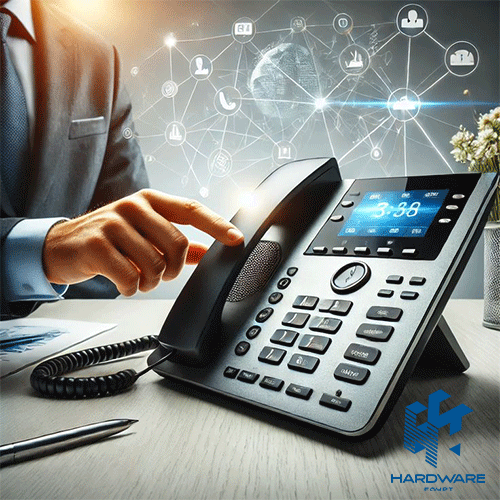
Modern IP phone systems give businesses more flexibility than simply replacing an old desk telephone with a newer model. A complete system can connect office extensions, reception desks, managers, call teams, meeting rooms, remote employees, and mobile staff through the same IP-based communications environment.
Choosing the right setup starts with the business rather than the phone. A five-person office may only need straightforward desk phones and a simple PBX arrangement. A company with several departments may need call queues, programmable keys, multiple SIP accounts, PoE, central device management, and stronger network planning.
Mobility changes the decision again. Retail teams, warehouses, clinics, hotels, logistics operations, and other workplaces where employees move regularly may benefit from a Grandstream wireless IP phone or another cordless solution instead of assigning every user a fixed desk phone.
The goal is therefore not to find one handset that looks impressive. It is to build an IP phone environment where the PBX, phones, network, user roles, and management tools work together.
Businesses can start by reviewing the current IP Phones range at Hardware Egypt before matching individual products to their communication requirements. The category currently covers IP phones, IP PBX products, headsets, gateways, conferencing products, and related business communication equipment.
Quick IP Phone Systems Decision Matrix
| Business Requirement | Suitable Direction | Phone Type | Main Priority |
|---|---|---|---|
| Small office | Simple IP PBX + desk phones | Entry-level SIP phones | Ease of use and cost |
| Growing company | Scalable PBX + managed phones | Business IP phones | Central management |
| Reception desk | Multi-line professional phone | Advanced desk phone | BLF keys and call handling |
| Call-heavy employee | Professional desk phone + headset | PoE IP phone | Audio quality and comfort |
| Warehouse or retail floor | Wireless voice solution | WiFi or DECT handset | Mobility and roaming |
| Management team | Advanced business phone | Premium desk phone | Multiple lines and connectivity |
| Multi-site company | Centrally managed deployment | Managed IP endpoints | Provisioning and monitoring |
| Remote employees | Cloud/hybrid communications | Phone or softphone | Secure remote access |
This matrix should be used as a starting point. The number of extensions, simultaneous calls, internet connection, LAN design, PBX platform, and employee workflow still need to be considered before a final system is ordered.
What Are IP Phone Systems?
IP phone systems are business telephone environments that carry voice communications over IP networks rather than depending entirely on traditional telephone wiring.
An IP-based PBX can manage internal extensions, inbound and outbound calls, and business telephony features while using the same IP network architecture as other business technology. Cisco explains that an IP PBX can switch and connect VoIP and traditional calls, while allowing businesses to use IP phones, softphones, and mobile applications within the communications environment.
A typical system can include:
- An IP PBX or hosted/cloud phone platform.
- SIP accounts or trunks.
- Desk IP phones.
- Wireless or cordless handsets.
- Ethernet switches.
- PoE where supported.
- Headsets.
- Routers and network security.
- Internet connectivity.
- Management and provisioning tools.
This is why buying IP phones for business without planning the rest of the environment can cause problems. A handset may support excellent features, but those features only help when the PBX, network, and configuration support them.
IP PBX vs IP Phone: They Are Not the Same Thing
An IP phone is the endpoint employees use. The IP PBX is the system that manages much of the business call environment.
Think of the PBX as the communications control point.
It can manage extensions, routing rules, conference functions, queues, voicemail, internal calls, and connections to external telephone services depending on the platform and configuration.
The phone is then assigned to an employee, department, reception desk, meeting area, or other location.
Hardware Egypt currently has a separate IP PBX category that includes Grandstream and Yeastar systems with different user and concurrent-call capacities.
For example, Grandstream’s current UCM6300 family is designed as a unified communications platform. The official series supports voice, video, conferencing, mobility, web meetings, analytics, and additional communication functions, with different models scaling up to thousands of users.
Cloud, On-Premise, or Hybrid IP Phone Systems?
There is no single deployment model that is automatically right for every company.
On-Premise IP PBX
An on-premise PBX gives the business direct control over hardware installed within its own environment.
This direction can suit companies that want local control, have an IT team or system integrator available, and prefer to manage their own communication infrastructure.
Grandstream’s UCM6300 ecosystem combines an on-premise IP PBX with remote and cloud-enabled functionality, giving businesses a hybrid approach rather than forcing every function into one deployment model.
Hosted or Cloud Phone System
A hosted system places more of the phone-system infrastructure with a service provider.
This can reduce the amount of PBX hardware maintained at the office, but businesses should still assess subscription structure, supported phones, security, call features, management access, and internet dependency.
Hybrid Approach
A hybrid system can combine local infrastructure with remote access and cloud services.
This direction is particularly relevant when a business has office-based teams and employees who also need to communicate from other locations.
The important question is not simply “cloud or PBX?” It is who needs to communicate, from where, and how much control does the company need?
How to Choose IP Phones for Business
The best IP phones for business should be selected according to user roles.
Giving every employee the same phone sounds simple, but it can either overspend on basic users or restrict employees who handle large numbers of calls.
Basic Office Users
Employees who primarily need to make and receive normal business calls may only require:
- One or two lines.
- A clear display.
- HD voice.
- Speakerphone.
- Call transfer.
- Hold.
- Conference calling.
- Basic programmable keys.
A simple carrier-grade model can be enough for these positions.
Hardware Egypt currently lists the Grandstream GRP2601P with two SIP accounts, two lines, PoE, GDMS management, conferencing, and Grandstream’s Noise Shield functionality. The reviewed price on 12 August 2026 was EGP 2,050.
Reception and Administrative Teams
Receptionists generally need more control.
Useful features may include:
- More line appearances.
- Programmable keys.
- BLF monitoring.
- Fast transfer functions.
- Company directory access.
- Headset support.
- Gigabit networking.
- Expansion modules on compatible models.
These capabilities allow a receptionist to see extension status and manage calls without navigating through several menu levels.
Managers and Executives
Managers may benefit from:
- Larger colour displays.
- Additional SIP accounts.
- Bluetooth.
- WiFi on supported models.
- More programmable keys.
- Better conferencing options.
- Advanced headset integration.
The phone still needs to match the actual workflow. A touchscreen or large display adds little value if the user makes only a few straightforward calls each day.
Call-Heavy Users
Sales teams, support employees, and other call-heavy positions should prioritise audio performance, headset compatibility, programmable keys, and comfortable call handling.
For these teams, spending slightly more on the correct handset and headset can make more sense than choosing advanced features they rarely use.
Entry-Level vs Professional Business IP Phones
The difference between basic and professional phones is usually more than screen size.
Grandstream’s current GRP range separates essential and professional carrier-grade phones. The company positions the series for mass deployment and supports it through the Grandstream Device Management System for central configuration, provisioning, monitoring, and management.
A practical purchasing structure looks like this:
| User Type | Recommended Direction | Features to Prioritise |
|---|---|---|
| General employee | Entry-level IP phone | 2–4 SIP accounts, HD audio |
| Reception | Professional multi-line phone | BLF, programmable keys, headset |
| Manager | Advanced desk phone | Colour screen, Bluetooth, more lines |
| Call centre user | Desk phone + professional headset | Audio quality, EHS, call controls |
| Mobile employee | Wireless IP phone | WiFi/DECT, roaming, battery |
| Meeting room | Conference endpoint | Full-duplex audio, conferencing |
This role-based approach can also make future expansion easier because IT teams can standardise a limited number of approved models instead of managing many unrelated phones.
Grandstream Wireless IP Phone: When Mobility Matters
A Grandstream wireless IP phone makes sense when an employee needs a dedicated business handset but cannot stay beside one desk.
Grandstream’s current WP Series is designed for portable business telephony over WiFi. The manufacturer positions these cordless WiFi phones for workplaces such as retail, logistics, medical environments, security operations, and other applications where users move around a facility.
Unlike a normal desk phone connected through Ethernet, a WiFi handset can remain connected as the employee moves through suitable wireless coverage.
That can be valuable for:
- Warehouse supervisors.
- Retail employees.
- Hotel operations.
- Healthcare teams.
- Security employees.
- Logistics staff.
- Factory floors.
- Large offices.
- Campus-style facilities.
However, a wireless handset should not be treated as a way to avoid proper network planning. Reliable WiFi coverage and roaming become part of the phone system design.
Current Grandstream Wireless IP Phone Options
Grandstream’s official WP portfolio now includes models designed for different levels of mobility and durability.
Grandstream WP826
The WP826 uses dual-band WiFi 6 and supports advanced roaming. Grandstream lists three SIP accounts and three lines, HD voice, Bluetooth headset connectivity, a 3000mAh rechargeable battery, up to 12 hours of talk time, and up to 240 hours of standby.
This type of handset can fit normal mobile business users who need modern WiFi connectivity without requiring the more specialized features of rugged models.
Grandstream WP836
The WP836 moves further toward demanding working environments.
Grandstream specifies dual-band WiFi 6, three SIP accounts, three lines, four-way conferencing, Bluetooth, push-to-talk functionality, alarm features, and a 3000mAh battery. The current official product page lists up to 10 hours of talk time and 240 hours of standby.
Its rugged design makes it more relevant for environments where a standard office handset may not be suitable.
Grandstream WP856
The WP856 sits at a more advanced level.
Grandstream lists dual-band WiFi 6, six SIP accounts and six lines, a 5.5-inch HD touchscreen, a built-in 1D/2D barcode scanner, Android 13, and a 5000mAh battery rated for up to 20 hours of talk time and 200 hours of standby.
That combination can make it relevant for specialised workflows where communication and mobile applications need to exist on one device.
Specific WP-series availability in Egypt should be confirmed before procurement rather than assuming every international Grandstream model is currently stocked locally.
WiFi IP Phones vs DECT Cordless IP Phones
Wireless business telephony does not always mean WiFi.
WiFi phones connect through the wireless LAN.
DECT phones typically communicate with a dedicated DECT base station that then connects to the IP phone system.
The better choice depends on the deployment.
WiFi Can Make Sense When:
- Strong business WiFi already covers the site.
- Employees need to roam through that WiFi environment.
- The company wants to use existing wireless infrastructure.
- The selected handset supports appropriate roaming.
DECT Can Make Sense When:
- Voice mobility is required across a defined workplace.
- A dedicated cordless voice system is preferred.
- The business wants handsets tied to DECT base stations rather than the normal WiFi network.
Hardware Egypt currently lists the Grandstream DP722 and DP752 as DECT-based mobility options. The DP752 base station can pair with multiple Grandstream DP-series handsets, while the DP722 provides the portable handset side of the deployment.
So when searching for a Grandstream wireless IP phone, first decide whether you actually need WiFi or whether DECT is better suited to the location.
Why SIP Accounts and Lines Matter
SIP accounts determine how the handset connects to SIP-based voice services or extensions.
A basic employee may only need one account. Reception, management, shared desks, or users handling different business identities may need more.
Do not automatically buy the phone with the largest number of supported accounts.
Instead, define:
- How many extensions will the user operate?
- Does the user answer calls for several departments?
- Are multiple SIP providers involved?
- Will programmable line keys be needed?
- How many calls may need to be handled simultaneously?
The answers help determine whether a basic two-line model is sufficient or whether a higher-level handset is justified.
Why PoE Is Useful for Desk IP Phones
Power over Ethernet can deliver network connectivity and electrical power to a compatible desk phone through the Ethernet infrastructure.
For office deployments, this can reduce the need for a separate power adapter at every desk.
It can also allow phones to remain connected to central backup-power infrastructure when the PoE switch itself is protected by a UPS.
Grandstream’s GRP2601P, for example, includes integrated PoE, while other models may have PoE and non-PoE variants.
Before ordering dozens of phones, check:
- Whether the phone supports PoE.
- Which PoE standard is required.
- Whether the switch provides PoE.
- Total switch PoE budget.
- Number of available ports.
- UPS requirements.
A phone system should be planned together with the business network rather than separately.
Hardware Egypt’s Network Solutions section can be used when assessing switches and other network infrastructure alongside the phone deployment.
Central Management Becomes Important as the System Grows
Configuring five phones manually may be manageable. Configuring 100 phones individually is a different problem.
Grandstream’s GDMS provides central provisioning, device configuration, monitoring, firmware management, account management, alarms, and batch-management capabilities for supported Grandstream deployments.
Central management can become particularly valuable for:
- Multi-floor offices.
- Several branches.
- Large phone quantities.
- Remote employees.
- System integrators.
- Companies with standardised configurations.
It also helps IT teams apply consistent settings rather than relying on manual changes from desk to desk.
Network Quality Matters as Much as Phone Quality
Buying better handsets cannot compensate for a badly designed network.
Voice traffic is sensitive to network conditions. A business planning IP phone systems should therefore evaluate the LAN, internet connection, switching, routing, WiFi where applicable, and traffic management.
Important questions include:
- Is the wired network stable?
- Is adequate bandwidth available?
- Are switches suitable for the deployment?
- Is PoE capacity sufficient?
- Does WiFi cover wireless-phone areas reliably?
- Are voice and data being segmented where appropriate?
- Is there backup power?
- What happens if the internet connection fails?
- How will remote phones connect securely?
For a wireless deployment, coverage should be tested in the actual locations employees move through. A Grandstream wireless IP phone cannot roam reliably through areas where the wireless network itself has weak coverage.
Current IP Phones for Business on Hardware Egypt
Hardware Egypt’s dedicated IP Phones category currently includes Grandstream and Fanvil models covering entry-level and more advanced business requirements.
Prices reviewed on 12 August 2026 include:
| Model | Main Direction | Key Listed Features | Reviewed Price |
|---|---|---|---|
| Grandstream GRP2601P | Basic business desk phone | 2 SIP accounts, PoE, GDMS | EGP 2,050 |
| Grandstream GRP2602 | General office phone | 4 SIP accounts, 2 lines | EGP 2,795 |
| Grandstream GRP2604 | Higher office tier | Business carrier-grade phone | EGP 4,159 |
| Grandstream GXP1625 | Standard business phone | 2 SIP accounts, PoE, HD audio | EGP 2,431 |
| Grandstream GXP1628 | Busy office user | Gigabit, PoE, BLF keys | EGP 3,703 |
| Grandstream GXP2135 | Advanced desk user | 8 lines, Bluetooth, PoE, BLF | EGP 6,817 |
The models and prices above are based on the Hardware Egypt pages reviewed on that date and may change with stock, promotions, or product updates.
The existing guide to the Grandstream GXP2170 high-end IP phone can also help businesses understand the type of features aimed at higher-level office users.
How Much Does a Complete IP Phone System Cost?
Do not calculate the budget by multiplying handset price by employee count.
A complete project may include several additional cost areas:
| Cost Area | What to Include |
|---|---|
| IP phones | Desk, conference, wireless, and reception phones |
| IP PBX | Hardware or hosted service |
| SIP service | Numbers, trunks, call plans |
| Network | Switches, router, cabling |
| PoE | PoE switches or injectors |
| Wireless infrastructure | AP coverage for WiFi handsets |
| Headsets | Call-heavy employees |
| Installation | Cabling, mounting, setup |
| Configuration | Extensions, queues, IVR, routing |
| Backup | UPS and connectivity strategy |
| Support | Maintenance and future changes |
This total-cost approach prevents a common problem: selecting inexpensive phones and discovering later that the network, PBX, or switching infrastructure also needs significant upgrades.
Hardware Egypt currently lists multiple IP PBX options with different capacities, including Grandstream UCM6300 models and Yeastar systems.
Common IP Phone Systems Buying Mistakes
Buying Every Employee the Same Phone
Standardisation is useful, but one model does not need to serve every role. Create two or three approved handset tiers instead.
Looking Only at Phone Price
The PBX, network, PoE, SIP services, headsets, setup, and support affect the real project cost.
Ignoring Concurrent Calls
Employee count and simultaneous call count are different. The PBX and service need to be sized for actual calling behaviour.
Choosing WiFi Phones Without Testing WiFi
A wireless handset depends on the wireless network underneath it.
Buying Too Many Features
A touchscreen, Bluetooth, dozens of keys, or multiple SIP accounts add little value when the employee only needs basic calling.
Forgetting Central Management
Manual provisioning becomes increasingly inefficient as device numbers grow.
Ignoring Future Expansion
A system that works for 20 employees today should not become a major obstacle when the company reaches 40 or opens another branch.
IP Phone Systems Approval Checklist
Before approving a new deployment, confirm:
- Number of employees.
- Number of required extensions.
- Expected simultaneous calls.
- Office and branch locations.
- On-premise, cloud, or hybrid PBX direction.
- SIP service requirements.
- Entry-level and advanced phone tiers.
- Reception requirements.
- Conference-room requirements.
- Wireless employee requirements.
- WiFi vs DECT decision.
- PoE requirements.
- Switch port capacity.
- PoE power budget.
- Headset compatibility.
- LAN and internet readiness.
- Remote-working requirements.
- Central management tools.
- Security requirements.
- Backup power.
- Product availability.
- Expansion requirements.
- Installation and ongoing support.
The checklist should be completed before finalising handset quantities. That keeps the buying decision focused on the complete communication environment.
Final Thoughts
Good IP phone systems are built around people, calling patterns, network design, and business growth—not around one handset specification.
Start by defining how many users need extensions and how they work. Separate basic desk users from receptionists, managers, call-heavy teams, and mobile employees. Then choose the PBX capacity, network infrastructure, and phone tier required for each role.
For most office employees, straightforward IP phones for business with reliable audio, SIP support, and sensible management features can be enough. Higher-level phones should be reserved for employees who will genuinely use their extra lines, programmable keys, connectivity, and call-handling features.
A Grandstream wireless IP phone becomes particularly useful where dedicated business voice needs to move with the employee. In warehouses, healthcare environments, retail operations, hospitality, logistics, and large workplaces, a WiFi or DECT strategy can provide mobility that fixed desk phones cannot.
The strongest system is therefore not the most expensive one. It is the one where the PBX, endpoints, network, mobility, management, and future expansion have been planned together.
Businesses can compare IP Phones and VoIP solutions from Hardware Egypt or contact Hardware Egypt to confirm the appropriate products and current availability for a business deployment.