


Linksys Wireless Access Point vs Aruba: Which WiFi AP Fits Your Business?
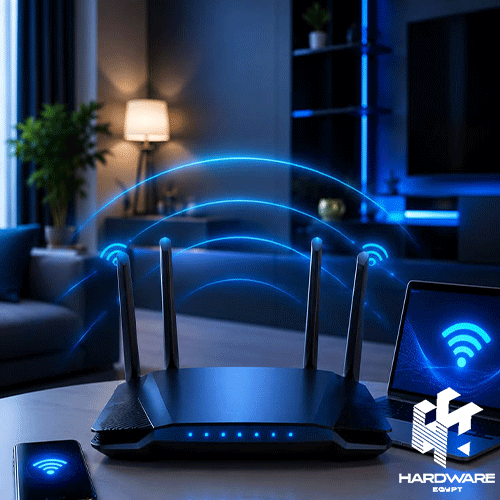
A Linksys wireless access point can be a practical option for extending business WiFi beyond the coverage of a single router, especially when the network needs multiple access points, Power over Ethernet, central management, or separate employee and guest networks. An Aruba access point is another strong direction for businesses that need scalable wireless coverage, particularly in offices, hotels, clinics, schools, retail locations, and other environments with many connected devices.
The right wifi access point should not be chosen by advertised wireless speed alone. Businesses need to consider the number of active devices, office layout, WiFi standard, Ethernet uplink, PoE requirements, security, management platform, roaming, mounting position, and product support lifecycle.
There is also an important buying consideration with Linksys. Several older Linksys Business access points now appear on the manufacturer’s official End-of-Life or End-of-Support lists, including older LAPAC and WAP models. Businesses considering a Linksys deployment should therefore verify the exact model and support date before buying older stock.
Aruba’s current small-business direction includes HPE Networking Instant On access points such as the AP22 and AP25. The AP22 offers WiFi 6, 2×2 MIMO, and a Gigabit Ethernet uplink, while the higher-capacity AP25 adds 4×4 WiFi 6 and a 2.5GbE uplink.
Businesses can start by browsing the current Access Point range in Egypt before comparing specific brands and network requirements.
Quick WiFi Access Point Decision Matrix
| Business Requirement | Better Direction | Main Reason | Important Check |
|---|---|---|---|
| Small office with moderate device count | WiFi 6 2×2 AP | Good balance of capacity and cost | PoE and coverage |
| Busy office or shared workspace | Higher-capacity 4×4 AP | Better handling of device-dense areas | Uplink speed and PoE budget |
| Simple centrally managed deployment | Cloud-managed AP | Easier remote monitoring | Management lifecycle |
| Existing Linksys business network | Compatible Linksys AP | Familiar management environment | End-of-support date |
| Growing SMB network | Aruba Instant On | Scalable small-business management | Correct AP model |
| Conference or high-density area | Higher-capacity Aruba AP | More spatial streams and faster uplink | Site survey and switch capacity |
| Outdoor area | Outdoor-rated AP | Designed for environmental exposure | IP rating and mounting |
| Multi-floor office | Multiple wired APs | Better coverage and roaming | Cabling and placement |
The most important point is that coverage and capacity are different. One powerful access point does not automatically replace several correctly positioned APs.
For a basic explanation of what an AP does in a network, read how an access point improves network performance.
What Does a WiFi Access Point Actually Do?
A wifi access point connects wireless devices to an existing wired network. Linksys describes a wireless access point as a device that adds wireless capability to a wired network and allows wireless computers, printers, and other devices to connect without requiring a cable to each endpoint.
This makes an access point different from the main router.
The router normally manages the internet connection and routes traffic between networks. The access point focuses on providing WiFi connectivity in a particular area.
For example, a company may place its router and firewall in a communications room while installing separate access points on office ceilings. Ethernet cables connect those access points back to network switches.
That structure allows the company to add wireless coverage where employees actually work rather than expecting one router to cover the whole building.
For wider business networking equipment, browse network solutions available through Hardware Egypt.
Access Point vs WiFi Extender: Which Is Better for Business?
A wired access point is generally the stronger direction when a business can run Ethernet to the installation location.
A range extender receives an existing wireless signal and repeats it. Linksys distinguishes this from an access point, which connects to the wired network and creates WiFi coverage from that connection.
That distinction matters in offices.
A wireless extender can be useful when cabling is impossible, but it depends heavily on the quality of the WiFi signal reaching the extender. A properly wired access point has a dedicated network connection back to the LAN.
For fixed office deployments, schools, clinics, retail branches, and similar environments, planning Ethernet for the access points usually gives the IT team more predictable control over the wireless network.
Linksys Wireless Access Point: What Should Businesses Know?
A Linksys wireless access point has historically covered standalone and cloud-managed business networking requirements, with models supporting features such as PoE and cloud management.
Linksys documentation lists business access points including the LAPAC1200C, LAPAC1750C, and LAPAC2600C with PoE support. These models use different antenna configurations and power requirements, which means switch capacity must be checked before a multi-AP installation.
Linksys also launched a WiFi 6 cloud-managed business access point platform with features including cloud-based management, zero-touch provisioning, captive portal functionality, and 4×4 internal antennas for higher-density environments.
The Linksys Lifecycle Issue
Product lifecycle is now one of the most important considerations when evaluating older Linksys Business hardware.
The official Linksys End-of-Life page shows that several LAPAC and WAP models have already reached End of Support, while models such as the LAPAX3600C are listed as End of Life with later support-end dates depending on SKU and region.
That does not mean every existing Linksys installation should immediately be replaced.
It means businesses purchasing a Linksys wireless access point should check:
- Exact model number.
- Regional SKU.
- End-of-life date.
- End-of-support date.
- Available firmware.
- Required management platform.
- Replacement options.
Older hardware can sometimes remain functional for years, but buying unsupported networking equipment for a new deployment creates unnecessary lifecycle and security risk.
Aruba Access Point: Why Businesses Consider Aruba Instant On
An Aruba access point is often considered when a business wants centrally managed WiFi with different capacity levels for offices, hospitality, education, healthcare, and customer-facing environments.
For small and growing companies, HPE Networking Instant On provides several AP levels.
Aruba Instant On AP22
The AP22 is a WiFi 6 2×2 access point. HPE lists a maximum aggregate wireless data rate of approximately 1.7 Gbps and positions it for small-business environments.
The AP22 includes:
- WiFi 6 / 802.11ax.
- 2×2 MIMO.
- Gigabit Ethernet uplink.
- 802.3af PoE input.
- Wall or ceiling mounting.
- WPA2 and WPA3 support.
- Web and mobile management.
- Guest WiFi capabilities.
HPE also lists OFDMA and Target Wake Time support, which are WiFi 6 technologies designed to improve network efficiency with compatible devices.
The AP22 is therefore a practical Aruba access point direction for normal offices and smaller device populations.
Aruba Instant On AP25
The AP25 is positioned higher in the Instant On range.
HPE specifies WiFi 6 with four spatial streams, up to 4.8 Gbps on the 5GHz band, 574 Mbps on 2.4GHz, and a 2.5 Gigabit Ethernet uplink.
The AP25 also supports:
- 4×4 WiFi 6.
- OFDMA.
- MU-MIMO.
- 160MHz channels.
- WPA2/WPA3.
- Guest network security.
- Cloud and mobile management.
HPE recommends the AP25 for more device-dense environments, while its AP22 is positioned at a lower capacity level.
That makes AP25 more relevant when many users may connect in the same physical area.
Linksys vs Aruba Access Point: Practical Comparison
| Business Requirement | Better Direction | Main Reason | Important Check |
|---|---|---|---|
| Small office with moderate device count | WiFi 6 2×2 AP | Good balance of capacity and cost | PoE and coverage |
| Busy office or shared workspace | Higher-capacity 4×4 AP | Better handling of device-dense areas | Uplink speed and PoE budget |
| Simple centrally managed deployment | Cloud-managed AP | Easier remote monitoring | Management lifecycle |
| Existing Linksys business network | Compatible Linksys AP | Familiar management environment | End-of-support date |
| Growing SMB network | Aruba Instant On | Scalable small-business management | Correct AP model |
| Conference or high-density area | Higher-capacity Aruba AP | More spatial streams and faster uplink | Site survey and switch capacity |
| Outdoor area | Outdoor-rated AP | Designed for environmental exposure | IP rating and mounting |
| Multi-floor office | Multiple wired APs | Better coverage and roaming | Cabling and placement |
The key difference is not simply brand quality.
For a new deployment in 2026, lifecycle status matters. A technically capable older Linksys model may be less attractive if firmware support is near its end. Aruba Instant On currently provides a clearer range of actively documented WiFi 6 small-business products.
WiFi 5 vs WiFi 6: Does the Standard Matter?
For a new business deployment, WiFi 6 is generally the stronger baseline when the budget and client devices support it.
WiFi 6 introduces technologies including OFDMA and MU-MIMO that help an access point communicate more efficiently with multiple compatible devices. HPE highlights both technologies on its current Instant On WiFi 6 products.
However, replacing a WiFi 5 AP with WiFi 6 does not automatically fix poor coverage.
The result still depends on:
- AP placement.
- Number of connected devices.
- Walls and building materials.
- Channel interference.
- Ethernet uplink.
- Internet bandwidth.
- Client-device capability.
- Network configuration.
Businesses should therefore treat WiFi generation as one part of the network design.
Hardware Egypt’s current access point category also includes older WiFi standards alongside business-class devices, so buyers should check specifications rather than assuming every listed AP is a current-generation model.
Coverage vs Capacity: The Most Important WiFi Planning Difference
Coverage asks, “Can the device receive a usable signal here?”
Capacity asks: Can the network serve all the devices using that signal at the same time?
A quiet office with ten users may cover a large area with relatively few access points. A training room with dozens of laptops and phones may need more capacity even if one AP technically covers the entire room.
Do not design an office network around a simple square-metre figure.
Walls, glass, concrete, shelving, interference, device density, and the applications being used all affect WiFi performance.
A proper deployment should map where employees work, where guests gather, where video calls happen, and where high-bandwidth devices are concentrated.
Why PoE Matters for Access Points
Power over Ethernet allows the network cable to carry both data and electrical power.
That is especially valuable for ceiling-mounted APs because the installer does not need a separate power outlet beside every access point.
Linksys lists PoE support across several business AP families, while Aruba Instant On AP22 supports 802.3af PoE and the higher-performance AP25 uses 802.3at.
The important detail is the switch’s PoE power budget.
A switch may physically have enough ports for eight access points but still lack enough available wattage to power all of them at full specification.
Before ordering APs, check:
- Number of PoE ports.
- PoE standard supported.
- Total switch power budget.
- Maximum consumption of each AP.
- Other PoE devices using the same switch.
Businesses can compare available network switches when planning a PoE-based deployment.
Gigabit vs 2.5GbE Uplink
The Ethernet port connecting the AP to the network can become a bottleneck.
The Aruba AP22 uses a Gigabit Ethernet uplink. The higher-performance AP25 provides 2.5GbE, which better supports the higher aggregate wireless capacity available from its 4×4 WiFi 6 radios.
That does not mean every office requires 2.5GbE.
For ordinary web browsing, email, cloud applications, and moderate office use, Gigabit Ethernet can still be appropriate. Higher-density deployments, large file transfers, and faster wireless environments may benefit more from multigigabit switching.
The network should be designed as one system rather than buying a fast AP and connecting it to infrastructure that cannot support its capabilities.
Security Features to Check
A business wifi access point should support more than a shared WiFi password.
Depending on the size and security requirements of the organisation, useful capabilities include:
- WPA2 or WPA3.
- Separate employee and guest networks.
- VLAN support.
- Guest isolation.
- Captive portal.
- Enterprise authentication.
- Central firmware management.
- Secure administrator access.
The Aruba Instant On AP25 supports WPA2/WPA3 and separate network configurations, while Linksys has provided captive portal and cloud-management functionality on selected cloud-managed business products.
Do not select an access point only because it has strong radio specifications. Management and security remain part of the buying decision.
Indoor vs Outdoor Access Points
Indoor APs should not automatically be mounted outdoors.
An outdoor access point is designed for exposure to environmental conditions and usually requires an appropriate weather-resistant enclosure, mounting method, temperature tolerance, and outdoor installation specification.
Outdoor areas may include:
- Warehouses and loading areas.
- Gardens and hospitality spaces.
- Outdoor retail areas.
- School grounds.
- Industrial sites.
- Parking areas.
If the project involves outdoor coverage, confirm the environmental specification of the exact model rather than assuming a ceiling AP will be suitable.
What Hardware Egypt Currently Lists
At the time of review on 12 August 2026, Hardware Egypt’s Access Point category displayed nine results. The visible range included Cisco and TP-Link networking products, while Linksys and Aruba were not shown among the current product listings on the reviewed category page.
One current business-class option shown is the Cisco Business 240AC Access Point, listed at EGP 9,999 on the reviewed category page.
The category also includes older TP-Link options, such as the TP-Link TL-WA901ND access point, which the current product page marks as sold out and lists at EGP 560.
Buyers looking for simpler alternatives can also review the general TP-Link Access Point listing or read the existing TP-Link Access Point guide before choosing a networking direction.
Availability and prices can change, so business buyers should verify current stock before using any listing as a final procurement quotation.
Common WiFi Access Point Buying Mistakes
Choosing by Advertised Speed Alone
Wireless speed does not tell you how an AP will perform across your building.
Ignoring Product Lifecycle
This is especially important when buying older Linksys business hardware. Verify firmware and support dates before purchasing.
Buying One Powerful AP Instead of Planning Several
Multiple properly placed APs may provide better coverage and capacity than one device transmitting from an unsuitable location.
Forgetting the PoE Budget
Enough Ethernet ports do not necessarily mean enough PoE power.
Mixing Business and Consumer Requirements
A home router may work well for a small room but may lack the segmentation, management, mounting, and roaming features needed by a growing office.
Ignoring Client Devices
Older laptops and phones cannot use every feature of a new WiFi standard.
Skipping a Site Survey
Floor plans alone do not show every source of interference or signal loss.
WiFi Access Point Buying Checklist
Before choosing a Linksys wireless access point, Aruba access point, or another business AP, confirm:
- Number of employees and guests.
- Estimated concurrent devices.
- Office layout and floors.
- Indoor or outdoor installation.
- WiFi standard required.
- 2.4GHz, 5GHz, or 6GHz requirements.
- MIMO and spatial-stream configuration.
- Gigabit or multigigabit Ethernet.
- PoE standard and power budget.
- Required number of SSIDs.
- Employee and guest segmentation.
- WPA3 or enterprise authentication requirements.
- Central or cloud management.
- Roaming requirements.
- Mounting hardware.
- Product lifecycle and firmware support.
- Current stock and warranty source.
- Expansion requirements over the next few years.
Final Verdict
A Linksys wireless access point can still make sense when it matches an existing Linksys business network and the exact model remains within an acceptable support lifecycle. The important step is verifying that lifecycle before purchasing older business AP stock.
An Aruba access point, particularly from the current HPE Networking Instant On range, offers a clearer route for new small-business WiFi deployments. AP22 is suited to moderate-density WiFi 6 environments, while AP25 provides more radio capacity and a faster 2.5GbE uplink for busier areas.
Regardless of brand, the best wifi access point is the one designed around the network rather than selected in isolation.
Plan device density, coverage, cabling, PoE, switching, security, management, and future expansion together. Businesses can compare the complete Hardware Egypt network solutions range or contact Hardware Egypt to confirm available models and project requirements.