


All-in-One Touch Screen Computer or Separate Monitor and PC: Which One Actually Fits Your Setup
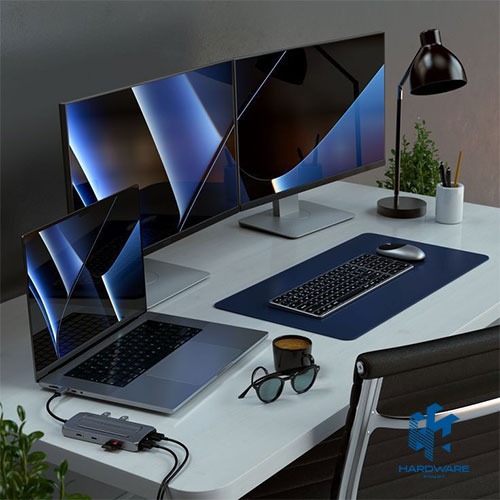
An all-in-one touch screen computer combines the display and PC components in one compact unit, while a separate monitor and desktop keep the screen and computer independent. The AIO is usually better for a clean desk, quick setup, reception work, and shared family use. A separate setup is usually better for upgrades, gaming, repairs, and choosing from the best computer monitors. This guide compares cost, performance, ports, display quality, and long-term ownership before you browse computer monitors for sale.
The Quick Difference
An all-in-one touchscreen computer is the simpler, more space-saving choice. A separate monitor and PC give you more control over each part individually. The table below lays out the practical differences that actually affect day-to-day use, not just the spec sheet.
| All-in-One Touch Screen Computer | Separate Monitor + PC | |
|---|---|---|
| Desk space | One device, minimal cables | Tower or case plus a separate monitor takes more room |
| Upgradability | Very limited; RAM and storage are often soldered or hard to access | Swap the PC, the monitor, or both independently |
| If the screen breaks | The whole system may need repair | Replace just the monitor; the PC keeps working |
| Touch input | Built in on touchscreen models | Rare on standalone monitors and usually not worth seeking out |
| Best for | Home offices, students, reception desks, and space-limited setups | Gamers, upgraders, multi-monitor setups, and heavy multitaskers |
What Is an All-in-One Touch Screen Computer
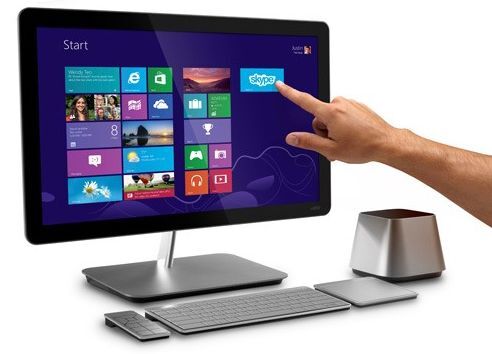
An all-in-one (AIO) touch screen computer builds the motherboard, processor, and storage directly behind the display. The entire computer becomes one object on your desk. Touch models add a responsive display layer on top, letting you tap, swipe, or use a stylus directly on screen alongside a wireless keyboard and mouse. HP’s own HP Pavilion 27 All-in-One PC is a good example of how these systems are configured for Egyptian buyers. It typically bundles the display, processor, RAM, and storage into one 23 to 27-inch unit.
Categories of All-in-One PCs
- Everyday productivity AIOs: Built for browsing, streaming, and office apps, usually the most affordable tier.
- Business and professional AIOs: Add faster processors, TPM security chips, and Pro editions of Windows for office deployment.
- Creative workstation AIOs: Pair stronger CPUs with color-accurate displays for design and photo work.
- Touchscreen AIOs: Add direct touch or stylus input, useful for presentations, reception desks, or interactive use.
- Compact AIOs: Smaller 21 to 24-inch displays that prioritize saving desk space over raw specs.
What Is a Separate Monitor and PC Setup
The alternative is what most people picture as a traditional desktop: a tower or mini PC connected to an external display. If you’re researching the best computer monitors for sale as part of this setup, the core specs to check are panel type, resolution, refresh rate, and port compatibility with your PC. We cover that in full detail in our Computer Monitors Buying Guide and our Computer Monitor in Egypt. This comparison instead focuses on how that setup stacks up against an all-in-one.
All-in-One vs. Separate Setup: Full Comparison
Beyond the quick summary above, a few specific trade-offs are worth understanding before you commit to either direction.
- Performance ceiling: Separate setups can pair a more powerful PC with any monitor. AIOs are generally built around integrated graphics rather than a dedicated GPU.
- Cable management: An AIO reduces cable clutter to just power and peripherals. The display and PC share one enclosure.
- Multi-monitor use: A separate PC can drive two or three monitors easily; most AIOs support only one additional external display, if any.
- Repair and service: A failed component in an AIO often means sending in the whole unit. A separate setup lets you isolate and replace just the faulty part.
- Total cost over time: AIOs typically cost more per unit of performance, since the display is bundled in. A separate setup lets you reuse an existing monitor or PC when upgrading.
What All-in-One Touch Screen Computers Cost in Egypt
Pricing gives a clearer picture than specs alone when comparing the two setups. HP all-in-one PCs currently listed in the Egyptian market range from around 31,000 EGP for entry-level configurations up to 57,000 EGP and beyond for higher-spec models. A standalone 27-inch monitor, by comparison, typically costs a fraction of that. This is exactly why a separate setup can work out cheaper if you already own a capable PC and just need a display.
- Entry-level HP AIO (Core i5, 8GB RAM): Around 31,000 EGP
- Mid-range HP AIO (Core i7, 16GB RAM): Around 35,000–45,000 EGP
- Higher-spec HP AIO (larger storage, higher RAM): 57,000 EGP and above
- Standalone 27-inch FHD monitor: Often a few thousand EGP, a small fraction of an equivalent AIO’s price
These figures move with currency shifts and new model releases. Treat them as a planning reference rather than a live quote, and always confirm current pricing before comparing specific listings.
Who Should Choose an All-in-One Touch Screen Computer
- Home offices and small apartments where desk space is limited.
- Students or family computers used mainly for browsing, schoolwork, and video calls.
- Reception desks, retail counters, or reception-facing setups where touch input speeds up daily use.
- Anyone who wants a clean, plug-and-play setup without configuring separate components.
Who Should Choose a Separate Monitor and PC
- Gamers or creators who need a dedicated graphics card and the option to upgrade it later.
- Anyone running a multi-monitor setup for trading, design, or heavy multitasking.
- Buyers who already own a decent monitor and only need to replace the PC, or vice versa.
- Users who expect to upgrade RAM or storage down the line rather than replace the whole system.
Common Mistakes When Choosing Between the Two
- Buying an AIO expecting gaming performance: Most AIOs rely on integrated graphics. Demanding games and heavy rendering work usually disappoint as a result.
- Assuming a touchscreen is essential: For most productivity work, touch is a nice-to-have rather than something that changes daily performance.
- Underestimating RAM needs: 16GB is now a practical minimum for smooth multitasking on Windows. It’s rarely upgradable after purchase on an AIO.
- Ignoring repair logistics: If a screen or component fails on an AIO, the whole unit may be out of use during repair. That’s unlike a separate monitor and PC.
- Comparing sticker price only: An AIO and a separate monitor-plus-PC at the same price rarely offer the same raw performance. The AIO’s price includes the integrated display.
Buying Checklist
- Decide whether desk space or upgradability matters more for your situation.
- Check whether your main use case needs a dedicated GPU (gaming, video editing) or not.
- If choosing an AIO, confirm RAM and storage are enough now, since upgrades are limited later.
- If choosing a separate setup, confirm your PC’s ports match the monitor’s inputs.
- Compare warranty terms, since AIO repairs can take longer if the display and PC are one unit.
- Test the touch response and keyboard feel in person if touch input matters to you.
Display, Ports, Webcam, and Ergonomics
The screen is part of the purchase price of an all-in-one touch screen computer, so compare resolution, panel type, brightness, color coverage, touch accuracy, and anti-glare treatment. A separate setup gives more freedom to choose Computer Monitors with a higher refresh rate, better ergonomics, or more accurate color without replacing the PC.
Check whether the AIO stand supports height adjustment, tilt, or rotation, and whether the webcam has a privacy shutter. Port placement matters too: USB-C charging, HDMI output, Ethernet, and accessible USB ports can make the difference between a clean setup and constant adapter use. Some AIO models include HDMI input and can work as a display for another device, but this must be confirmed model by model.
When comparing computer monitors for sale separately, also budget for speakers, webcam, keyboard, mouse, and cables. A separate Desktop Computers setup can cost more at checkout if those items are missing, but it usually offers a longer upgrade path and easier repairs than an integrated system.
Related pages: Desktops PCs, Headphones & Speakers, and mouse and keyboard.
An all-in-one touchscreen computer wins on simplicity, desk space, and clean setup. A separate monitor and PC wins on performance ceiling, repairability, and long-term flexibility. Match the choice to how you actually use the machine day to day, not just the price tag on the box.
Browse HP’s all-in-one desktop lineup or explore computer monitors for sale and Computer Screens at Hardware Egypt to compare current options for either setup.
Frequently Asked Questions
Is an all in one touch screen computer better than a regular desktop?
Neither is universally better. An AIO saves space and simplifies setup. A regular desktop with a separate monitor gives you more upgrade flexibility and stronger performance for the same budget.
How much RAM does an all-in-one touch screen computer need?
16GB is now considered the practical minimum for smooth multitasking on Windows. AIOs rarely allow RAM upgrades after purchase.
Can I use an all-in-one computer for gaming?
Light gaming is usually fine. But most AIOs rely on integrated graphics rather than a dedicated GPU, so demanding modern games will struggle compared to a gaming desktop or laptop.
Is it cheaper to buy a monitor and PC separately than an all-in-one?
Often yes, especially if you already own one of the two components. Buying separately also lets you spend more on the part that matters most to you, like a stronger PC or a higher-quality display.
What screen size is best for an all-in-one touch screen computer?
23 to 24 inches suits compact, everyday use, while 27 inches and larger is more comfortable for multitasking, creative work, or shared use in an office setting.