


Dell Workstation Laptop vs Business Laptop: What’s Best for Programming?
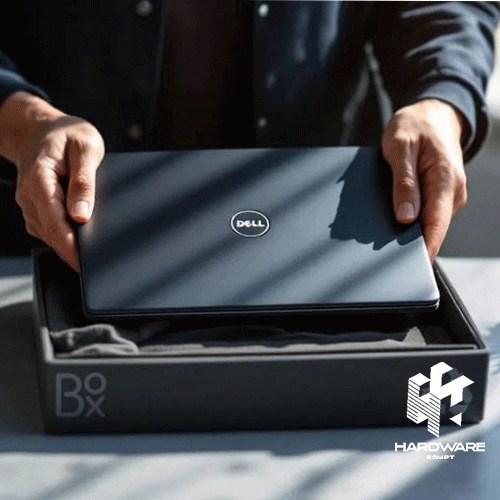
Choosing a Dell workstation laptop makes sense when your work demands more performance than a standard business notebook can comfortably provide. Developers running several virtual machines, AI tools, large databases, engineering applications, or graphics-heavy software may benefit from workstation-class hardware.
But not every programmer needs that level of power. Many Dell business laptops can handle web development, backend programming, databases, office work, and everyday coding without the extra weight or cost of a mobile workstation.
The best Dell laptop for programming therefore depends on the type of development you do. RAM, CPU performance, storage, graphics requirements, portability, display size, operating system support, and upgradeability matter more than simply choosing the most expensive Dell model.
Dell’s current commercial portfolio reflects this difference. Dell Pro laptops focus on mainstream business productivity, while Dell Pro Precision and Dell Pro Max systems target higher-performance professional workloads.
Buyers in Egypt can start by reviewing the current Dell products available through Hardware Egypt and the wider laptop range in Egypt before comparing the configuration that fits their workload.
Quick Dell Laptop Decision Matrix
| Work Requirement | Better Direction | Key Specifications | Main Reason |
|---|---|---|---|
| Web development | Dell business laptop | 16GB RAM, modern CPU, SSD | Good balance of speed and mobility |
| General software development | Higher-spec business laptop | 16–32GB RAM, fast SSD | Strong multitasking |
| Mobile app development | Business or performance laptop | 16GB+ RAM, strong CPU | Emulators can use significant memory |
| Multiple virtual machines | Dell workstation laptop | 32GB+ RAM, high-performance CPU | Better sustained heavy workloads |
| AI and machine learning | Workstation with discrete GPU | 32GB+ RAM, suitable NVIDIA GPU | GPU acceleration may be important |
| CAD or engineering software | Dell workstation laptop | Professional CPU/GPU configuration | Designed for demanding professional apps |
| Data analysis | Business or workstation | 16–32GB+ RAM, fast CPU | Depends on dataset size |
| Student programming | Mid-range business laptop | 16GB RAM, SSD | Usually enough for learning and projects |
| Frequent travel | Lightweight business laptop | Efficient CPU, 14-inch display | Easier portability |
| Programming + gaming | Performance/gaming laptop | H/HX CPU, discrete GPU | Handles both types of workload |
The main decision is whether your development work needs workstation-level CPU, memory, or graphics performance. If not, a lighter business laptop may provide better value and portability.
What Is a Dell Workstation Laptop?
A Dell workstation laptop is a portable computer designed for professional workloads that can demand more processing power, memory, graphics performance, reliability, or configuration flexibility than mainstream notebooks.
Dell’s workstation portfolio currently includes Dell Pro Precision and Dell Pro Max mobile systems. Dell also continues to list Precision models such as the Precision 5490 alongside newer Dell Pro Precision products.
For example, Dell currently positions the Dell Pro Max range for power users, engineers, creators, and AI developers. Higher-end configurations can include NVIDIA RTX PRO graphics alongside Intel Core Ultra processors and substantial memory options.
A workstation can therefore be useful for workloads such as:
- Artificial intelligence development.
- Machine learning.
- CAD and engineering applications.
- 3D modelling.
- Data science.
- Large software builds.
- Multiple virtual machines.
- Simulation.
- Professional content creation.
- GPU-accelerated development.
However, workstation hardware is not automatically necessary for ordinary coding.
Dell Workstation Laptop vs Dell Business Laptops
The difference is mainly about workload.
Dell business laptops prioritise daily productivity, portability, professional security, connectivity, and manageability.
Workstations prioritise performance for heavier professional applications.
Dell’s current Dell Pro 14, for example, is positioned as a professional productivity laptop with Windows 11 Pro, DDR5 memory configurations, business security, and a portable 14-inch design.
Dell Pro Max systems move further toward workstation workloads. Current Dell Pro Max 16 configurations include H-series Intel Core Ultra processors, DDR5 memory, NVMe SSDs, and options that extend to NVIDIA RTX PRO graphics.
Business Laptop
Better suited to:
- Office productivity.
- Web development.
- Front-end development.
- Standard backend development.
- Remote work.
- Business applications.
- Moderate database work.
- Frequent travel.
Workstation Laptop
Better suited to:
- AI and ML development.
- Engineering.
- GPU computing.
- Large virtualised environments.
- Professional graphics.
- Large local datasets.
- Complex simulations.
- Demanding compilation workflows.
The best option is not determined by job title. Two software developers can require completely different laptops depending on the tools they run.
What Makes the Best Dell Laptop for Programming?
The best Dell laptop for programming needs enough resources to run your development environment comfortably today while leaving some room for future projects.
Dell’s current programming guidance recommends considering processor performance, at least 16GB of RAM for many development workflows, SSD storage, display quality, keyboard comfort, connectivity, and battery life. Dell also notes that a dedicated GPU is not necessary for most general programming, although it can be valuable for machine learning, game development, and graphics-intensive work.
Start With the Processor
A modern CPU is important for:
- Compiling code.
- Running IDEs.
- Local servers.
- Docker containers.
- Virtual machines.
- Data processing.
- Automated testing.
- Multitasking.
For straightforward web programming, a modern Core i5-class or equivalent processor can be sufficient.
More demanding developers may benefit from Core i7, Core Ultra 7, Ryzen 7, or workstation-oriented processors, depending on the laptop generation and workload.
Do not compare processors based only on the words i5 or i7. Generation, architecture, core count, thermal design, and laptop configuration can make a significant difference.
How Much RAM Does a Programmer Need?
For a new development laptop, 16GB is a sensible starting point for many programmers.
Dell’s own current programming guidance recommends at least 16GB for developers and notes that users working with virtual machines, containers, large codebases, or heavier development environments may benefit from 32GB or more.
16GB RAM
Suitable for many:
- Web developers.
- Front-end developers.
- Students.
- WordPress developers.
- PHP developers.
- Python programmers.
- Standard .NET work.
- General Java development.
32GB RAM
More appropriate when using:
- Multiple IDEs.
- Several Docker containers.
- Android emulators.
- Large databases.
- Virtual machines.
- Large projects.
- Heavy browser multitasking.
64GB or More
Can become relevant for:
- AI development.
- Data science.
- Multiple large VMs.
- Engineering software.
- Large-scale local development environments.
- Professional workstation workflows.
Dell’s current Dell Pro Max 16 configurations can be configured with substantially higher memory capacities than basic business laptops, which is one reason workstation-class systems are useful for these workloads.
SSD Storage: 512GB or 1TB?
For programming, an SSD should be considered essential for a modern development laptop.
Dell currently recommends fast SSD storage for programming because development environments involve frequent access to project files, applications, dependencies, and local databases.
512GB SSD
Can work for:
- Students.
- Web development.
- Cloud-based workflows.
- Smaller projects.
- Developers who store limited data locally.
1TB SSD
Provides more breathing room for:
- Multiple IDEs.
- Virtual machines.
- Docker images.
- Local databases.
- Large repositories.
- Android development.
- Data projects.
A developer working with several VMs can consume hundreds of gigabytes surprisingly quickly.
Storage capacity should therefore be planned around the complete development environment rather than only source-code files.
Do Programmers Need a Dedicated GPU?
Most do not.
General coding, web development, backend applications, databases, and many software-engineering tasks can run well on integrated graphics.
Dell’s own developer guidance says dedicated graphics are not essential for most programming but can become useful for machine learning, game development, and graphics-intensive applications.
A dedicated GPU becomes more relevant for:
- CUDA development.
- AI model experimentation.
- Machine learning.
- Game development.
- 3D development.
- CAD.
- Computer vision.
- GPU rendering.
This is one area where a Dell workstation laptop can provide a significant advantage.
For example, Dell currently offers Dell Pro Max configurations with NVIDIA RTX PRO Blackwell-generation GPUs.
Dell Pro Max for Demanding Programming Work
Dell Pro Max is one of the current directions for developers whose workloads extend beyond normal business computing.
The current Dell Pro Max 16 can be configured with Intel Core Ultra H-series processors, DDR5 memory, NVMe SSDs, Windows 11 Pro or Ubuntu on selected configurations, and different graphics options.
That makes the range relevant to:
- Software engineers running heavy local environments.
- AI developers.
- Data scientists.
- Engineering programmers.
- Developers using several VMs.
- Professionals working with large datasets.
Higher-level Dell Pro Max 16 Premium configurations can also include RTX PRO graphics and 32GB memory, targeting considerably heavier professional workloads.
However, this level of hardware is unnecessary for many developers.
Dell Business Laptops for Programming
For mainstream programming, Dell business laptops can often be the more practical choice.
Latitude and newer Dell Pro models emphasise business productivity, portability, manageability, and professional connectivity. Dell currently describes the Dell Pro 14 as a portable professional laptop designed around productivity, security, and a 16:10 business display.
Hardware Egypt currently carries several Latitude configurations that can fit different professional workloads.
Dell Latitude 5440
The current Dell Latitude 5440 listing describes a configuration with a Core i5-1335U processor, 8GB RAM, 512GB M.2 SSD, 14-inch FHD display, and integrated graphics. The reviewed page showed a price of EGP 49,300 on 12 August 2026.
For programming, I would consider upgrading beyond 8GB RAM where possible, particularly for developers using modern IDEs, containers, or emulators.
Dell Latitude 5430
The Dell Latitude 5430 XCTO is another business-oriented option currently listed by Hardware Egypt. The page describes Core i5/i7 processor options, up to 16GB DDR4 in the reviewed specifications, SSD configurations, and a 14-inch display.
It can make more sense than a workstation when programming requirements are primarily CPU, RAM, and storage based rather than GPU intensive.
Dell Latitude 7420
The Dell Latitude 7420 is listed with configurations including 16GB RAM and a 512GB SSD in Hardware Egypt’s current description, alongside a portable 14-inch form factor.
That 16GB/512GB combination is much closer to the baseline many developers should consider for a modern programming environment.
Dell Vostro for Entry-Level Business Programming
Vostro has traditionally targeted smaller-business users and can suit lighter programming requirements when the configuration is adequate.
Hardware Egypt currently lists the Dell Vostro 3500 in several historical configurations. One reviewed listing showed an 11th-generation Core i3 model at EGP 18,950, while another Hardware Egypt listing surfaces a Core i7 version at EGP 22,645.
The important factor is the exact configuration.
For current programming work, 4GB RAM would be too restrictive for many modern developer workflows. A buyer should confirm RAM and SSD capacity before selecting an older Vostro configuration.
What About Dell Gaming Laptops for Programming?
A gaming laptop can also be a powerful programming machine, especially if GPU performance is required.
Hardware Egypt currently lists the Dell G15-5530 with a Core i7-13650HX processor, 16GB DDR5 RAM, 512GB SSD, and NVIDIA RTX 3050 6GB graphics. The reviewed listing showed EGP 54,900 on 12 August 2026.
That configuration can be relevant to:
- Game developers.
- AI learners.
- CUDA experiments.
- Computer-vision projects.
- Programmers who also game.
However, gaming laptops and workstations are designed around different priorities. A gaming model may emphasise high-refresh displays and GeForce graphics, while a workstation may offer professional GPU options, business operating-system configurations, and workstation-focused platform choices.
Dell Laptop Programming Requirements by Workload
| Programming Workload | RAM Direction | GPU Requirement | Dell Direction |
|---|---|---|---|
| HTML/CSS/JavaScript | 16GB | Integrated is fine | Business laptop |
| WordPress/PHP | 16GB | Integrated | Business laptop |
| Python development | 16GB | Integrated for most work | Business laptop |
| Java/.NET | 16–32GB | Usually integrated | Business laptop |
| Android development | 16–32GB | Usually integrated | Higher-spec business laptop |
| Docker-heavy development | 32GB preferred | Integrated | Business/workstation |
| Multiple VMs | 32GB+ | Integrated or discrete | Workstation |
| Data science | 32GB+ | Depends on workload | Business/workstation |
| Machine learning | 32GB+ | Dedicated GPU often useful | Workstation |
| Game development | 32GB recommended | Dedicated GPU | Workstation/gaming |
| CAD development | 32GB+ | Professional GPU may help | Workstation |
| AI model development | 32–64GB+ | Suitable dedicated GPU | Workstation |
The exact requirement depends on project scale. A Python developer building small web applications has very different hardware needs from a Python developer training machine-learning models locally.
14-Inch vs 16-Inch for Programming
Screen size affects both comfort and portability.
14-Inch Dell Laptop
Better for:
- Commuting.
- Client visits.
- Hybrid working.
- Frequent travel.
- Developers using external monitors at their main desk.
Dell currently offers both business and workstation-class systems in 14-inch formats, including Dell Pro and Dell Pro Precision models.
16-Inch Dell Laptop
Better for:
- Long coding sessions.
- Split-screen development.
- IDE + browser workflows.
- Data work.
- Developers who rarely use an external monitor.
Dell currently offers 16-inch workstation options across its Pro Max and Pro Precision ranges.
The trade-off is portability. Larger systems normally take more desk and bag space.
Keyboard and Display Matter More Than Many Buyers Expect
Programmers spend hours reading and typing.
A fast processor cannot compensate for a keyboard that feels uncomfortable or a display that makes long coding sessions tiring.
Dell’s own programming guidance specifically highlights keyboard quality, display resolution, and screen size as important factors when choosing a developer laptop.
Consider:
- Comfortable key spacing.
- Backlit keyboard.
- Screen resolution.
- Anti-glare finish.
- 14–16-inch size.
- External-monitor support.
- USB-C or Thunderbolt where required.
Developers who spend most of the day at one desk can also pair the laptop with a larger computer monitor for additional coding space.
Windows or Linux for Programming?
The correct operating system depends on your development stack.
Windows is useful for:
- .NET.
- Windows application development.
- Microsoft enterprise environments.
- General development.
Linux can be useful for:
- Backend development.
- DevOps.
- Server development.
- Open-source tooling.
- Container workflows.
Dell currently offers Ubuntu Linux on selected Dell Pro Max configurations alongside Windows 11 Pro.
Many Windows developers can also use Linux development environments through virtualisation or compatible subsystem tools, depending on their project.
The laptop should be chosen after checking the software and operating systems your development tools require.
Current Dell Options on Hardware Egypt
The following examples were reviewed on 12 August 2026.
| Dell Model | Main Direction | Reviewed Configuration | Reviewed Price |
|---|---|---|---|
| Dell Latitude 5300 | Portable business | Core i5, 8GB, 256GB | EGP 14,960 |
| Dell Vostro 3500 | Small-business laptop | Configuration varies | EGP 18,950+ |
| Dell Latitude 5440 | Modern business | Core i5, 8GB, 512GB SSD | EGP 49,300 |
| Dell G15-5530 | Performance / GPU work | Core i7, 16GB, RTX 3050 | EGP 54,900 |
Hardware Egypt currently lists the Latitude 5300 at EGP 14,960, the reviewed Vostro 3500 page at EGP 18,950, Latitude 5440 at EGP 49,300, and G15-5530 at EGP 54,900. Prices and stock can change, so the live product page should always be checked before ordering.
Hardware Egypt’s dedicated Dell brand catalogue currently includes laptops, desktops, monitors, servers, and workstation products.
The reviewed Workstation category currently focuses on desktop Dell Precision systems rather than mobile workstation laptops, so buyers specifically looking for a current Dell mobile workstation should confirm availability directly.
Common Dell Laptop Buying Mistakes for Programmers
Buying a Workstation Just Because It Is More Powerful
More performance is useful only when your applications can use it.
A web developer may gain more from lower weight and better battery life than from a professional GPU.
Buying Only 8GB RAM
For light coding it can still work, but modern IDEs, browsers, local servers, Docker, and emulators can consume memory quickly.
For a new professional programming laptop, 16GB is the more sensible baseline for many workflows.
Ignoring Upgradeability
Check whether RAM and storage can be upgraded.
Some thin premium laptops use soldered memory, while other business or workstation designs offer replaceable modules.
The exact specification should be confirmed for the configuration being purchased.
Paying for a GPU You Do Not Need
A dedicated GPU adds cost and may affect power consumption and portability.
General programming usually does not require one.
Choosing by Core i7 Branding Alone
A newer Core i5 or Core Ultra configuration can outperform an older i7 in some workloads.
Always compare the exact processor generation and model.
Ignoring the Display and Keyboard
Programming involves continuous reading and typing. Comfort matters every day.
Dell Programming Laptop Buying Checklist
Before choosing the best Dell laptop for programming, check:
- Primary programming language.
- Main IDE.
- Number of simultaneous applications.
- Virtual-machine requirements.
- Docker/container usage.
- Local database size.
- AI or machine-learning requirements.
- GPU acceleration requirements.
- Minimum 16GB RAM for most professional new purchases.
- 32GB+ for heavier workflows.
- SSD capacity.
- Upgradeability.
- CPU generation.
- Number of CPU cores.
- Dedicated GPU requirement.
- Display size.
- Screen resolution.
- Keyboard comfort.
- External-monitor support.
- USB-C/Thunderbolt requirements.
- Ethernet requirements.
- Windows or Linux compatibility.
- Battery and mobility requirements.
- Current price.
- Current availability.
The best configuration is the one that supports your actual development environment without paying for workstation features you are unlikely to use.
Final Verdict: Workstation or Business Laptop?
A Dell workstation laptop is the stronger choice when programming is combined with demanding local computing.
Choose workstation-class hardware when your work regularly involves multiple virtual machines, AI development, machine learning, engineering applications, 3D workflows, large datasets, or professional GPU acceleration.
For mainstream programming, Dell business laptops are often the more balanced choice. A modern processor, 16–32GB of RAM, fast SSD storage, comfortable keyboard, and good display can handle a wide range of web, backend, database, Java, Python, .NET, and general software-development workloads.
The best Dell laptop for programming is therefore not necessarily a Precision or Pro Max workstation. It is the Dell configuration that matches your development tools.
Start with RAM and CPU requirements. Then assess storage, GPU needs, display size, portability, and operating-system compatibility.
Buyers can compare Dell laptops at Hardware Egypt or review the wider Dell product catalogue before choosing a configuration.
For business quantities or a specific professional requirement, use the Hardware Egypt contact page to confirm current Dell models, configurations, and availability.