


Gaming Computer Monitors: How to Choose the Right Screen
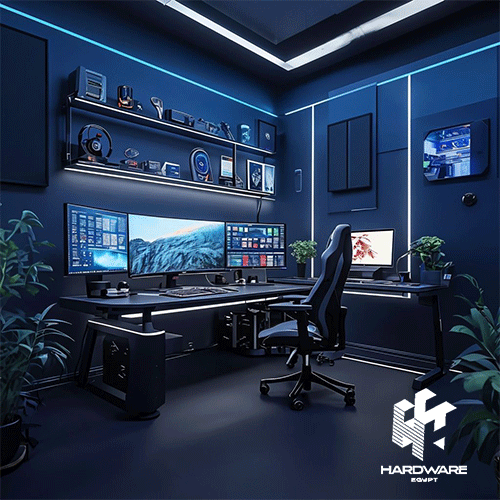
Choosing gaming computer monitors is about more than buying the biggest screen or the highest refresh rate you can find. The right monitor needs to match your graphics card, the games you play, your preferred resolution, available desk space, and whether the screen will also be used for work or entertainment.
A competitive gamer may prioritise high refresh rates and fast response times. Someone playing cinematic single-player games may care more about resolution, contrast, HDR, and screen size. A person using the same setup for gaming and creative work may need a more balanced display.
A touch screen computer monitor serves a different purpose. Touch functionality can be useful for retail, interactive presentations, control systems, creative workflows, and other hands-on applications, but touch alone does not make a monitor suitable for gaming.
Understanding the different types of computer monitor displays therefore makes the buying decision much easier. Panel technology, resolution, refresh rate, size, connectivity, touchscreen capability, and intended use should all be considered together.
Hardware Egypt currently has a dedicated Computer Screens category with 20 listed screens, alongside a wider Monitors category containing monitors, TVs, and projectors.
Quick Computer Monitor Decision Matrix
| Main Use | Suitable Monitor Direction | Features to Prioritise | What Matters Most |
|---|---|---|---|
| Competitive gaming | High-refresh gaming monitor | 144Hz+, low response time, VRR | Smooth motion |
| General gaming | QHD gaming monitor | 144–180Hz, good panel | Balance of detail and speed |
| Cinematic gaming | Large QHD/4K monitor | Contrast, HDR, resolution | Image quality |
| Office work | IPS business monitor | FHD/QHD, ergonomics | Comfort and clarity |
| Gaming + work | Fast IPS/QHD monitor | 144Hz+, good colour | Versatility |
| Interactive business use | Touch screen monitor | Multi-touch, USB, sturdy stand | Interaction |
| Creative work | IPS/OLED high-resolution display | Colour performance, resolution | Visual accuracy |
| Multi-window productivity | Ultrawide monitor | Wide resolution, screen size | Workspace |
| Console gaming | Gaming monitor with suitable HDMI support | Resolution, refresh rate, VRR | Console compatibility |
The strongest choice is the monitor that matches the workload. A 240Hz display is not automatically better for someone whose system or games rarely produce high frame rates.
What Makes Gaming Computer Monitors Different?
Gaming computer monitors are designed to display fast-changing game output with greater smoothness and responsiveness than a basic office monitor.
The most important specifications normally include:
- Refresh rate.
- Response time.
- Resolution.
- Variable refresh rate support.
- Panel technology.
- Input connectivity.
- Screen size.
- Graphics-card compatibility.
Samsung defines refresh rate as the number of times a screen updates its image each second. A 144Hz display can therefore refresh up to 144 times per second, while a 240Hz display can update more frequently. Higher refresh rates can make motion appear smoother when the connected computer can also produce enough frames.
For a broader explanation of monitor specifications beyond gaming, Hardware Egypt’s existing Computer Monitors Buying Guide provides additional guidance on general display selection.
What Refresh Rate Should You Choose?
Refresh rate is one of the first specifications gamers should examine.
60Hz
A 60Hz monitor remains suitable for:
- Office applications.
- Web browsing.
- Documents.
- General media.
- Games where high frame rates are not important.
Samsung currently describes 60Hz as appropriate for everyday computer tasks, while higher refresh rates become increasingly useful for gaming and fast-moving content.
100Hz to 120Hz
This level can provide noticeably smoother motion than 60Hz and can suit casual gamers who do not need a competitive esports display.
Samsung currently positions approximately 100–120Hz as a practical range for casual to moderately competitive gaming.
144Hz to 200Hz
For many PC gamers, this is a strong middle ground.
Samsung recommends 144Hz or higher for most gamers and places the 144–200Hz range around fast-paced FPS, fighting, racing, and action games.
This makes 144Hz or 165Hz a practical specification to consider when shopping for gaming computer monitors without immediately moving into premium competitive hardware.
240Hz and Higher
Very high refresh rates are more relevant to competitive players who value maximum motion smoothness and have hardware capable of producing correspondingly high frame rates.
Samsung currently positions 240Hz and higher primarily toward highly competitive gaming.
The monitor and GPU should therefore be considered together.
Response Time: Why Gamers Should Care
Refresh rate tells you how frequently the image can update. Response time describes how quickly pixels can transition.
Slow pixel transitions may contribute to visible trails or blur during fast movement.
Samsung’s current gaming guidance highlights low response times as particularly important for fast-paced games and notes that modern Odyssey gaming products can reach 1ms or below depending on panel technology and model.
Do not compare response-time numbers in isolation, however. Manufacturers can measure and advertise response performance differently.
Use response time together with:
- Refresh rate.
- Independent use case.
- Panel technology.
- Resolution.
- VRR support.
- Overall monitor quality.
Resolution: FHD vs QHD vs 4K
Resolution controls how many pixels the monitor displays.
Full HD — 1920 × 1080
FHD remains useful for:
- Budget gaming.
- Competitive gaming.
- Smaller screens.
- Systems where maintaining high frame rates matters more than maximum detail.
It is generally easier for a graphics card to render games at 1080p than at higher resolutions because fewer pixels need to be processed.
QHD — 2560 × 1440
QHD provides more detail than FHD while remaining a common choice for high-refresh gaming.
Hardware Egypt’s current Samsung LC32G55TQBM is one example: it combines a 32-inch 2560 × 1440 display with a 144Hz refresh rate, curved VA panel, 1ms listed response time, and AMD FreeSync Premium.
4K — 3840 × 2160
4K provides significantly more pixels and visual detail, but gaming at native 4K can demand considerably more graphics processing.
A 4K screen may therefore make sense for:
- High-end gaming PCs.
- Single-player games.
- Content creation.
- Gaming and productivity on one display.
- Users who prioritise sharpness over extremely high frame rates.
Hardware Egypt currently lists the Samsung LS32BM700UM 32-inch 4K monitor with 3840 × 2160 resolution and a 60Hz refresh rate. It demonstrates why resolution and gaming speed should be evaluated separately: 4K resolution does not automatically mean high-refresh gaming performance.
Types of Computer Monitor Panels
When people discuss the types of computer monitor available, they may be referring to either intended use or panel technology.
The major panel technologies currently encountered in PC monitors include IPS, VA, TN, and OLED. BenQ identifies TN, VA, and IPS as the primary TFT-LCD panel families, while OLED uses a different self-emissive display technology.
IPS Monitors
IPS monitors are popular because they can offer strong viewing angles and balanced picture quality.
They are commonly used for:
- Office work.
- General gaming.
- Content creation.
- Mixed gaming and productivity.
- Multi-monitor setups.
Fast IPS technology has also made IPS increasingly relevant to gaming. Samsung’s current Odyssey range includes Fast IPS gaming monitors designed to combine broad viewing angles with faster motion performance.
Hardware Egypt’s Dell P2419H is an example of a business-oriented IPS monitor. It has a 23.8-inch FHD panel, 60Hz refresh rate, 178-degree listed viewing angles, and HDMI, DisplayPort, VGA, and USB connectivity.
VA Monitors
VA panels are often chosen for stronger contrast than typical IPS LCD panels.
They can work particularly well for:
- Immersive gaming.
- Dark game environments.
- Movies.
- Curved screens.
- Users who value contrast.
Samsung’s current Hardware Egypt G5 listings use VA panels alongside curved screens and high refresh rates. The 27-inch LC27G55TQBM, for example, combines a VA panel, QHD resolution, 144Hz refresh rate, and 1000R curvature.
VA performance can vary by model, so buyers should not assume every VA panel has identical motion characteristics.
TN Monitors
TN is an older LCD panel architecture that remains relevant mainly when speed and motion handling are prioritised.
It has traditionally been used in competitive gaming displays because TN panels can support very fast pixel transitions and high refresh rates.
The trade-off is that IPS generally provides stronger viewing angles and picture quality for mixed usage.
TN may therefore still make sense for a dedicated esports setup, but it is less compelling for someone who also needs a monitor for visual work.
OLED Gaming Monitors
OLED does not require the same backlight structure as an LCD panel because its pixels emit their own light.
Modern OLED gaming monitors can deliver extremely deep blacks, very high contrast, and extremely fast response behaviour.
Samsung’s current Odyssey OLED range combines OLED panels with high refresh rates, rapid response times, and gaming-focused features.
OLED can be attractive for:
- Premium gaming.
- HDR-oriented games.
- Fast motion.
- High-contrast scenes.
- Gaming and media.
However, buyers should still compare price, brightness behavior, text use, and measures designed to reduce long-term image-retention or burn-in risk.
Touch Screen Computer Monitor: Who Actually Needs One?
A touch-screen computer monitor is designed around direct interaction with the display rather than gaming performance alone.
Current Dell touchscreen monitor listings show products aimed at commercial and professional applications, including displays with multi-touch input and connectivity such as USB, HDMI, VGA, and DisplayPort depending on model.
Touch displays can be useful for:
- Point-of-sale systems.
- Retail counters.
- Interactive presentations.
- Information kiosks.
- Control stations.
- Reception areas.
- Education.
- Creative or annotation workflows.
- Certain industrial interfaces.
The important point is that touchscreen capability is a separate specification.
A monitor can have excellent touch technology but only a standard 60Hz refresh rate. Another monitor can deliver 240Hz gaming performance without any touch capability.
Is a Touch Screen Monitor Good for Gaming?
It depends on the game and the intended setup, but touch capability should not be treated as a substitute for normal gaming specifications.
For most PC gaming, the important monitor characteristics remain refresh rate, response time, resolution, adaptive sync, and image quality. Samsung’s gaming-monitor guidance focuses on these characteristics rather than touch input.
A touchscreen may add value for:
- Touch-enabled casual games.
- Simulation interfaces.
- Secondary-screen controls.
- Interactive applications.
But competitive gaming normally relies on a mouse, keyboard, controller, or specialist gaming peripherals.
If the primary goal is gaming, choose the gaming specifications first.
Does Hardware Egypt Currently List Touchscreen Computer Monitors?
The current Hardware Egypt Computer Screens category reviewed on 12 August 2026 displayed 20 monitor products, primarily conventional Dell, HP, Lenovo, and Samsung screens. A dedicated external touch screen computer monitor did not surface among the reviewed current Computer Screens listings.
That does not necessarily mean a touchscreen product cannot be sourced.
Hardware Egypt’s Contact Us page specifically states that customers looking for a product they cannot find on the website can contact the company regarding sourcing.
If touch capability is essential, confirm the exact model, touch-point support, operating-system compatibility, inputs, mounting options, and availability before ordering.
Curved vs Flat Gaming Computer Monitors
Neither shape is universally better.
Curved Monitor
A curved display can create a more immersive experience, particularly on larger screens.
Samsung’s current gaming guidance positions curved displays as an option for greater visual immersion.
The 27-inch and 32-inch Samsung G5 models currently listed by Hardware Egypt use 1000R curved displays.
Curved monitors can suit:
- Racing games.
- Simulation.
- Single-player games.
- Larger screens.
Flat Monitor
A flat monitor remains practical for:
- Competitive gaming.
- Office work.
- Multi-monitor arrangements.
- Graphic layouts.
- Shared workspaces.
The choice is largely about screen size, viewing distance, gaming style, and secondary use.
What Is Variable Refresh Rate?
Variable Refresh Rate, or VRR, allows a compatible display to adjust its refresh behavior to the frames supplied by the graphics system.
Samsung explains that technologies such as AMD FreeSync and NVIDIA G-Sync are designed to help reduce tearing and stuttering when frame output and monitor refresh timing differ.
When choosing a gaming monitor, check:
- Whether VRR is supported.
- Which standard is supported.
- Your graphics card.
- The ports being used.
- The supported refresh-rate range.
Hardware Egypt’s Samsung G5 listings currently specify AMD FreeSync Premium on the reviewed models.
What Monitor Size Should You Choose?
Screen size should be selected together with resolution.
24 Inches
Useful for:
- Competitive gaming.
- Smaller desks.
- FHD displays.
- Office setups.
27 Inches
A versatile size for:
- QHD gaming.
- Mixed work and gaming.
- Higher pixel density than larger QHD screens.
- Typical desktop viewing distances.
Samsung currently describes 27 inches and smaller as particularly relevant to competitive gaming, while larger sizes increasingly favour immersion.
32 Inches
Better suited to users who want:
- Larger images.
- Immersive gaming.
- QHD or 4K.
- More desktop workspace.
Hardware Egypt currently carries 32-inch Samsung models in both 144Hz QHD gaming and 60Hz 4K smart-monitor directions.
Ultrawide
Ultrawide monitors provide additional horizontal space and can suit:
- Racing.
- Simulation.
- Productivity.
- Video timelines.
- Large spreadsheets.
- Multi-window workflows.
Before buying, check whether your games and applications support the monitor’s aspect ratio properly.
Current Monitor Examples at Hardware Egypt
The following examples were reviewed on 12 August 2026. Prices and stock can change, so always check the live listing before ordering.
| Model | Main Direction | Key Reviewed Specifications | Reviewed Price |
|---|---|---|---|
| Samsung LC32G55TQBM | Gaming | 32″, QHD, 144Hz, curved VA | EGP 8,900 |
| Dell P2419H | Business / office | 23.8″, FHD, IPS, 60Hz | EGP 11,900 |
| Samsung LS32BM700UM | 4K mixed use | 32″, 4K, 60Hz, USB-C, WiFi | EGP 14,900 |
The Samsung LC32G55TQBM gaming monitor was listed at EGP 8,900 after a displayed reduction from EGP 9,900 at the time of review.
The Dell P2419H was listed at EGP 11,900 and provides a very different profile: an IPS FHD office monitor running at 60Hz.
The Samsung LS32BM700UM was listed at EGP 14,900 and focuses instead on 4K resolution, smart connectivity, USB-C, and mixed entertainment/productivity use.
These three examples demonstrate why monitor prices should not be compared without considering intended use.
Match Your Gaming Monitor to Your PC
A monitor cannot create frames that the computer is unable to produce.
Samsung’s guidance notes that the maximum usable refresh rate depends on the monitor, selected resolution, and connected graphics hardware.
For example, buying a high-resolution, extremely high-refresh display may offer limited benefit if the GPU cannot generate similar frame rates in the games you play.
Before upgrading, check:
- GPU model.
- Target resolution.
- Expected FPS.
- DisplayPort version.
- HDMI version.
- VRR compatibility.
- Games you play.
If the computer itself also needs an upgrade, Hardware Egypt has a dedicated Gaming PC category containing current gaming desktop configurations.
Connectivity: HDMI, DisplayPort and USB-C
Do not ignore the ports.
A monitor may advertise a high refresh rate but require a particular input or cable standard to reach the highest supported resolution and refresh combination.
Samsung’s refresh-rate guidance specifically recommends confirming that the graphics card, monitor settings, and connection support the required resolution and refresh rate.
Common monitor connections include:
- HDMI.
- DisplayPort.
- USB-C.
- USB upstream/downstream.
- Audio output.
- Older VGA connections.
For gaming desktops, DisplayPort and HDMI are particularly common. USB-C can be useful for laptops and mixed productivity setups.
Common Monitor Buying Mistakes
Buying the Highest Refresh Rate Without Checking the GPU
A 240Hz monitor offers limited value when your system produces far fewer frames in the games you play.
Assuming 4K Means Better Gaming
4K provides higher resolution, but it also places greater rendering demands on the graphics system.
Ignoring Panel Type
IPS, VA, TN, and OLED have different characteristics. Choose the panel around the workload rather than the label alone.
Buying a Touchscreen When You Really Need a Gaming Display
A touch screen computer monitor and a gaming monitor solve different problems.
Choosing the Largest Screen Available
Large screens require enough desk space and an appropriate viewing distance.
Ignoring Ports
Always check whether the monitor and computer share the required HDMI, DisplayPort, or USB-C connectivity.
Forgetting Secondary Use
If the monitor will also be used for work, design, editing, or study, balance gaming specifications with text clarity, resolution, viewing angles, and ergonomics.
Computer Monitor Buying Checklist
Before choosing between the different types of computer monitor, confirm:
- Main use.
- Gaming genres.
- Graphics card.
- Target resolution.
- Expected gaming FPS.
- Refresh-rate requirement.
- Response-time requirement.
- IPS, VA, TN, or OLED preference.
- Screen size.
- Flat or curved design.
- FHD, QHD, ultrawide, or 4K resolution.
- VRR requirement.
- FreeSync or G-Sync compatibility.
- HDMI requirements.
- DisplayPort requirements.
- USB-C requirements.
- Touchscreen requirement.
- Number of touch points if applicable.
- Desk dimensions.
- Mounting requirements.
- Adjustable stand requirements.
- Secondary work use.
- Current availability.
- Current price.
The checklist helps prevent paying for specifications that do not improve your actual use.
Final Verdict: Which Type of Computer Monitor Should You Buy?
The best gaming computer monitors balance the performance of the display with the performance of the computer.
For most gamers, a QHD monitor around 144–180Hz can provide a strong combination of detail and smooth motion, provided the graphics hardware can support the required game performance. Competitive gamers may prioritise even higher refresh rates, while cinematic players may prefer larger, higher-resolution, or OLED displays. Samsung’s current guidance similarly distinguishes between moderate gaming refresh ranges and 240Hz+ competitive use.
A touch screen computer monitor should be selected when direct screen interaction solves a real workflow requirement. Retail, POS, interactive business environments, presentations, and certain specialist applications can benefit more from touch than a typical gaming setup. Dell’s current touch-monitor catalogue demonstrates that touch displays remain strongly represented in commercial and professional applications.
When comparing the different types of computer monitor, start with use rather than specifications.
Choose gaming speed for gaming. Choose touch for interaction. Choose IPS when you need a versatile LCD direction. Consider VA when contrast and immersion matter. Consider OLED when premium motion performance and contrast justify the higher display tier.
Buyers can compare current computer screens at Hardware Egypt, explore the broader monitor range, or contact Hardware Egypt if a specific gaming or touchscreen model is required.